


 Log In














Knack Scheduling Is Now Live: Native Appointment Booking Built Into Your App
Knack Scheduling is officially live today. After months of development and a preview period that confirmed the core concept worked, native appointment booking is now available across Knack and Knack Health. If your app handles appointments, patient bookings, provider availability, or any kind of resource scheduling, you no longer need a third-party scheduling app bolted on the side. The scheduling app functionality is built directly into Knack, connected to your data from day one.
Key takeaways
- Knack Scheduling is a native scheduling app feature built directly into Knack, available as of August 19, 2026.
- End users can book their own appointments from inside your app based on real-time provider or resource availability, with no third-party scheduling app required.
- Multiple appointment types, multiple providers, and multiple locations are all handled from a single booking form.
- For Knack Health users, scheduling is included on most HIPAA plans at no additional cost, with appointment data staying inside your HIPAA-compliant environment and no additional BAA required.
- Setup takes minutes: enable scheduling, configure appointment types, drag a booking form onto any page, and publish.
- SMS reminders are available today via Twilio through Knack Flows. Native email reminders and calendar sync are on the roadmap.
What Knack Scheduling actually is
Knack Scheduling is a native appointment booking system that lives inside your Knack app. Unlike a third-party integration or an embedded widget from an external service, this is a first-party feature that connects directly to your existing Knack data. Consequently, the appointments your users book live in the same place as everything else in your app.
In practice, this means a patient booking an appointment through a clinic’s Knack Health portal creates a record in the same system where the clinic manages intake forms, referral tracking, and care coordination. There is no sync lag, no disconnected data, and no separate platform to manage. The scheduling app and the rest of your workflow are the same application.
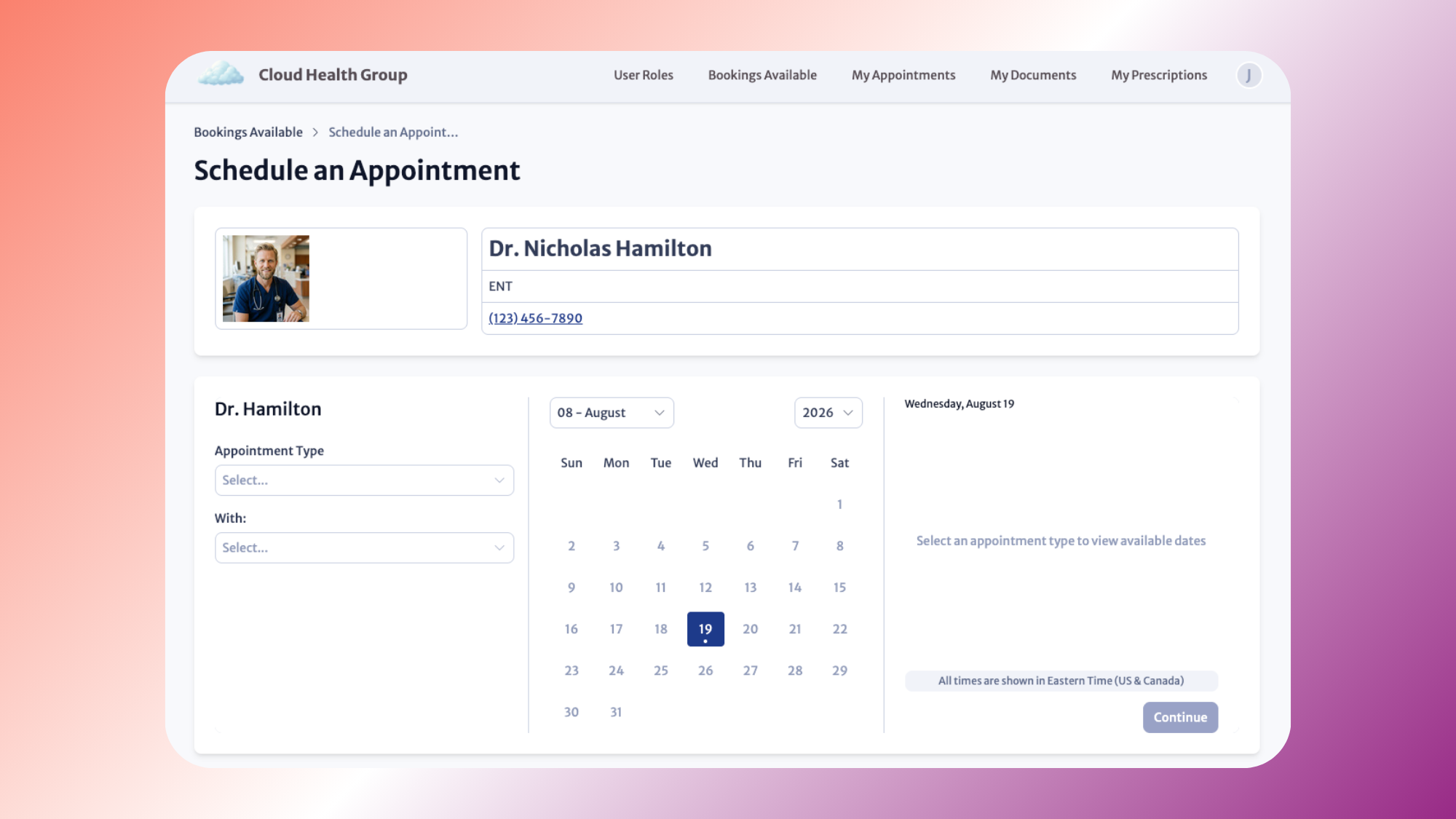
The booking experience itself is Calendly-like in simplicity. A patient or end user opens the booking form, selects an appointment type, chooses an available time slot based on real-time provider availability, and confirms. The form adapts automatically based on how you have configured your appointment types, providers, and locations.
What the feature includes
Real-time availability checking
Knack Scheduling checks provider and resource availability in real time as users book. Consequently, the system prevents double-booking automatically without any additional configuration on your end.
Multiple appointment types, providers, and locations
You configure appointment types with their own durations, providers, and locations. The booking form handles the rest. A clinic running both in-person and telehealth appointments across two locations, for example, can configure each as a distinct appointment type and let the form surface the right availability for each.
Auto-generated data structure
When you enable scheduling, Knack automatically generates the full data structure your app needs: Appointment Types, Bookable Resources, Locations, Booked Appointments, and Unavailable Dates, all connected with the right relationships. You configure the details; Knack builds the underlying structure. No schema design work is needed on your end.
No per-user fees
Unlike standalone scheduling apps that charge per seat, Knack Scheduling is included in your plan regardless of how many providers or staff members need access. Adding a new provider means configuring their availability, not increasing your monthly bill.
SMS reminders via Twilio
SMS appointment reminders are available today through Knack Flows and Twilio. Native email reminders and calendar integrations are on the roadmap. In the meantime, calendar sync is achievable through Zapier or Make.
How to set it up
Setup takes a few minutes. Here is the full process:
Enable scheduling in your app settings
Go to your app settings and enable the Scheduling feature. Knack automatically generates the full data structure, including all the tables and relationships the booking system requires.
Configure your appointment types
Set up each appointment type with a duration, the providers who can take it, and the locations where it is available. You can create as many appointment types as your operation requires.
Drag a booking form onto any page
The booking form is a standard Knack page element. Drag it onto any page in your app where you want users to be able to book. The form automatically reflects your appointment type configuration.
Publish
Your users can start booking immediately after publishing. The process needs nothing further from you.
For the full setup walkthrough, the Knack Scheduling setup guide covers every step in detail.
What this means for Knack Health users
For healthcare teams on Knack Health, the scheduling app launch closes a gap that has historically forced clinics to choose between a purpose-built scheduling tool and a HIPAA-compliant data platform. Until today, getting both in one system required either significant custom development or accepting compliance risk with a consumer scheduling app.
Knack Scheduling on Knack Health changes that equation. Knack Health includes scheduling on most HIPAA plans at no additional cost. For full details on which plans include scheduling, see the scheduling plan availability page.
The compliance picture is straightforward. Appointment data stays inside your Knack Health HIPAA-compliant environment. Because scheduling is a native feature rather than a third-party integration, your team does not need to evaluate additional vendors and does not need to sign an additional BAA. The BAA already in place for your Knack Health account covers your scheduling data.
In practice, this means a clinic can offer patient self-scheduling through the same portal where patients submit intake forms, access their records, and communicate with staff, all inside one HIPAA-compliant system. A home care agency can let clients book care visits based on real-time caregiver availability. A behavioral health practice can offer appointment booking without routing patient data through a consumer scheduling app that lacks a BAA.
The minimum necessary standard still applies. Role-based access controls and field-level permissions apply to scheduling data the same way they apply to everything else in your Knack Health app. Front desk staff see what their role requires. Providers see their own schedule. Administrators see across the system. The HIPAA compliance guide covers the full technical safeguard framework if you are setting this up for the first time.





