


 Log In






- Features & Benefits
- AI Powered App-Building

Build apps in minutes with AI
- Security and Infrastructure

Protect and control your data
- No-Code Database

Manage and connect your data
- Integrations

Connect tools and sync workflows
- Reports

Track and visualize performance
- User Access

Manage roles and permissions
- E-commerce

Run and automate online sales
- Scheduling

Real-time appointment booking
- Workflows

Streamline operations with automations
- MCP Server

Connect your AI tool to Knack
- AI Powered App-Building
- Dive into Knack
- App Templates

Start fast with pre-built app templates
- Professional Services

Have a professional assist your build
- Blog

Read insights and practical tips
- Case Studies

See how others use Knack
- Videos

Watch tutorials and user stories
- Glossary

Look up common no-code terms
- App Templates
- Additional Resources
- Webinars

Discover recent and upcoming webinars
- News

The latest from Knack
- Compare Knack

See how Knack stacks up
- Hire an Expert Builder

Get hired to build or expand apps
- Help Center

Learn how to set up your app
- Developer Docs

Access technical guides and documents
- Community Forum

Connect with other Knack builders
- Webinars
- Partner Programs
- Become An Affiliate

Earn revenue by referring Knack
- Become an Expert Builder

Get hired to build apps
- Agency Program

Resell Knack to your clients
- Become An Affiliate
Content Calendar Template

Stay on top of your publishing schedule and streamline team collaboration with Knack’s Content Calendar Template. This no-code solution gives marketing teams, agencies, and content creators a centralized hub to plan, track, and evaluate every piece of content in one place, No spreadsheets or scattered tools are required.
Use for Simple Post Scheduling of Multi-Channel Launches
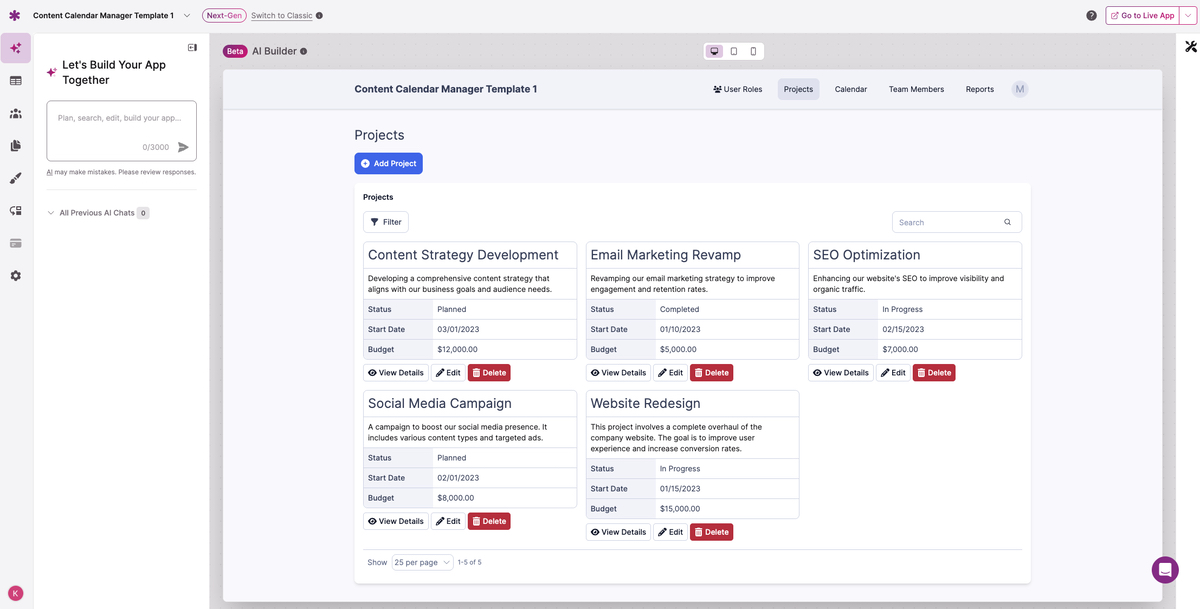
This Content Calendar Template adapts to a variety of workflows. Teams can use it to schedule blog posts, track social campaigns, or coordinate multi-channel launches. Each entry includes essential details like deadlines, content type, owner, and status—so nothing slips through the cracks.
Includes Reporting and Visualization Tools
The template also includes reporting and visualization tools to monitor progress. Dashboards and reports make it easy to see what’s coming up, what’s in progress, and what’s complete. With Knack’s Content Calendar Template, you can build dashboards that show content status by channel, measure campaign workload, and identify bottlenecks before they delay delivery.
See What’s Planned, in Progress, and Published
With clear visibility into what’s planned, in progress, and published, your team can stay aligned and agile. Visualizations highlight bottlenecks, keep workloads balanced, and ensure that projects stay on track. You can instill accountability with notifications and optional approval steps. Let your team know when you’ve reviewed the work and it’s ready to go live.
Collaborate with Shared Dashboards
The Content Calendar Template has built-in collaboration tools. Share dashboards with leadership, assign tasks to team members, and use notifications to stay updated when deadlines approach. Optional approval workflows add another layer of accountability for campaigns requiring stakeholder sign-off.
Customizable categories and workflows make the Content Calendar Template flexible for teams of any size. Small businesses, large enterprises, and agencies alike gain a clear view of their publishing pipeline in one secure, user-friendly platform.
Explore the following resources to help you build your custom Content Calendar App:
- Emails & Notifications
- Users & Access
- How to Show Records Connected to the Logged-In User
- Workflow & Automation
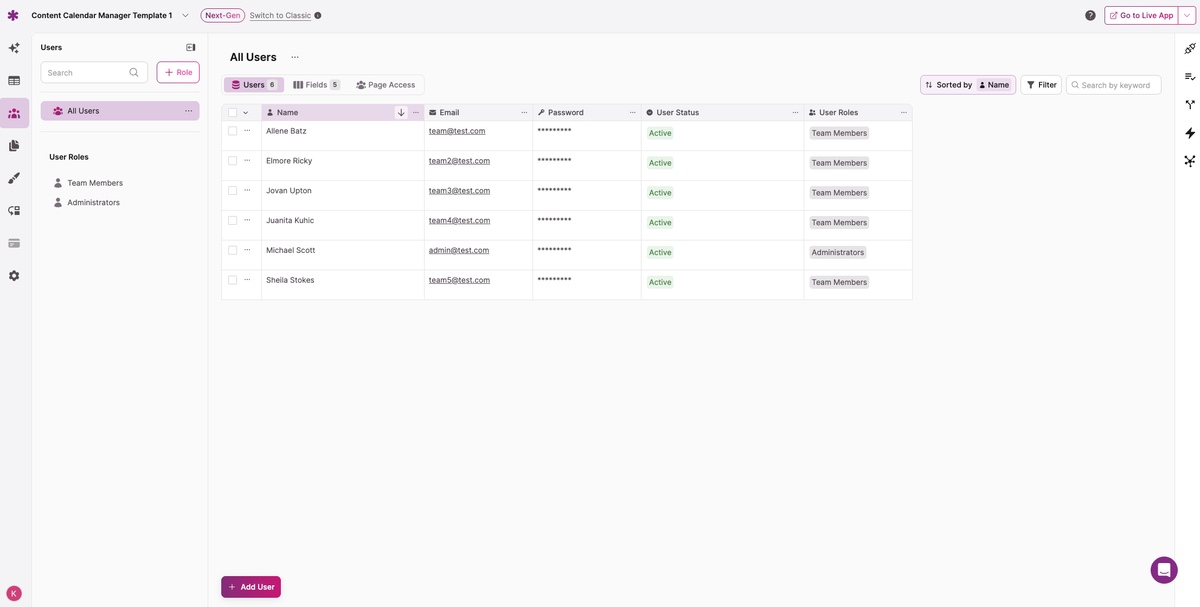
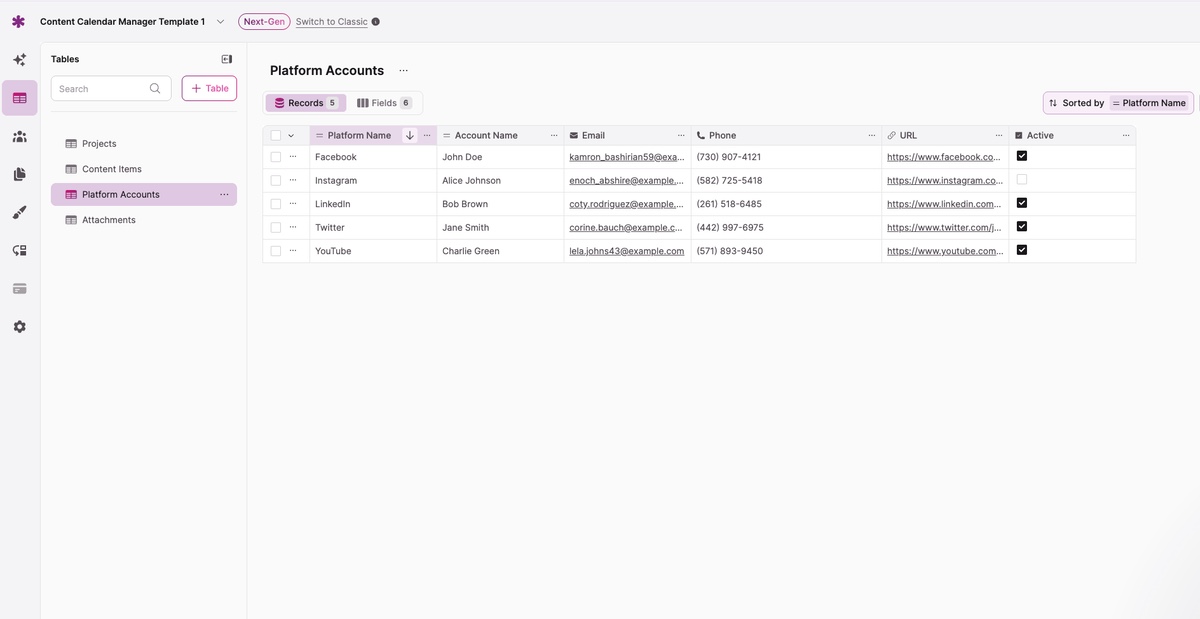
Screenshots
Why Use This Template?
- Centralized Planning: Manage all content initiatives across blogs, social media, email, and campaigns in one calendar.
- Task Visibility: Assign tasks and track ownership, deadlines, and progress.
- Campaign Insights: Use dashboards to see what’s planned, scheduled, or published.
- Approval Workflows: Add sign-offs for campaigns or client deliverables.
- Adaptable: Customize fields, workflows, and dashboards to match your team’s process.
- Accessible Anywhere: Use the Content Calendar Template on the web or mobile.
- Secure Collaboration: Protect data with role-based permissions and encrypted access.
Key Features
- Calendar & Scheduling: Plan campaigns, set deadlines, and visualize timelines.
- Task Management: Assign owners, track status, and log content details.
- Campaign Tracking: Organize by channel, project, or campaign.
- Reports & Dashboards: Visualize workloads, deadlines, and content status.
- Notifications & Alerts: Stay updated on upcoming deadlines and approvals.
- Approval Workflows: Route content for review before publication.
- File Attachments: Upload drafts, creative assets, or briefs directly into entries.
- Search & Filtering: Quickly find content by date, channel, or keyword.
- Export & Integration: Export calendar data or integrate with other tools.
- Multi-Platform Access: Work seamlessly across desktop and mobile.
- Data Security: Keep your team’s content safe with encryption and permissions.
What’s Next?
- Get help building your app: Request a Demo
- See how this app is built: Install the Content Calendar App Template
3 Easy Ways to Start Building For Free
1. Generate an App with AI
2. Use one of our templates
3. Import your own data

Free 14-Day Trial. No Credit Card Required





