


 Log In









Real estate agents juggle countless moving parts—managing leads, following up with prospects, tracking property details, and nurturing client relationships—all while working in a highly competitive market.
Generic CRMs often fall short because they aren’t built to handle the unique demands of real estate, where timing, personalization, and property management tools make all the difference. That’s why a tailored CRM designed specifically for agents is essential, offering features that streamline workflows, boost client engagement, and ultimately close more deals.
In this guide, we’ll explore the key criteria to evaluate when selecting a real estate CRM, highlight some of the top platforms available, and share how flexible solutions like Knack can be customized to fit the way you do business.
Quick Summary: What You’ll Learn About Real Estate CRMs
- Real estate agents need CRMs tailored for listings, pipelines, and MLS integrations.
- Specialized CRMs solve the limitations of general tools with industry-specific workflows.
- Key features include lead capture, pipeline tracking, document management, automation, and AI assistants.
- Choosing the best CRM requires evaluating priorities, features, trials, and onboarding plans.
- Successful adoption depends on clean data, standardized pipelines, training, automation, and ongoing optimization.
Why Real Estate Agents Need a Dedicated CRM
General CRMs can be powerful tools for businesses like retail shops, marketing agencies, and service providers, where tracking sales pipelines and project management are the primary focus. However, the niche needs of real estate often demand something more specialized—CRMs built for agents provide all the essential tools for managing leads, properties, and client interactions, ensuring they have everything they need and nothing they don’t.
Unique Demands of Real Estate CRM Workflows
Real estate is a highly specialized field, with daily tasks and client demands that look very different from those in more standard industries.
Agents are often responsible for:
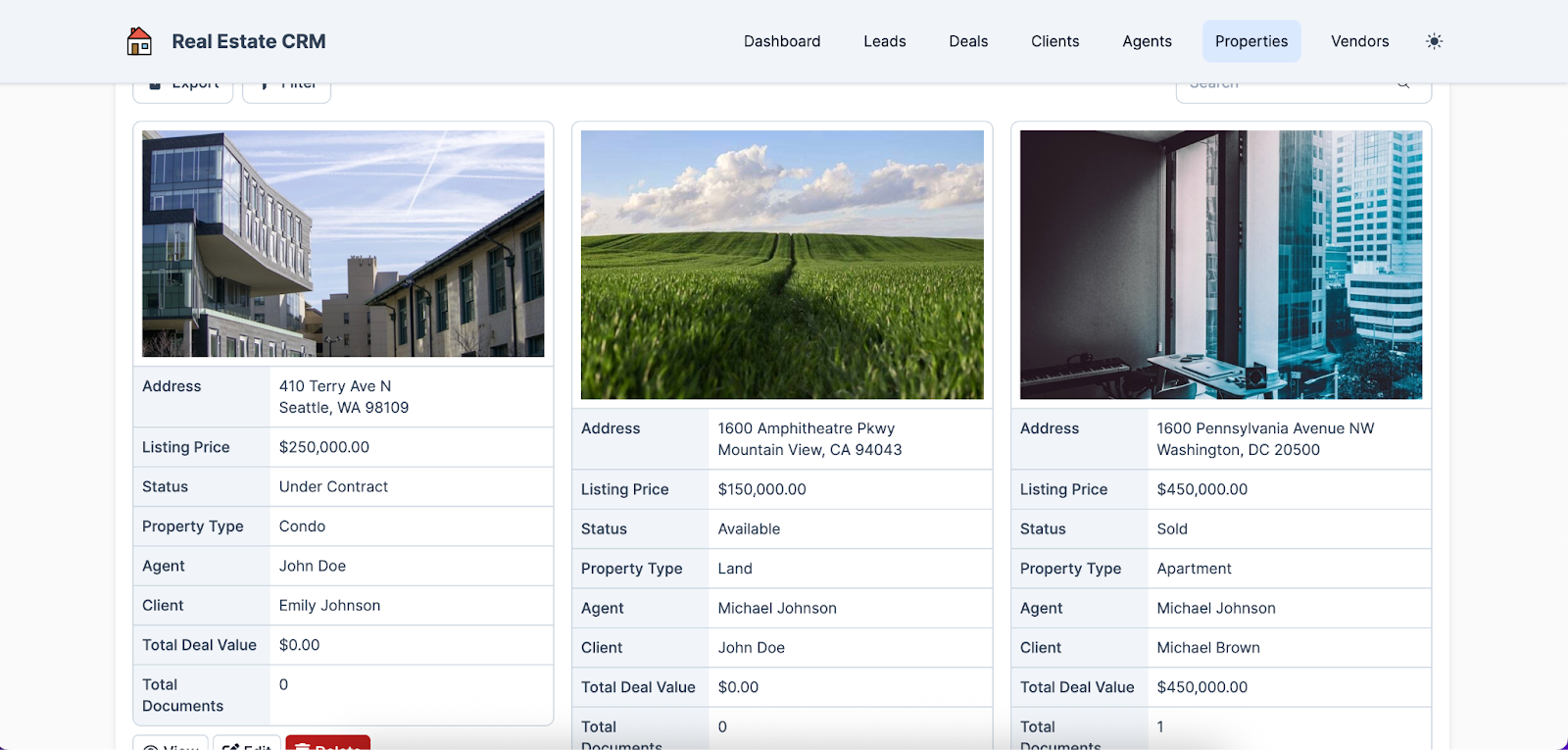
- Managing property listings – Agents must keep detailed, constantly updated records of available properties, including photos, pricing, and descriptions, to attract and inform buyers.
- Coordinating showing schedules – Unlike standard sales, agents often juggle multiple showings across locations, requiring precise scheduling and client coordination.
- Tracking commissions – Real estate transactions involve complex commission structures that need careful monitoring to ensure accurate payouts for agents and brokers.
- Handling multiple contacts per transaction – A single deal can involve buyers, sellers, lenders, inspectors, and attorneys, requiring agents to manage communication across many parties simultaneously.
- Running drip campaigns – Automated, personalized email and text campaigns can nurture leads and stay top-of-mind with prospects over time.
- Following up after open houses – Success often depends on timely outreach to attendees, turning casual visitors into qualified leads.
- Managing buyer/seller pipelines – Tracking prospects at every stage of the buying or selling journey is essential, ensuring no opportunity slips through the cracks.
Limitations of General CRMs for Agents
General CRMs are typically ill-equipped to handle many of these specialized real estate tasks, as they’re designed with more standard business needs like basic sales tracking and customer service in mind. In a real estate environment, these solutions may lack in several ways, including:
- Missing industry-specific workflows – Generic CRMs don’t account for tasks like managing showings, tracking offers, or handling buyer/seller pipelines.
- Too generic contact models – They’re built around single customer relationships, not the multiple parties involved in a single real estate transaction.
- Poor integration with MLS – Most lack seamless connections to MLS systems, making it harder to sync and update property listings.
- Limited property database support – No structured ways to store, categorize, and search property details tied to client needs.
- No built-in document signing tools – Unlike specialized platforms, general CRMs often lack integrations with e-signature tools critical for real estate contracts.
- Weak commission tracking – They don’t offer native tools for calculating or distributing commissions across agents and brokers.
3 Easy Ways to Start Building For Free
1. Generate an App with AI
2. Use one of our templates
3. Import your own data

Free 14-Day Trial. No Credit Card Required
Key Features to Look for in a Real Estate CRM
A real estate-specific CRM should deliver a robust set of features that streamline everyday processes, improve client communication, and integrate seamlessly with the platforms agents already rely on. To ensure your chosen solution truly meets your unique needs, we recommend creating a checklist of the following features and verifying that it offers most, if not all, of them.
Lead Capture and Automated Distribution Tools
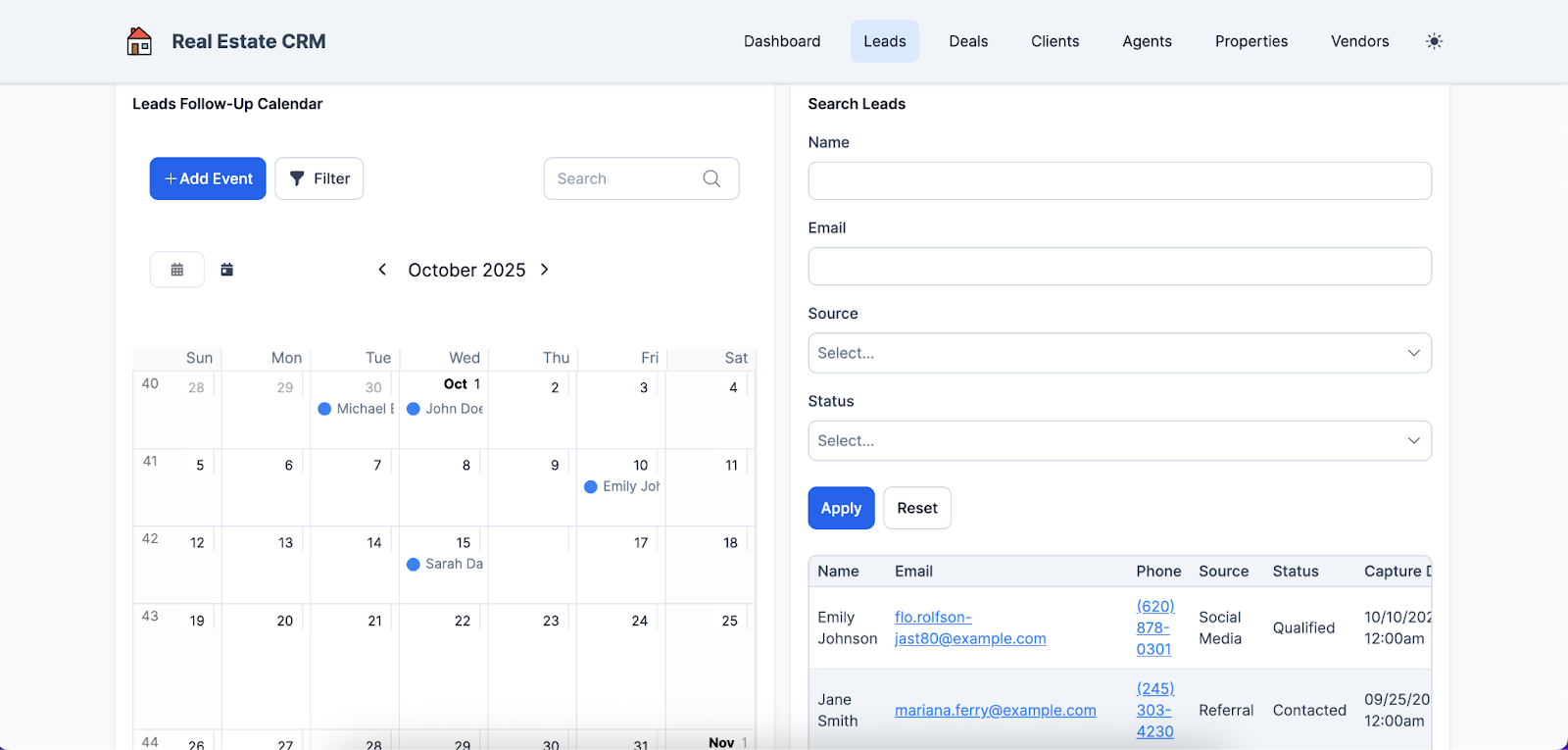
An effective real estate CRM should make it easy to capture leads from multiple sources—whether that’s your website’s contact form, property portals like Zillow or Realtor.com, or even social media campaigns—and automatically route them into the system for follow-up. Lead assignment rules can then be applied to ensure inquiries are distributed fairly and efficiently, often based on factors like territory, agent availability, or property type.
For example, if a prospective buyer fills out a form on a listing for a downtown condo, the system might automatically assign that lead to the agent who specializes in urban properties within that ZIP code, ensuring the client receives fast, relevant follow-up while the agent focuses on their area of expertise.
Pipeline and Deal Management
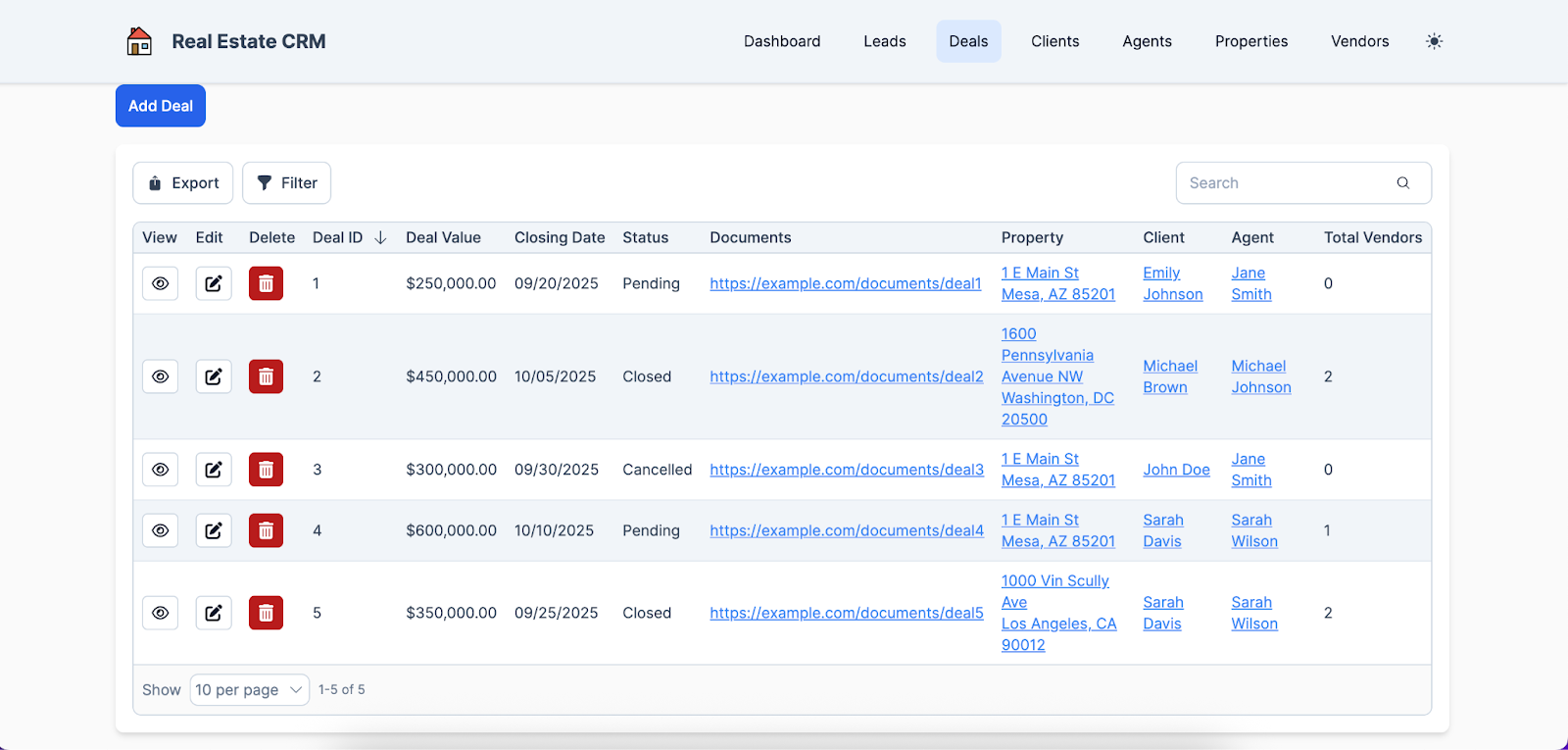
By offering the ability to track deals through stages, a real estate CRM gives agents clear visibility into where every transaction stands, from initial inquiry to closing. The system should also support custom stages tailored to different property types—such as rentals, residential sales, or commercial deals—since each comes with its own unique process. This flexibility helps agents forecast more accurately and ensure no critical step is overlooked.
Without this feature, deals can easily slip through the cracks, miscommunication may occur, and opportunities for timely follow-ups or problem-solving could be lost, ultimately hurting client satisfaction and revenue.
Contact, Client, and Vendor Relationship Management
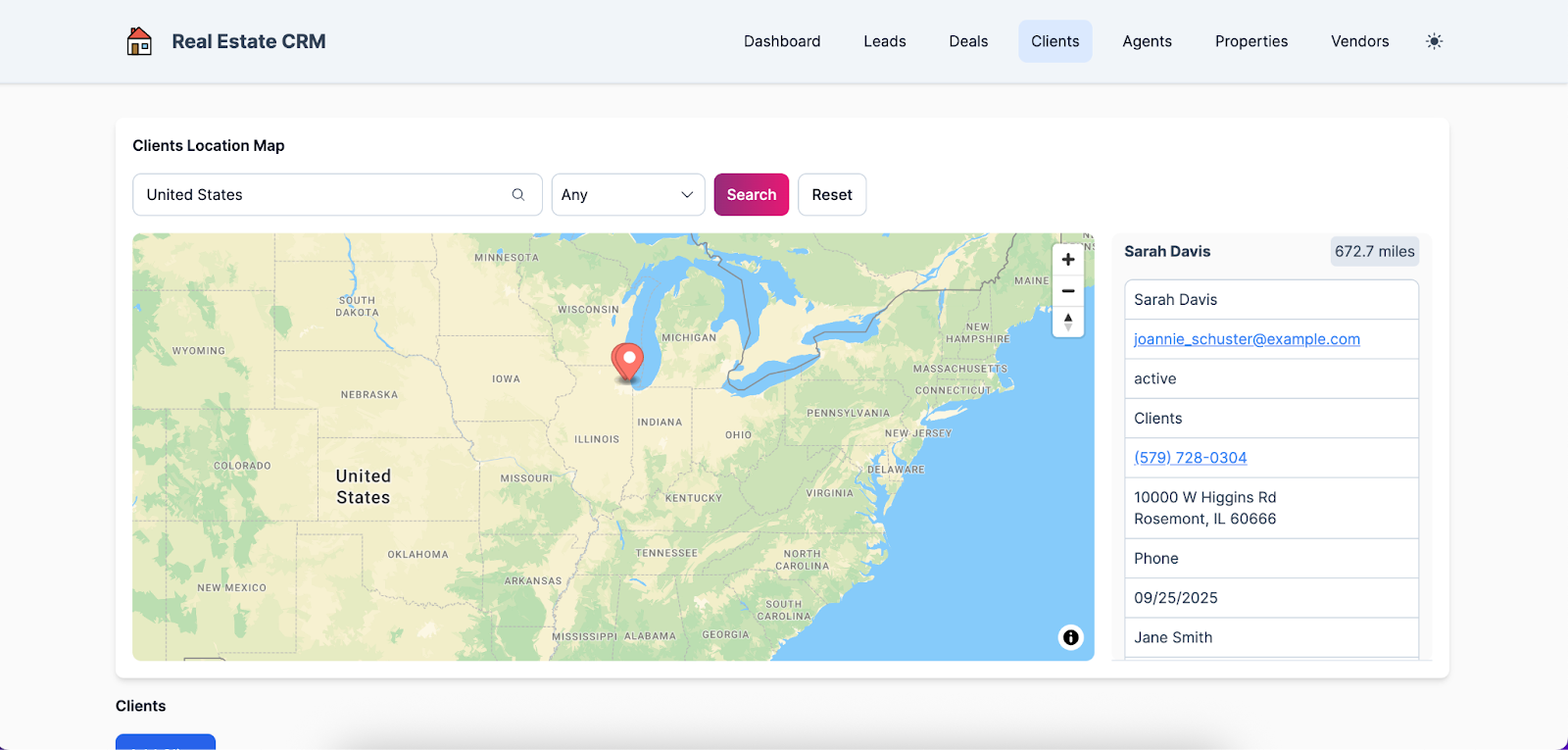
Real estate agents are often tasked with handling multiple contacts for every deal—buyers, sellers, inspectors, lenders, and more—all of whom need timely updates to keep transactions moving smoothly. Coordinating with so many stakeholders means real-time communication is critical to avoid missed deadlines or delays.
A real estate CRM simplifies this process by centralizing all messages, notes, and updates in one location, giving agents a complete view of every interaction. This ensures they don’t have to juggle several different platforms or risk losing important details, thereby keeping deals on track and clients confident in the process.
Document and E-Signature Management Solutions
There are numerous documents that real estate agents must manage throughout the buying or selling process, including purchase agreements, disclosure forms, inspection reports, loan applications, and closing paperwork. Document management solutions included in most real estate CRMs simplify these administrative tasks by providing a centralized repository, automated organization, version control, and integrated e-signature capabilities.
For instance, an agent can upload a signed purchase agreement directly into the CRM, automatically notify all relevant parties, and track its status in real time—eliminating the need for separate email chains or manual follow-ups while ensuring compliance and efficiency.
Automation and Follow-Up Workflows for Agents
The various moving parts involved in completing a real estate deal make it crucial that all parties are aligned on expectations and, more importantly, remember when it’s time to fulfill their responsibilities. Automated reminders within a CRM help ensure that no essential tasks are overlooked by sending timely notifications to buyers, sellers, agents, or other stakeholders, keeping everyone on track.
Beyond reminders, automation can also be leveraged for email and SMS drip campaigns, as well as task automation, allowing agents to nurture leads over time, follow up consistently, and streamline repetitive processes.
Integration with MLS, Calendars, and Data Sync Tools
Integration with external business systems is a critical capability for any real estate CRM, as it ensures that data flows smoothly across an agent’s entire tech stack and reduces the need for manual entry or duplicate work. Key integrations often include MLS and other property listing services, document signing tools, calendar systems, and automation platforms like Zapier, allowing agents to manage listings, appointments, and workflows in one connected ecosystem.
Choosing a CRM that doesn’t integrate well can lead to data inconsistencies, missed deadlines, and fragmented communication, making it harder to provide clients with a seamless experience.
Reporting and Analytics
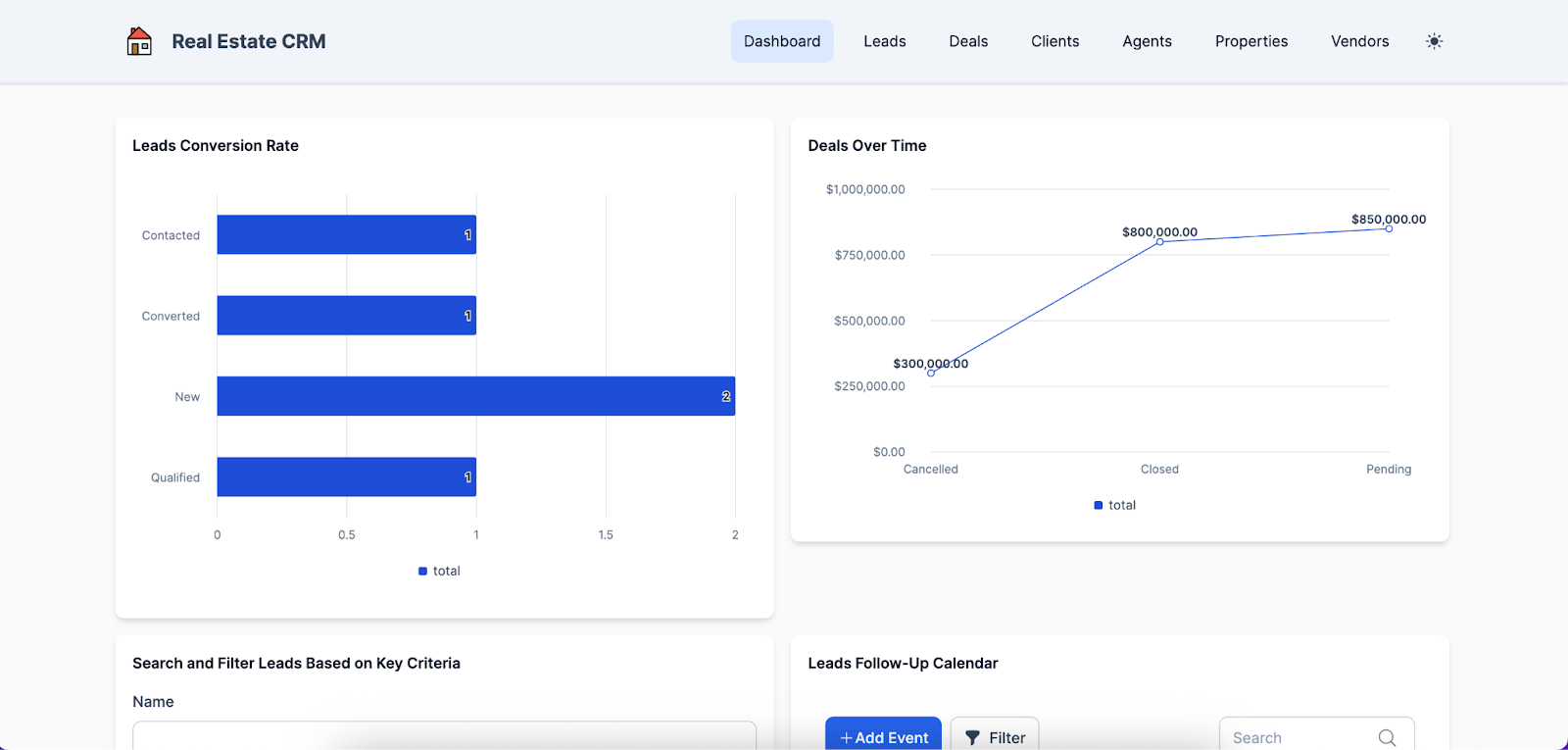
To ensure a real estate business operates efficiently and fairly, the reporting and analytics tools found in CRMs are crucial for monitoring performance and verifying accurate compensation.
These tools allow agencies to track commission reports, conversion rates, and individual agent performance, providing a clear picture of how each team member contributes to overall success. With this data, agencies can reward high-performing agents, offer targeted training to those who are falling behind, and make strategic adjustments to processes or resource allocation, helping the business stay competitive and relevant over time.
Mobile Access and Ease of Use
Many real estate agents spend significant time out of the office—whether showing clients at an open house, scouting new properties, or meeting a prospective buyer for coffee—making mobile capabilities and offline access essential.
Waiting until they return to the office to input critical information can result in forgotten details and delayed progress on deals. These mobile tools must also offer a user interface as intuitive and user-friendly as the traditional desktop platform to ensure agent adoption, allowing them to easily update listings, notes, and client communications while on the go or in areas with limited connectivity.
Scalability, Customization, and CRM Pricing Tiers
As a real estate operation grows, its needs rarely remain static, making it essential to select an adaptable, scalable CRM that can continue to meet evolving requirements.
A robust real estate CRM handles growth by allowing customization of objects, workflows, and data structures to match new processes or team structures without disrupting existing operations. Cost structure is equally important, as per-user fees and add-ons can accumulate quickly as a business expands. Choosing a platform with flexible pricing tiers also enables agencies to upgrade their plan seamlessly without having to switch systems entirely, ensuring both functionality and financial sustainability over time.
AI Assistants and Predictive Lead Scoring in Real Estate CRMs
There are a few industries where the recent emergence of AI hasn’t had a profound effect, and real estate is no exception. In these environments, AI-powered tools can automate repetitive workflows, improve operational efficiency, and enhance lead management by analyzing data to prioritize high-value prospects.
An AI-driven CRM, for example, might automatically score incoming leads based on engagement patterns, predict which buyers are most likely to close, and even suggest personalized follow-up messages—allowing agents to focus their time on the clients most likely to convert while ensuring no opportunity is overlooked.
How to Choose the Best CRM: A Step-by-Step Evaluation
So you’ve decided a real estate CRM is the right choice for your agency—what comes next is figuring out which one fits best. This means performing due diligence to identify your agency’s most pressing challenges and evaluating which solution offers the features that effectively address those specific needs.
Define Your Agency’s Size, Priorities, and Tech Stack
Before assessing real estate CRM solutions, it’s essential to first turn inward and determine your agency’s unique requirements. Key factors to consider include the number of agents on your team, transaction volume, existing workflows, and the integrations required with other tools and platforms. Selecting a CRM that isn’t tailored to these needs can disrupt daily operations, create inefficiencies, and lead to missed opportunities, thus slowing growth and reducing overall productivity.
Build or Use a Feature Checklist and Scoring Matrix
Once you’ve identified your most critical requirements, the next step is to create a checklist or scoring system to objectively evaluate which CRM solution best fits your needs. Assigning weights to feature categories—such as lead management, automation, reporting, and integrations—based on their importance to your business helps prioritize what matters most.
For instance, an agency that handles a high volume of transactions might assign heavier weights to lead management and automation, scoring each potential CRM on how well it supports these features, which allows the team to quickly identify the solution that aligns most closely with their operational priorities.
Test with a Trial, Pilot, or Sandbox CRM Environment
While conducting thorough online research is valuable, it can only reveal so much about how a real estate CRM performs in real-world scenarios. Once you’ve narrowed your list to two or three top contenders, request a trial, pilot, or sandbox evaluation from the vendors.
Testing the solutions with real data and involving a few agents who will be utilizing the platform provides direct feedback from actual users, highlighting any inefficiencies or workflow issues that weren’t apparent during initial research. This hands-on approach ensures you make a more informed decision before committing to a long-term plan, reducing the risk of costly disruptions or adoption challenges down the line.
Migration and Onboarding Considerations
The final factor to consider when selecting a real estate CRM is how seamless the transition will be from your old platform, including the effort required for onboarding. Key considerations here include data import, user training, adoption rates, and the overall cost of switching systems.
A competent CRM should offer robust tools to facilitate importing existing contacts, listings, and transaction histories without data loss or manual re-entry. It should also provide comprehensive documentation, tutorials, and training resources to help new users quickly learn the platform and leverage its full range of features, ensuring a smooth and efficient transition.
Best Practices for CRM Adoption in Your Real Estate Business
Aside from prioritizing key features and selecting the right CRM solution, it’s equally important to implement a proven set of best practices to fully realize the benefits of your new system. Doing so prepares both the platform and your agents to work in harmony, ensuring that every aspect of your operation is aligned and positioned for success.
Clean Up and Normalize Your Data Before Import
Before migrating to a new CRM, it’s essential to remove duplicate entries, standardize contact information, and verify that all spreadsheets and records are accurate.
Clean, well-organized data ensures that your CRM is reliable and functional from day one, providing a solid foundation for managing leads, transactions, and client communications. Conversely, failing to clean data beforehand can lead to problems such as inconsistencies, incorrect reporting, and duplicated efforts, which can undermine the efficiency and effectiveness of your new system.
Define Standardized Pipelines and Stages
Agreeing on clear deal stages for both buyers and sellers is crucial to ensure that everyone on the team tracks progress consistently and knows exactly where each transaction stands. Standardized pipelines not only improve reporting accuracy, allowing managers to monitor conversion rates and forecast revenue effectively, but also prevent confusion among agents by providing a shared framework for managing tasks and follow-ups.
Unambiguous deal stages help streamline communication, reduce the risk of missed steps, and create a repeatable process that keeps transactions moving smoothly from initial contact to closing.
Train Your Team and Set Usage Policies
Even the best CRM is only effective if your team uses it correctly, which is why it’s essential to choose a solution that provides an extensive set of resources to support seamless onboarding and ongoing platform mastery.
With these resources, leaders can provide structured training sessions, comprehensive documentation, and clear guidelines on how to enter data and log interactions consistently. Offering self-paced tutorials and multiple learning formats ensures that users with different preferences and skill levels can engage with the system effectively, helping the team adopt best practices and maximize the CRM’s value over time.
Automate as Much as Possible but Preserve Human Touch
AI-powered features can be incredibly valuable in a real estate CRM, but it’s important not to rely on them too heavily at the expense of personal interaction.
Leveraging automation for reminders, drip campaigns, and task assignments can save time and ensure consistency, but agents should balance this with authentic, personalized outreach, as clients deeply value human connection. By combining AI efficiency with genuine personal communication, agents can respond effectively to client needs and maximize both productivity and trust, creating a more effective and client-focused approach to real estate.
Review CRM Metrics Regularly and Optimize Workflows
Implementing a new real estate CRM isn’t a set-it-and-forget-it effort; it requires ongoing monitoring and continuous optimization to ensure it meets evolving business needs. Agencies should track performance indicators such as lead conversion rates, response times, and agent activity, using these insights to refine workflows, add automations, or adjust training as necessary.
For example, if analytics reveal that follow-ups on new leads are consistently delayed, a brokerage might introduce automated reminders, reassign leads to balance workloads, and provide targeted coaching to agents, ensuring faster response times and higher conversion rates.
Conclusion: Deploy the Right Real Estate CRM with Knack
While a general CRM may suffice for more traditional industries, real estate agencies require a specialized solution designed to address their unique workflows, contacts, and transaction complexities. Choosing a CRM that aligns with your processes and growth plan is essential for maximizing efficiency, improving client relationships, and supporting long-term business success.
For many real estate operations, Knack serves as the preferred CRM, empowering them to custom-build a solution tailored to their specific processes and workflow needs.
Ready to design your perfectly tailored real estate CRM—with no coding required? Sign up for your free, no-risk trial of Knack today!
FAQs About Real Estate CRMs
What is a real estate CRM, and how is it different from a regular CRM?
A real estate CRM is designed specifically for agents, helping manage leads, listings, and deals. Unlike a general CRM, it supports property pipelines and multiple contacts per transaction.
How much should a real estate agent expect to pay for a CRM?
Most CRMs cost between $20–$100 per user per month. Advanced real estate CRMs with robust automation or integrations may cost more, while lightweight options are often more affordable. With Knack, plans start out at $19 per month, and users have the option to scale up as their agency’s needs evolve.
Can I customize a CRM if I need workflows unique to my agency?
Yes. Many CRMs let you add custom fields, automate tasks, or design unique workflows. Flexible platforms like Knack allow you to fully tailor your CRM to match your agency’s processes.
How do I migrate data from spreadsheets or my existing CRM?
Most CRMs support imports from CSV or Excel files. Before migrating, clean and organize your data, map fields carefully, and run a test import to catch errors early.
Do I need to integrate my CRM with MLS or listing services?
Integration is highly useful—it saves time by syncing listings automatically and reducing manual data entry. Some CRMs offer direct MLS integrations, while others rely on third-party tools.
What features are most important for solo agents vs. large teams?
Solo agents often prioritize affordability and ease of use, while larger teams need scalability, role-based permissions, and performance tracking to coordinate multiple agents.
How long does it take to see ROI from a real estate CRM?
Many agents see benefits within a few months through faster follow-ups, improved lead conversion, and time saved on manual tasks. ROI grows as adoption and automation increase.





