


 Log In









Marketing agencies constantly juggle multiple clients, campaigns, and deliverables—making clear communication and transparency essential for success. With so many moving parts, staying organized and keeping clients informed can be a challenge.
That’s where client portals come in. These secure, centralized platforms provide a modern solution for managing projects, sharing campaign data, and maintaining open lines of communication—all in one place.
In this guide, we’ll explore how client portals can help marketing agencies streamline operations and build stronger client relationships. We’ll cover their key benefits, must-have features, and best practices for effective implementation.
TL;DR: Key Takeaways for Using Client Portals in Agencies
- Client portals serve as secure hubs for communication, document sharing, and performance visibility.
- They help marketing agencies manage complex client relationships and real-time campaign data.
- Portals streamline collaboration, reduce email clutter, and improve communication efficiency.
- Centralized dashboards and automation boost transparency, save time, and improve service quality, building client trust and strengthening retention.
- Key features include custom branding, onboarding workflows, task tracking, and financial tools.
- Continuous training, updates, and usability reviews drive adoption and long-term success.
- Knack empowers agencies to build custom client portals that scale, streamline operations, and deliver exceptional client experiences.
What Is a Client Portal for Marketing Agencies?
A client portal is a secure online platform that allows agencies and clients to collaborate, communicate, and share information in one centralized space. It functions as a protected hub for exchanging documents, tracking project progress, and providing real-time visibility into campaign performance.
Agency-client relationships are becoming more complex, and the demand for instant access to data is increasing. Client portals help streamline communication, simplify campaign management, and ensure clients stay informed every step of the way.
3 Easy Ways to Start Building For Free
1. Generate an App with AI
2. Use one of our templates
3. Import your own data

Free 14-Day Trial. No Credit Card Required
Benefits of Client Portals for Marketing Agencies
Leveraging a robust client portal solution can deliver significant benefits for both marketing agencies and their clients. From enhancing communication and boosting efficiency to fostering trust and improving client retention, these powerful platforms strengthen every aspect of the client-agency relationship.
Streamlined Communication and Collaboration
By centralizing all client interactions in one secure platform, client portals eliminate email clutter, reduce miscommunication, and provide a single source of truth for project updates and deliverables. Instead of sorting through endless email threads or missing key attachments, both agencies and clients can easily access shared files, review campaign metrics, and leave comments in real time.
For example, a marketing agency managing a multi-channel ad campaign can use its client portal to share creative drafts, track approval statuses, and deliver performance reports—ensuring every stakeholder stays aligned and informed without the chaos of back-and-forth emails.
Improved Transparency and Client Trust
Providing clients with access to real-time campaign performance through a client portal builds credibility and accountability by allowing them to see exactly how their investments are performing at any moment. These portals integrate analytics dashboards, performance reports, and live data updates, empowering clients to track progress without waiting for manual updates from the agency.
This level of transparency strengthens trust, demonstrates measurable results, and fosters more informed decision-making. In contrast, agencies that fail to provide real-time visibility risk client frustration and potential churn—especially when clients feel left in the dark about campaign outcomes or suspect inefficiencies in project execution.
Time Savings and Productivity Gains
Automation and centralized data within client portals significantly reduce manual work, enabling teams to focus more on creative and strategic output. The key is not to over-rely on automation, but to use it wisely to handle repetitive, time-consuming tasks—such as updating status reports, sending reminders, or generating campaign summaries—so human talent can concentrate on higher-value initiatives like strategy development and content creation.
For instance, a marketing agency might use its client portal to automatically compile and deliver weekly ad performance reports, freeing account managers from manual data entry and giving them more time to brainstorm innovative campaign ideas and strengthen client relationships.
Stronger Client Retention
When all these benefits come together through the use of a client portal, they collectively lead to higher client satisfaction—and ultimately, improved client retention.
By meeting key needs for efficiency, transparency, and seamless communication, agencies show clients that their projects are being managed with precision and care. Clients can see active progress in real time, collaborate directly on deliverables, and provide feedback or request adjustments without delay.
This ongoing visibility and involvement foster trust and confidence, reassuring clients that they chose the right team to achieve their marketing goals.
Key Features of a Marketing Agency Client Portal
A competent client portal solution should include a wide range of powerful features designed to meet the diverse needs of marketing agencies of all sizes and their unique client expectations. When selecting a platform, it’s essential to ensure it offers most—if not all—of the key features outlined below. This guarantees it can fully support your agency’s specific goals and workflows.
Custom Branding and Permissions
Custom branding is an important feature in a client portal. It allows agencies to present a cohesive, professional image that reinforces their brand identity across every client interaction. White-label options and custom domains let agencies fully personalize the portal’s interface. From logos and color schemes to URLs, creating a seamless experience that feels like an extension of their own platform rather than a third-party tool.
Equally important, robust permission settings—such as role-based access control—ensure that sensitive client information remains protected by granting access only to authorized users. Additional security measures like multi-factor authentication and granular data-sharing controls further safeguard confidentiality while maintaining smooth collaboration.
Client Onboarding Workflow
Client portals simplify onboarding by automating the collection of essential information. They organize client details and deliver welcome materials in a structured, user-friendly way. This automation helps agencies quickly set up accounts, assign team members, and share resources. It also ensures new clients feel informed and valued from day one.
A smooth onboarding experience builds trust and sets the tone for a productive partnership. The absence of a well-structured process can lead to confusion, delays, and frustration on both sides.
File and Asset Management
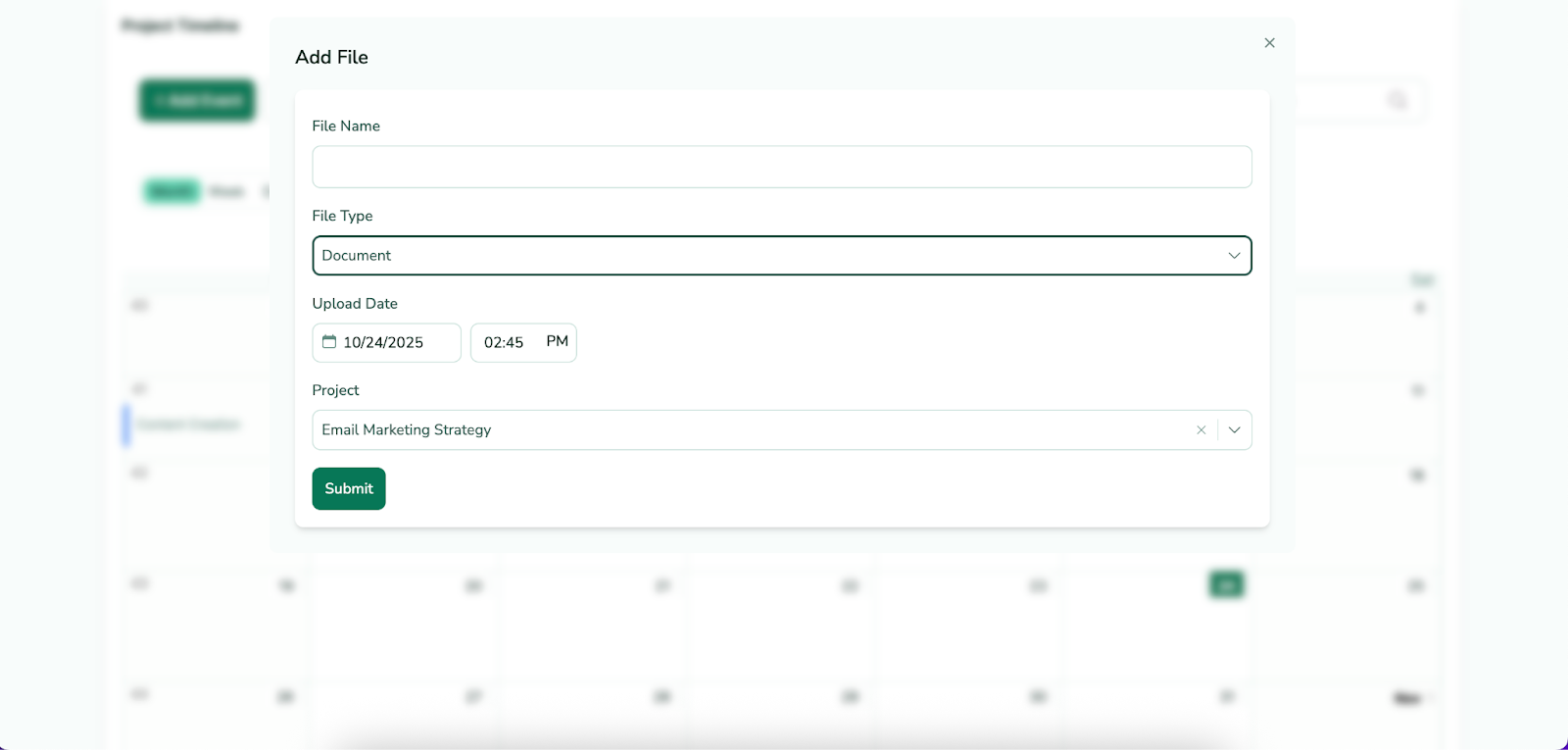
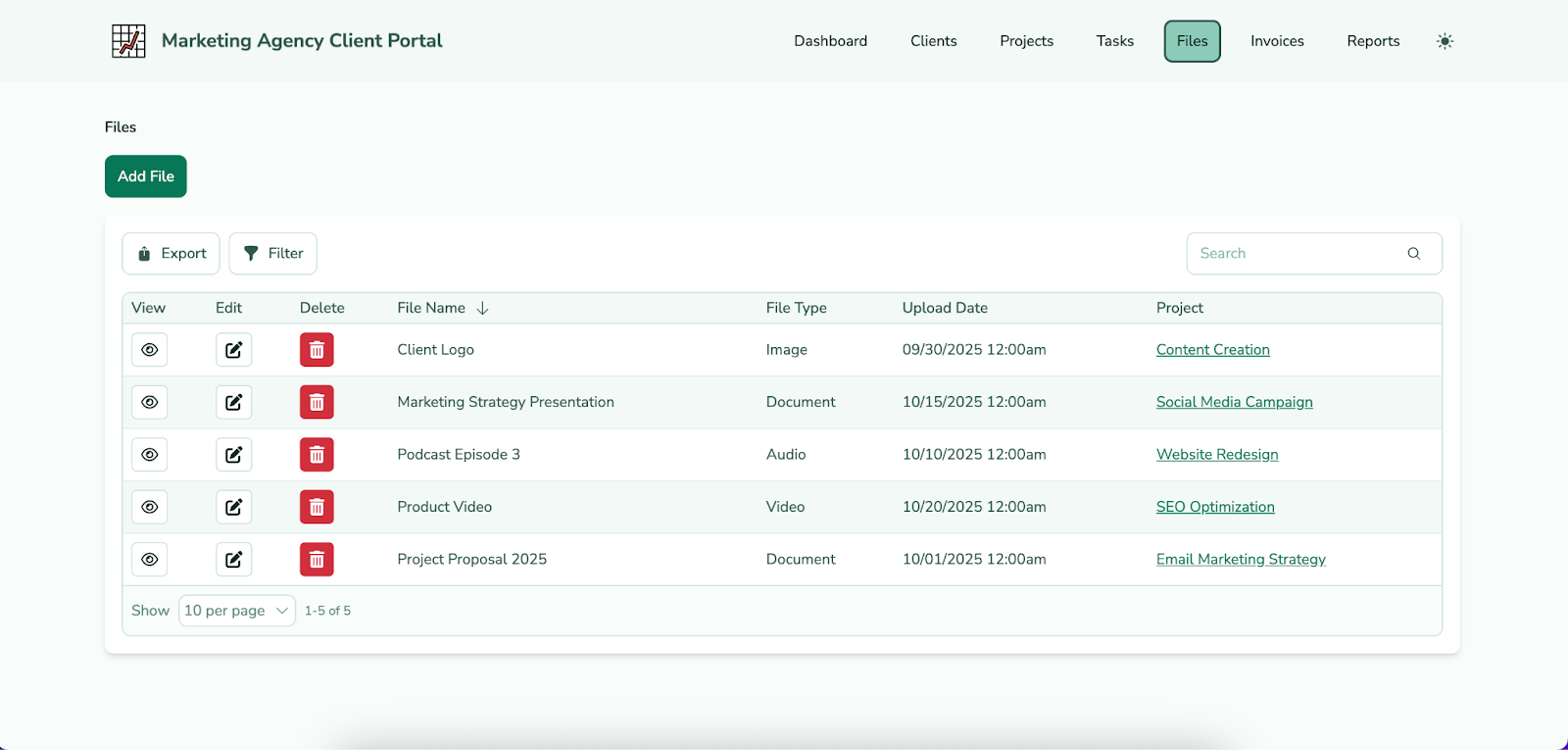
Version control, approvals, and centralized document access are key features in a client portal that help agencies manage files and assets with greater organization and efficiency.
Version control ensures that all team members and clients are working from the most up-to-date documents. Approval workflows streamline the review process by clearly tracking which assets have been reviewed, approved, or require changes. Meanwhile, centralized document access provides a single, secure location for all project materials, making it easy for stakeholders to locate and share files without sifting through emails or scattered folders.
Task and Project Management Tools
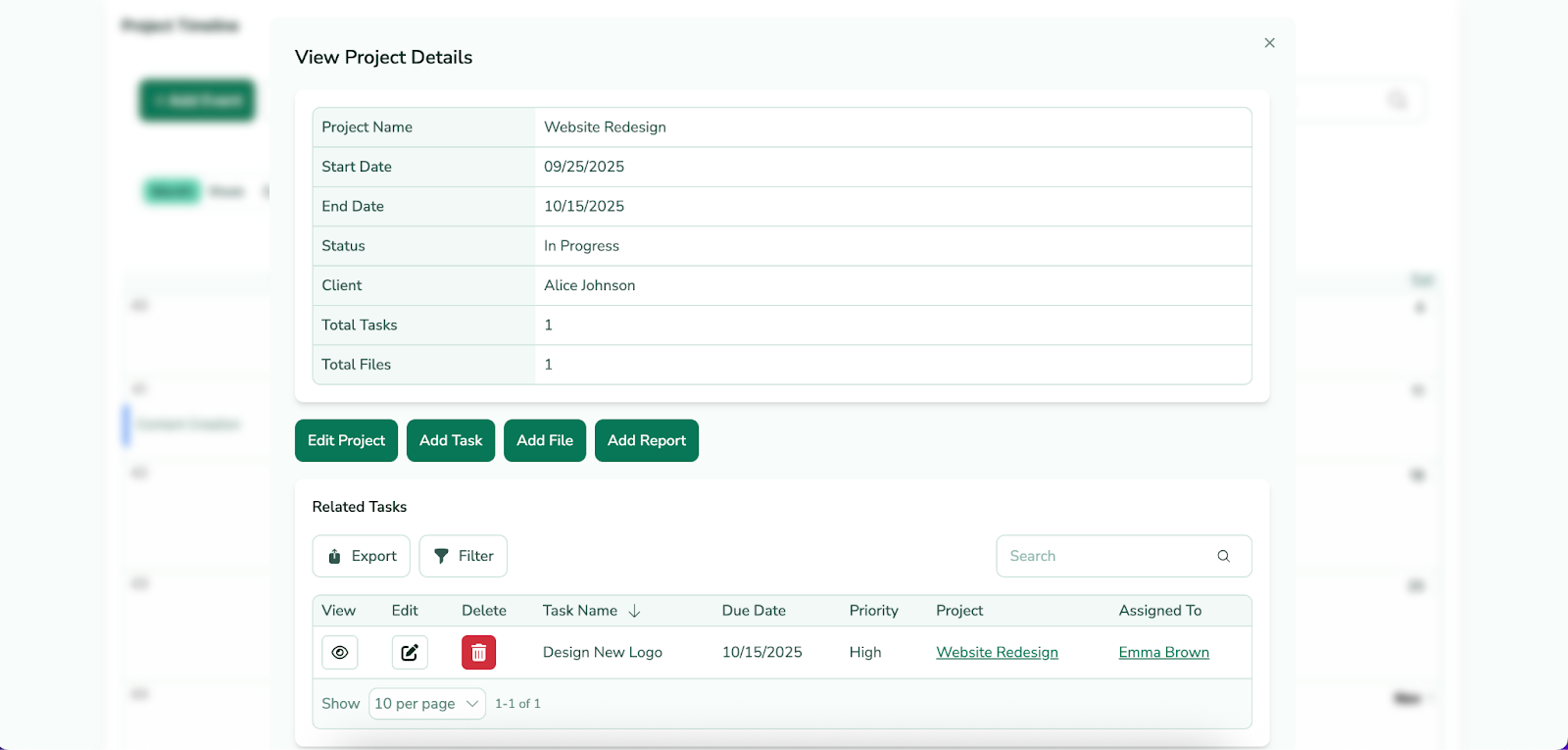
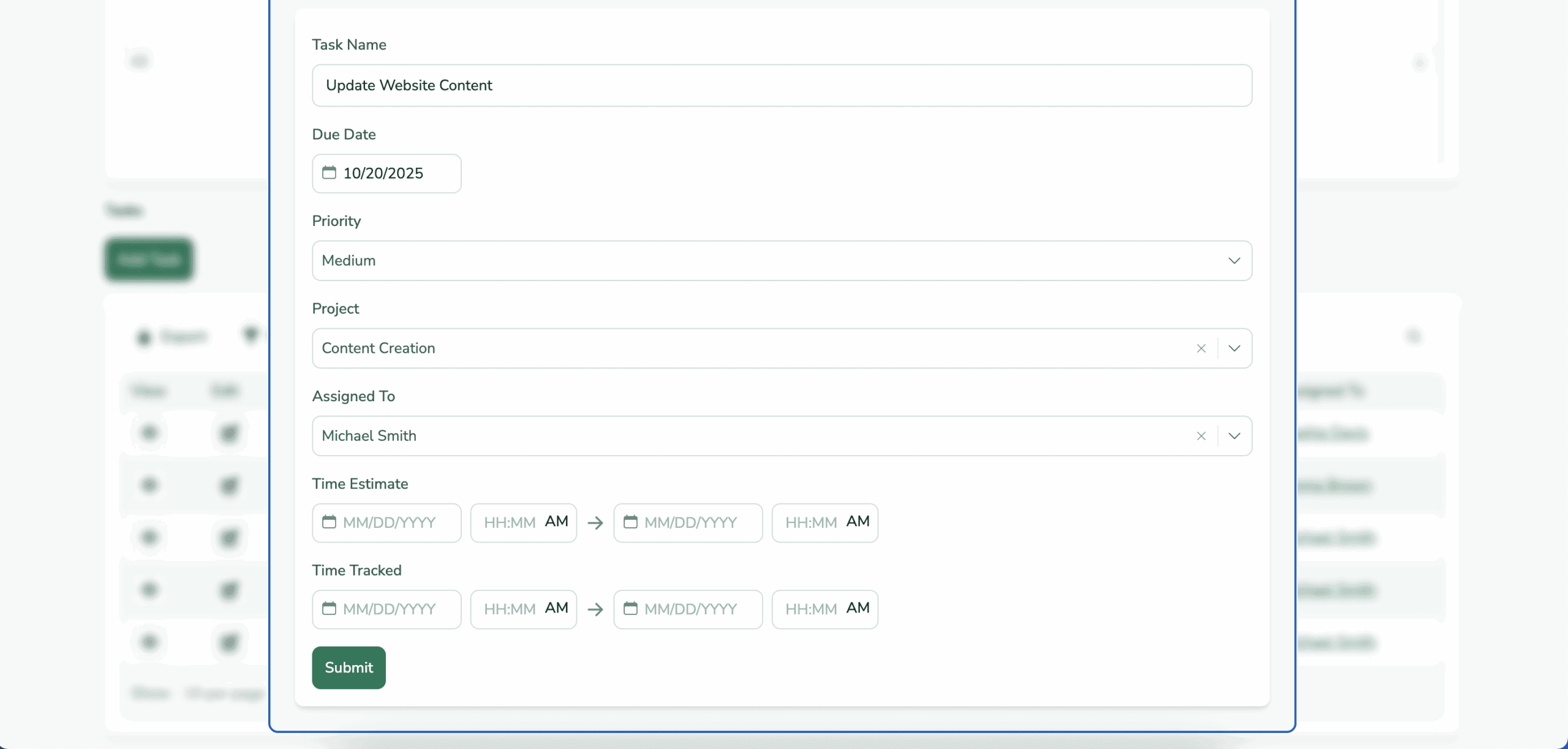
Agencies can use client portals to assign tasks and track progress through built-in scheduling and resource management tools. This ensures projects stay on track and team workloads are balanced. These features allow teams to prioritize tasks, monitor milestones, and quickly address any potential delays.
For example, an agency managing a multi-platform social media campaign can assign content creation tasks to specific designers, set publishing deadlines for each platform, and track progress through visual dashboards, enabling project managers to reallocate resources if needed and keep clients updated in real time for smoother execution and better results.
Proposal and Contract Templates
Customizable templates in client portals provide agencies with ready-made frameworks for proposals, contracts, and other client documents, helping standardize agreements and accelerate project kick-offs. These templates serve as a strong starting point. They allow teams to adjust layouts and content to fit each client’s unique requirements.
Different agencies can tailor these templates to match their specific services or project scopes. For instance, a digital marketing agency might customize a social media campaign proposal differently than an SEO-focused agency—ensuring consistency while maintaining flexibility to meet diverse client needs efficiently.
Time and Expense Tracking
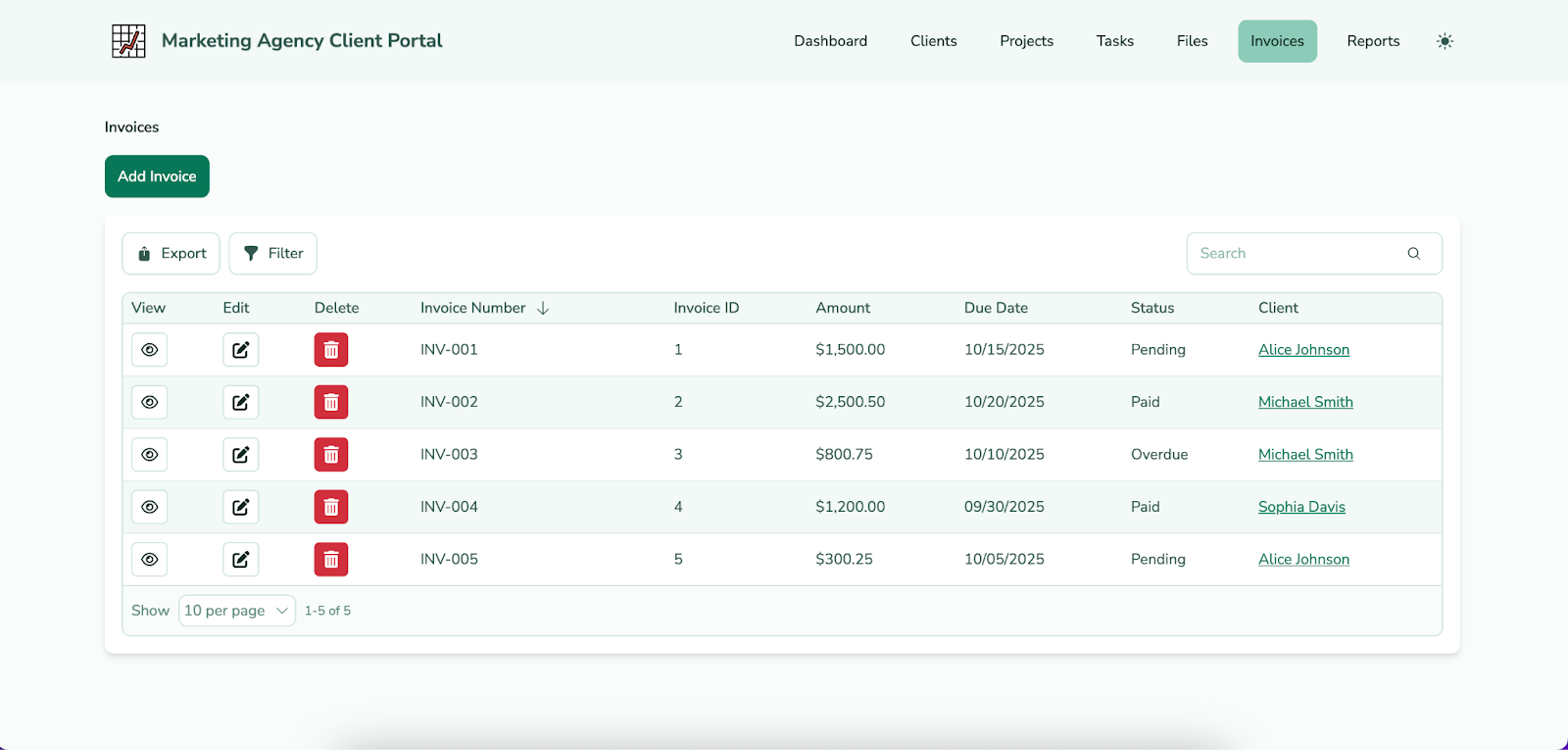
Integrated tracking features in client portals help agencies monitor hours, project progress, and resource usage, supporting accurate billing and enabling detailed project profitability analysis. By capturing real-time data and linking it to invoices, these tools ensure that clients are billed precisely for the work completed, reducing errors and disputes.
In addition to improving financial management, this transparency strengthens the client-agency relationship by keeping clients informed about costs and progress and allowing them to see exactly what they are paying for.
Financial Tracking and Invoicing
Automated financial tracking, invoicing, and payment management features in client portals streamline billing processes, making it easier for agencies to maintain financial efficiency and accuracy. By automatically generating invoices, tracking payments, and reconciling accounts, these tools minimize errors and free up time for more strategic activities.
Agencies that select a portal without these capabilities risk delayed or incorrect billing, increased administrative workload, and potential client dissatisfaction, which can lead to strained relationships and a less professional client experience.
Reporting Dashboards
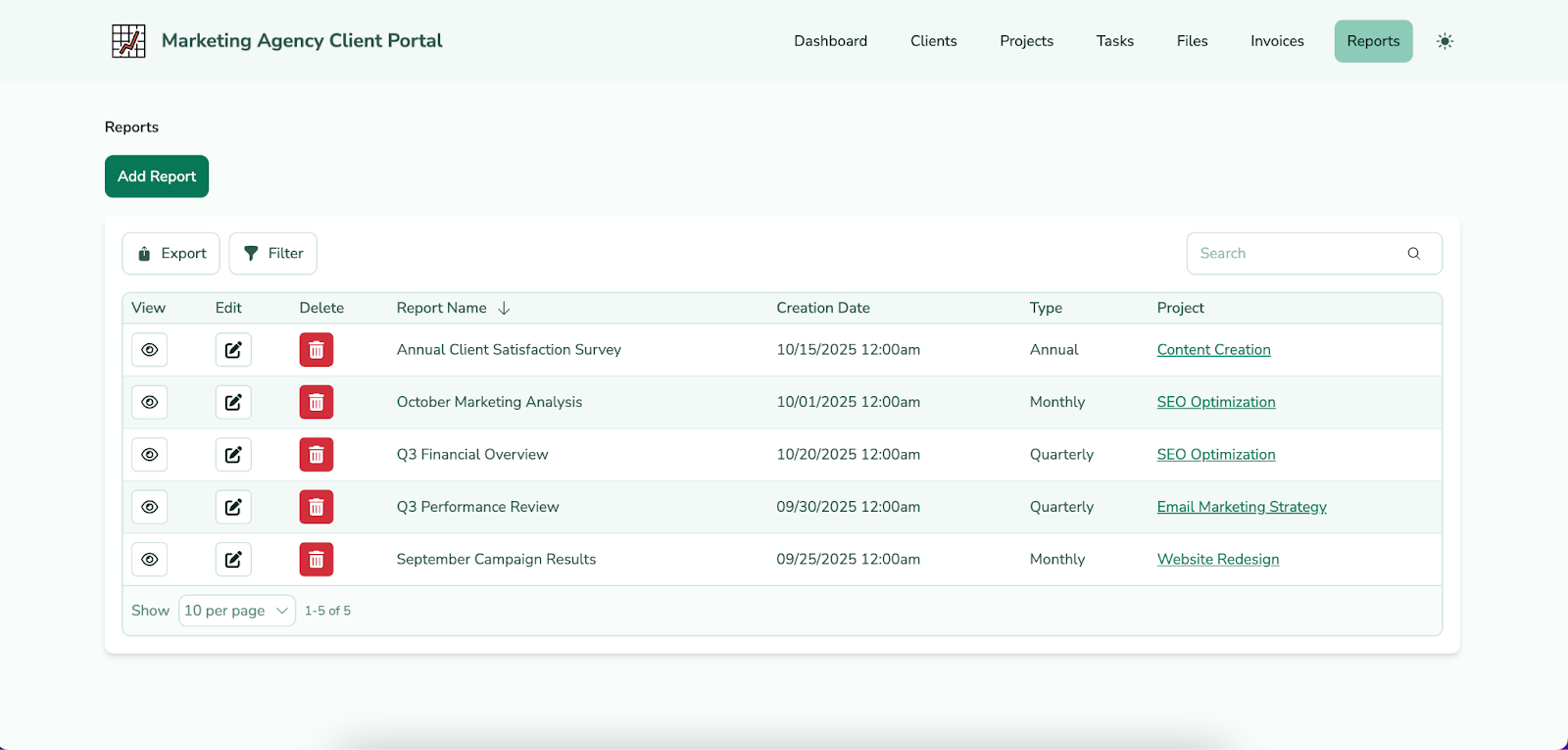
Visual performance tracking through dashboards is essential for campaign analytics, as it allows both agencies and clients to quickly interpret complex data and monitor results at a glance. Here, real-time updates are crucial, as they ensure that all stakeholders have access to the latest metrics, enabling faster decision-making and more agile campaign adjustments.
Different dashboard layouts—such as summary overviews, detailed drill-downs, or KPI-focused scorecards—can also cater to diverse user needs. They’re beneficial to high-level executives who need quick insights and account managers who require granular data for optimization.
Integrations with Marketing Tools
It’s essential that a client portal connects seamlessly with existing business systems. This ensures smooth workflows and a unified view of client data. Common integrations include CRMs, ad platforms, project management tools, and analytics software. These connections let agencies pull in campaign data and manage projects without switching between platforms.
For example, an agency could connect its client portal to a CRM and an ad platform. This setup automatically syncs client contact information with live campaign performance metrics. It also generates real-time reports and helps account managers make informed recommendations. The result is greater efficiency and stronger client outcomes.
How to Implement a Client Portal in Your Marketing Agency
Now that you understand the key features and benefits of client portals, the next step is to select a solution that maximizes these advantages for your agency’s specific needs. This requires assessing your current workflows, identifying the platform that best aligns with them, and ensuring both your team and clients are properly trained to use the system effectively.
Assess Your Current Workflow
Identifying communication bottlenecks and data silos before setting up a client portal is crucial to ensure the platform effectively streamlines workflows and enhances collaboration. This process typically involves mapping out existing communication channels, analyzing how information flows between teams and clients, and pinpointing areas where data is isolated or delayed.
Without addressing these issues beforehand, agencies risk implementing a portal that fails to resolve inefficiencies, leading to continued miscommunication and frustrated clients, which can undermine both the portal’s effectiveness and your agency’s operational improvements.
Choose a Flexible Platform
Choosing an adaptable client portal is crucial for marketing agencies. They often manage a diverse range of clients, each with unique goals, workflows, and reporting needs. A flexible platform ensures the portal can be tailored to accommodate different project types, client preferences, and internal processes, rather than forcing a one-size-fits-all approach.
For instance, using a no-code platform like Knack allows agencies to quickly customize dashboards and workflows without relying on developers, enabling faster implementation and a personalized experience for each client while maintaining efficiency and control.
Design for Ease of Use
Building intuitive navigation and maintaining visual consistency are key to driving client portal adoption. A seamless user experience encourages clients to engage regularly. Agencies can achieve this with clear menu structures, familiar icons and labels, and consistent brand colors, fonts, and logos throughout the portal.
When users—both internal teams and clients—find the portal easy to navigate and visually aligned with the agency’s identity, they are more likely to engage fully with its features and leverage the platform to its fullest potential, ultimately enhancing collaboration and overall satisfaction.
Train Clients and Staff
Properly educating both staff and clients on how to use a client portal is essential to ensure smooth adoption and maximize the platform’s effectiveness, both before and during implementation. Choosing a vendor that provides robust support—including self-paced tutorials, guided onboarding sessions, and responsive customer service—is critical to address questions and challenges as they arise.
Offering a variety of learning options also accommodates different learning styles and paces, ensuring that all users, whether hands-on learners or those who prefer detailed documentation, can confidently leverage its features and contribute to more efficient collaboration and project success.
Monitor and Evolve
Completing the initial implementation of a client portal is a major milestone, but its long-term success depends on ongoing monitoring and continuous refinement. Agencies should gather both qualitative feedback—through client and team surveys or interviews—and quantitative data, such as usage metrics and engagement statistics, to identify areas for improvement.
For instance, if analytics show clients rarely use certain reporting features, the agency can adjust the dashboard layout. They might also provide additional training to boost engagement. By regularly iterating on the portal’s functionality using real-world insights, agencies ensure it stays user-friendly and meets evolving client needs.
Explore a client portal without code to streamline support >>
Best Practices for Maximizing Client Portal Adoption
Sometimes, clients or staff hesitate to adopt new technology. This can be due to unfamiliarity, fear of change, or concerns about added complexity. Despite these challenges, agencies can take steps to encourage adoption. These actions help ensure all users feel confident using the client portal to its fullest potential, including:
- Keep data updated in real time: Ensuring all information is current helps users trust the portal as a reliable source for decisions and collaboration.
- Encourage client logins by sharing useful insights, not just files: Providing actionable data and meaningful updates motivates clients to engage with the portal regularly.
- Use automation for alerts and status updates: Automated notifications keep users informed of deadlines, approvals, and project milestones without requiring manual follow-ups.
- Regularly review metrics on engagement and response times: Monitoring usage patterns helps identify bottlenecks and opportunities to improve adoption and responsiveness.
- Provide tips for communicating the value of portals to clients and staff: Clearly articulating the benefits of the portal fosters understanding and reinforces why it’s worth using.
- Address best practices for encryption, permissions, and compliance: Highlighting security measures reassures users that sensitive information is protected, building trust in the platform.
- Make navigation simple and intuitive: A clean, easy-to-use interface reduces confusion and encourages consistent portal use by all stakeholders.
Why Choose Knack for Your Custom Client Portal
Choosing a flexible client portal offers many benefits. It streamlines workflows, increases transparency, and strengthens collaboration and trust with clients.
When it comes to flexible client portals, Knack stands out. Agencies can quickly build tailored, no-code marketing portals that streamline operations, improve transparency, and enhance the client experience. Knack’s platform also lets agencies integrate multiple data sources, create fully branded experiences, and customize workflows to meet unique client needs.
Ready to see just how easy it is to build your own client portal? Sign up for your free, no-risk trial of Knack today!
FAQs About Client Portals for Marketing Agencies
What is a client portal?
A client portal is a secure, easy-to-use online hub where agencies and clients can share files, updates, reports, and important project info—all in one place.
How do client portals benefit marketing agencies?
They make communication smoother and save time by automating routine tasks so teams can focus on the work that matters most.
Can I customize a client portal for my agency’s brand?
Absolutely! Many portals let you add your logo, colors, and even use a custom domain so the experience feels fully branded for your agency.
What tools integrate with a client portal?
Most portals work seamlessly with popular tools like CRMs, analytics platforms, project management apps, and ad platforms to keep everything connected.
Are client portals secure?
Yes—modern portals use strong encryption, login authentication, and access controls to make sure your data stays safe and private.





