


 Log In









Welcome to Next-Gen
We are thrilled to announce that our Next-Gen experience is here! Over the next few weeks, we’re rolling out the Next-Gen experience. Don’t worry, if you don’t want to wait, you can request your access immediately.
This is a major milestone in our journey to provide you with the most powerful and intuitive no-code app development platform. We’ve been working to build a next-generation experience that is powerful, flexible, easy to use, and we’re excited to share it with you.
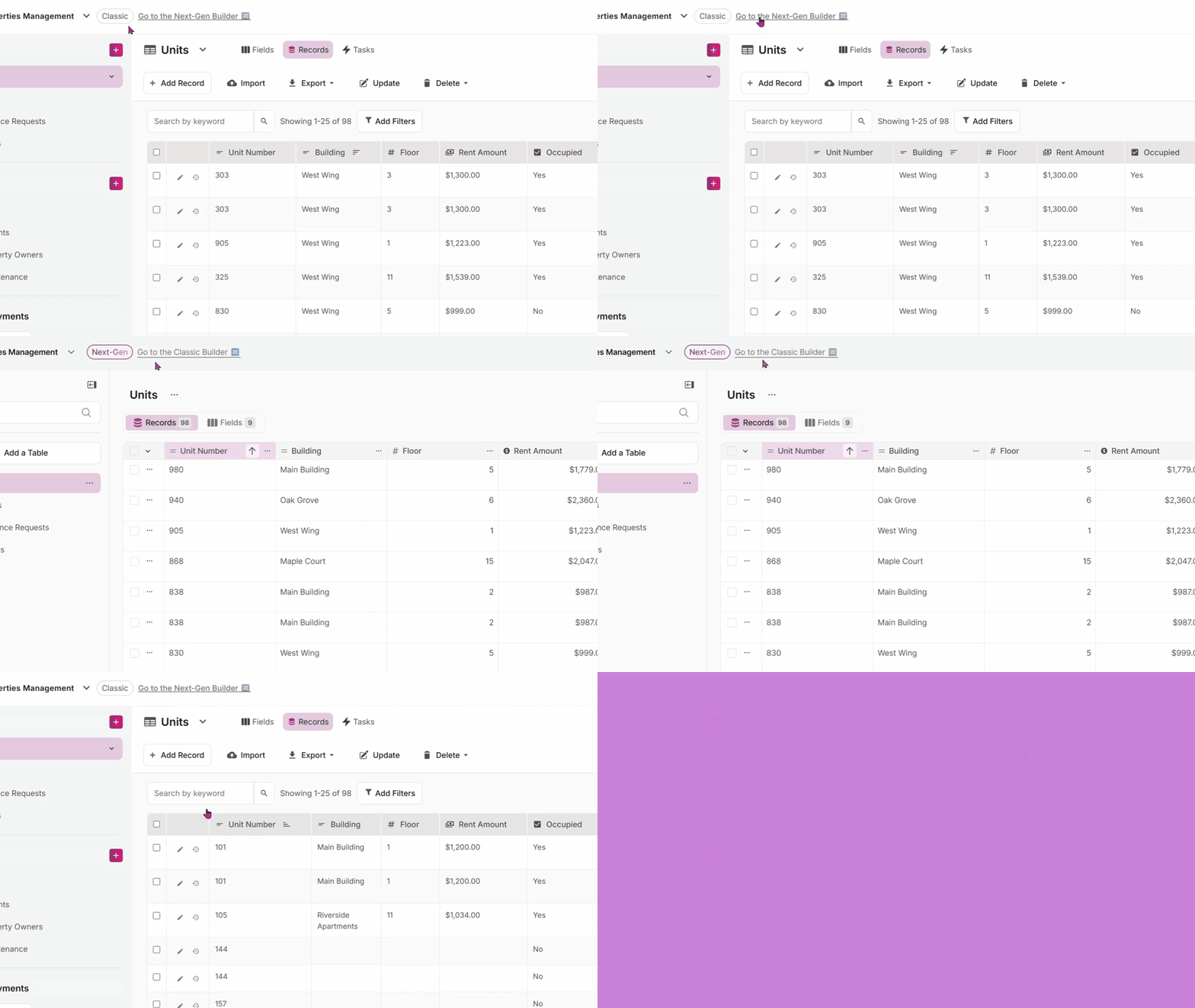
We understand that big changes can be daunting, which is why we’re putting you in control. You can explore Next-Gen at your own pace, without any pressure to stop using Classic. We hope that you’ll love the new features and improvements, and we’re here to support you as you explore.
What This Means for You
We want to make introducing Next-Gen as smooth as possible for our Classic users. Here’s what you can expect:
- No Forced Transition: You don’t need to migrate or transition your apps. You can continue to use Classic Knack as you always have. We believe in giving you the choice to explore and adopt Next-Gen at your own comfort level. Roll it out to your end users as you see fit.
- Explore at Your Own Pace: We encourage you to explore the new Next-Gen Builder and Live App and become familiar with the new interfaces and features. You can switch back and forth between Classic and Next-Gen at any time, so you can learn about Next-Gen without disrupting your current workflows.
- Choose your Default Experience: We’ve added a new toggle in your Account dashboard area that allows you to set which version of the Builder and Live App you’d like to be dropped into by default. This gives you the flexibility to choose your preferred experience every time you log in. You can change this default setting at any time.
- Easily Switch between Classic and Next-Gen in each App: You can easily switch between the Classic and Next-Gen builders from within the builder interface itself. This transition allows you to compare the two versions and choose the one that best suits your needs for any given task.
How It Works
We’ve made it incredibly simple to switch between Classic and Next-Gen Knack. Here’s a step-by-step guide to get you started:
Dashboard Toggle Feature
- Log in to your Knack account. You’ll see a new toggle switch on your dashboard.
- Choose your default experience. Use the toggle to select whether you want to start in Classic or Next-Gen by default.
- We’ll save your preference for future sessions, or until you change the default.
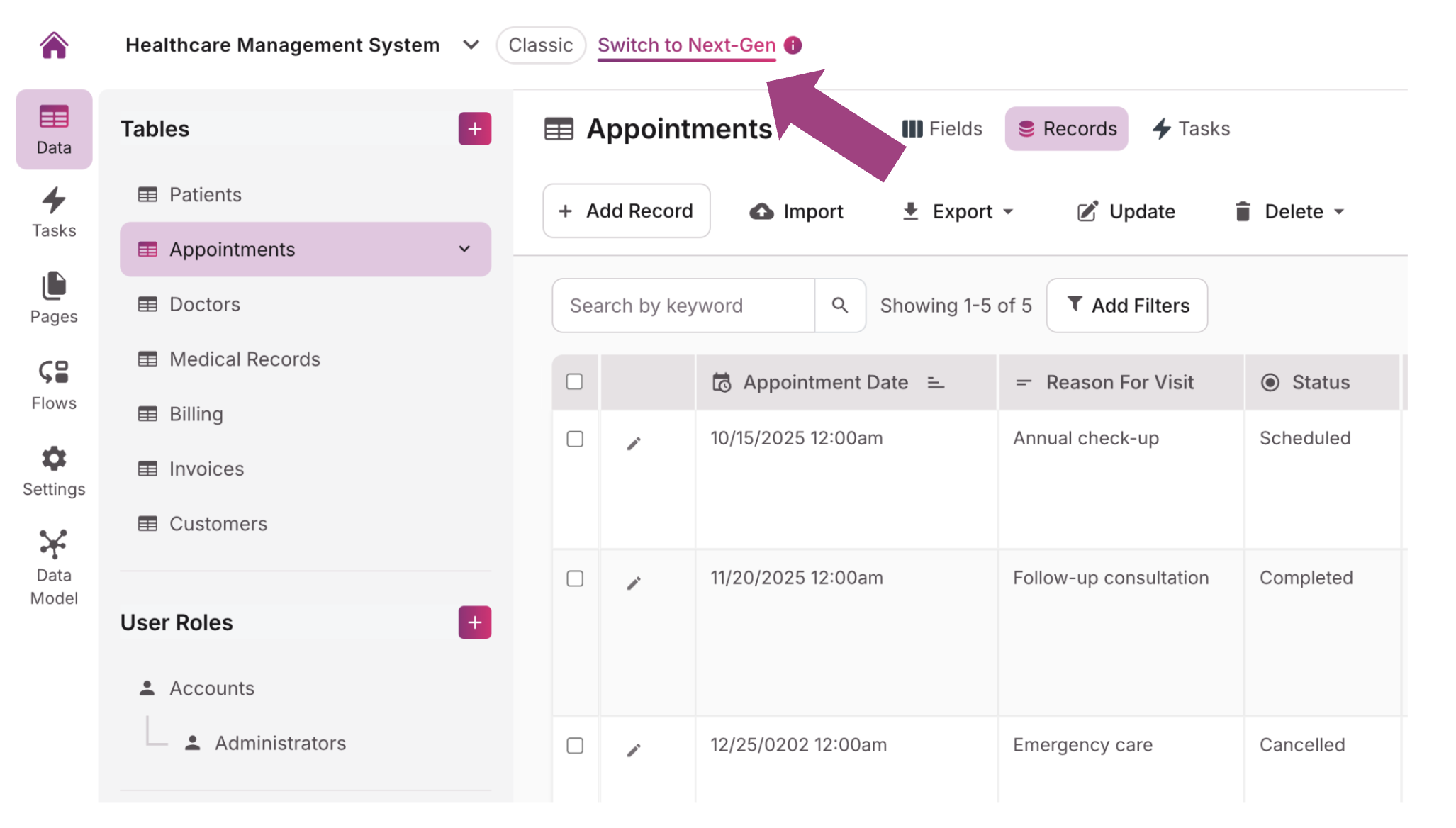
Builder Switching Feature
- Open any of your apps. You’ll see a new option in the top menu to switch to the other version.
- Click the “Switch to Next-Gen” or “Switch to Classic” button. The system will seamlessly transition you into the other builder.
- Explore! You can now explore the new features and interface of the Next-Gen Builder, and links will direct to the Next-Gen Live App. Switch back to the Classic builder at any time.
💡The Next-Gen Builder and Live App have different URLs than Classic. In the Next-Gen Builder, the URL structure is https://builder-next.knack.com/[account-slug]/[app-name] and the Next-Gen Live App URL structure is https://apps.knack.com/[account-slug]/[app-name]

Why We Built Next-Gen
The Next-Gen Builder and Live App are more than just an updated look and feel. We rebuilt from the ground up while keeping the trusted and powerful functionalities of the overall Knack platform. After gathering massive amounts of feedback and data from users, we knew that more than simple changes would be necessary so that Knack can continue to meet your evolving needs, while still keeping what you love, and what powers your businesses and processes. Here are just a few of the key improvements:
A Modern and Intuitive Live App
We’ve completely rebuilt the Live App from scratch based on a modern design system that empowers you to build intentional, consistent, and accessible experiences to delight your end users.
A Seamless Page Building Experience
We spent an enormous amount of effort making sure that pages have a fantastic drag and drop experience with our new Page Editor. The Page Editor is a true reflection of the Live App, and you have many new layout options for your page designs. Combined with Themes, you can have a completely customized beautiful site up in no time.
Powerful Updates on Classic Features
We’ve reimagined functionalities that you found previously inconsistent or difficult to understand in Classic. A few examples: adding multiple records at a time in the DataTable, no more guessing if you are on the correct table when adding connections, consistent filtering and rule-setting logic across various features in the builder and page editor, and ensuring predictable outcomes for Display Rules.
A Sustainable Approach
For those of you who take your apps further with custom code, we hope you’ll take advantage of new classes and features, such as navigation item groups, chart-specific classes, and enhanced error handling elements. Our goal is to provide substantial benefits in terms of consistency and long-term maintainability.
Additionally, we’re delighted to announce the release of custom JavaScript for Next-Gen! We’re looking forward to seeing what you’ll build using vanilla JavaScript methodologies.
Getting Started
Ready to dive in and explore the new Next-Gen Knack? Here’s how you can get started:
Log in to your Knack account: The next time you log in, you’ll see the new dashboard toggle to select your default builder experience.
Explore the Next-Gen builder: Switch to the Next-Gen builder and start exploring the new features and interface. Don’t worry, you can always switch back to the Classic builder at any time.
Check out our support resources: We’ve created a comprehensive set of support resources to help you get started with Next-Gen. You can find them in our knowledge base.
Join our next webinar: We regularly host webinars to walk you through the different Next-Gen experiences and answer your questions. Register for an upcoming webinar here.





