


 Log In






Create Knack records for new Calendly bookings
- Features & Benefits
- AI Powered App-Building

Build apps in minutes with AI
- Security and Infrastructure

Protect and control your data
- No-Code Database

Manage and connect your data
- Integrations

Connect tools and sync workflows
- Reports

Track and visualize performance
- User Access

Manage roles and permissions
- E-commerce

Run and automate online sales
- Front-End Experience

Customize your user interface
- Workflows

Streamline operations with automations
- Forms

Collect and manage data easily
- AI Powered App-Building
- Dive into Knack
- App Templates

Start fast with pre-built app templates
- Blog

Read insights and practical tips
- Case Studies

See how others use Knack
- Videos

Watch tutorials and user stories
- Glossary

Look up common no-code terms
- App Templates
- Additional Resources
- Compare Knack

See how Knack stacks up
- Hire an Expert Builder

Get hired to build or expand apps
- Help Center

Learn how to set up your app
- Developer Docs

Access technical guides and documents
- Community Forum

Connect with other Knack builders
- Compare Knack
- Partner Programs
- Become An Affiliate

Earn revenue by referring Knack
- Become an Expert Builder

Get hired to build apps
- Agency Program

Resell Knack to your clients
- Become An Affiliate
Integrate Knack with Calendly
How Knack Flows Work
Integrate Calendly to Knack using Knack Flows to sync meeting info, automate scheduling data, and manage post-appointment workflows across your applications. This integration allows you to capture Calendly bookings inside Knack, track scheduled events and attendees, and trigger workflows when meetings are booked, rescheduled, or canceled. Use Knack to centralize scheduling data, automate follow-ups, update records, and manage operational processes without manual entry or custom code.

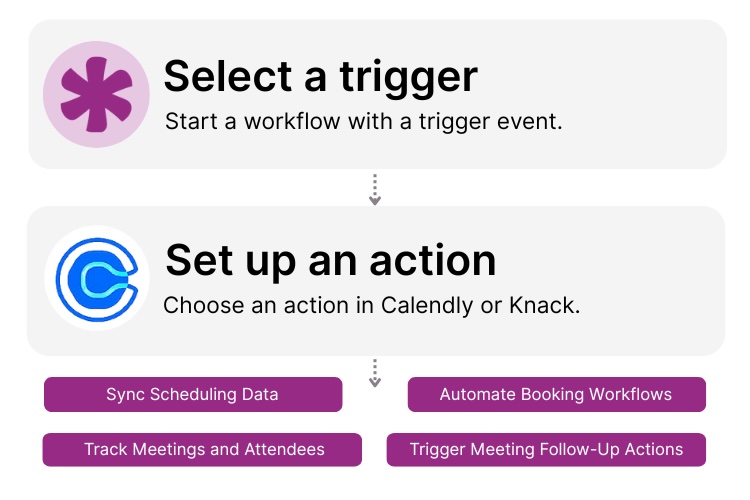
Step 1: Select a Trigger
A trigger is an event in your automation that starts your Flow. You can select a trigger event in Calendly or Knack. For example, you might initiate a workflow when a new meeting is scheduled in Calendly, when an event is canceled, or when a record is updated in Knack. Knack Flows detects the selected event and begins processing the associated scheduling data.

Step 2: Set up an Action in Knack
Once a trigger occurs, actions define what happens next in your Flow. In Knack, actions may include creating or updating records, finding existing entries, sending notifications, or applying conditional logic. Calendly data, such as event type, time, participant details, and status, can be mapped directly into Knack fields to power follow-ups, reporting, or downstream automation.

Step 3: Connect and Automate
When your Knack Flow is ready, you can activate it immediately or expand it with additional steps. Your Knack and Calendly platforms are now seamlessly connected. Scheduling activity flows into Knack automatically, enabling teams to manage bookings, trigger workflows, and maintain a complete view of meetings inside their custom apps.
Popular Knack + Calendly Automations
Automate scheduling workflows and keep booking data in sync by connecting Calendly and Knack with no-code automations.
Top Use Cases for Integrating Knack with Calendly

Automated Records of Bookings
Automatically store Calendly meeting data in Knack to maintain a complete scheduling history tied to contacts, leads, or projects.

Post-Meeting Workflow Automation
Trigger follow-up emails, task creation, status updates, or internal notifications when meetings are scheduled or completed.

Centralized Scheduling Visibility
Use Knack dashboards to track upcoming meetings, cancellations, and attendee details across teams or departments.

Schedule-Driven Workflows and Operations
Power onboarding, sales, support, or consultation workflows based on real-time scheduling activity.
Triggers and Actions
Knack Flows help you automate workflows by connecting your data and actions. A trigger starts a workflow, and an action executes a task based on the trigger.
About Calendly
Calendly is a scheduling automation platform that helps individuals and teams book meetings without back-and-forth emails. By connecting calendars and availability rules, Calendly allows invitees to schedule meetings quickly while automatically handling confirmations, reminders, rescheduling, and cancellations.
When integrated with Knack, Calendly becomes a trigger for automated workflows. Scheduling data flows directly into Knack, enabling teams to centralize booking information, automate follow-ups, and manage scheduling-driven processes within their custom applications.


10 No-Code Apps for Sales & Marketing Teams
In the fast-paced world of sales and marketing, agility and...
Read
More
7 Knack Apps for SMB Owners
As a small or medium-sized business leader, you constantly juggle...
Read
More
12 Ways to Improve Customer Experience via CRM
In the ever-evolving landscape of modern business, the ability to...
Read
More





