


 Log In






Send Gmail confirmation emails when Knack forms are submitted
- Features & Benefits
- AI Powered App-Building

Build apps in minutes with AI
- Security and Infrastructure

Protect and control your data
- No-Code Database

Manage and connect your data
- Integrations

Connect tools and sync workflows
- Reports

Track and visualize performance
- User Access

Manage roles and permissions
- E-commerce

Run and automate online sales
- Front-End Experience

Customize your user interface
- Workflows

Streamline operations with automations
- Forms

Collect and manage data easily
- AI Powered App-Building
- Dive into Knack
- App Templates

Start fast with pre-built app templates
- Blog

Read insights and practical tips
- Case Studies

See how others use Knack
- Videos

Watch tutorials and user stories
- Glossary

Look up common no-code terms
- App Templates
- Additional Resources
- Compare Knack

See how Knack stacks up
- Hire an Expert Builder

Get hired to build or expand apps
- Help Center

Learn how to set up your app
- Developer Docs

Access technical guides and documents
- Community Forum

Connect with other Knack builders
- Compare Knack
- Partner Programs
- Become An Affiliate

Earn revenue by referring Knack
- Become an Expert Builder

Get hired to build apps
- Agency Program

Resell Knack to your clients
- Become An Affiliate
Integrate Knack with Gmail
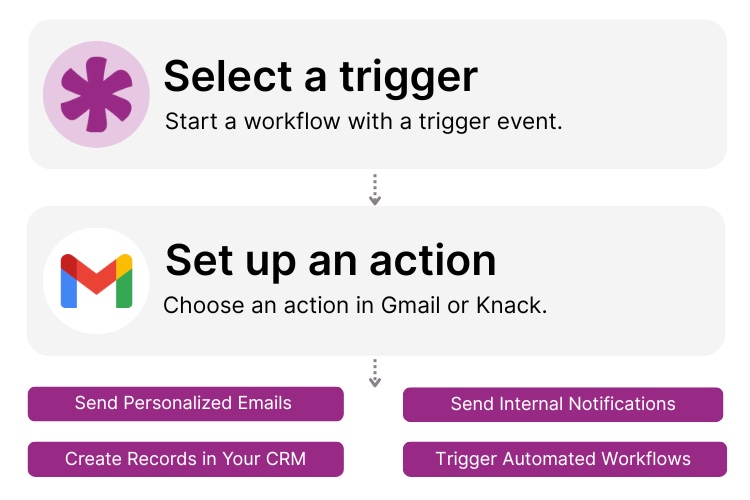
How Knack Flows Work
With Knack and Gmail, you can send personalized emails, alerts, and notifications directly from your Knack app using Knack Flows. Use this integration to follow up on form submissions, notify users about updates, send internal alerts, deliver confirmation messages, and more — automatically and in real time. You can search for records by field, pull in details like a contact’s first name or account information, and use those values as dynamic placeholders in your emails. Trigger messages when forms are submitted, when new records are created, when data changes, or when workflow milestones occur. You can also send test emails to preview formatting and personalization before launching automations.

Step 1: Select a Trigger
A trigger is an event inside Knack that starts your Flow. You choose which Knack event will initiate your Gmail email. For example, you might send an email when a form is submitted, when a new record is added, when an order status changes, or when a workflow condition is met. Knack detects the selected event and launches the workflow that sends the Gmail message.

Step 2: Set up an Action in Knack
Once a trigger fires, actions execute the tasks inside your Flow. With a Gmail action, you can send emails from Knack using data stored in your records. For example, you can look up a record by email address, insert fields like first name or account details, and send a personalized message. You can also send test emails to verify formatting, subject lines, and dynamic fields before making the workflow live.

Step 3: Connect and Automate
After your Flow is ready, you can add additional actions or activate the workflow right away. Knack and Gmail are now connected so that any important activity, such as form submissions, new entries, or status changes, can trigger timely, consistent email communication. Automate Gmail notifications, confirmations, reminders, and personalized outreach from Knack.
Popular Knack + Gmail Automations
Connect Knack and Gmail with pre-built automation templates to streamline outreach, personalize follow-ups, and manage your email communications.
Top Use Cases for Integrating Gmail and Knack

Lead and Form Submission Follow-Up
Automatically send personalized Gmail messages when any Knack form is submitted, such as contact forms, registrations, lead forms, or support requests.

Automated Status and Update Notifications
Trigger Gmail emails for order updates, account changes, project progress, or any key record change in your Knack app.

Workflow-Based Email Messaging
Send alerts, reminders, or confirmations using dynamic fields from Knack whenever workflow logic determines an email should be sent.

Internal Communication and Alerts
Use Gmail to deliver internal notifications to team members, such as assignment changes, approvals, deadlines, or escalation alerts.
Triggers and Actions
Knack Flows help you automate workflows by connecting your data and actions. A trigger starts a workflow, and an action executes a task based on the trigger.
About Gmail
Gmail is a widely used email service from Google that powers everyday communication for individuals and businesses around the world. It offers a reliable, secure platform for sending and receiving messages, managing contacts, and organizing conversations. When integrated with tools like Knack, Gmail becomes a powerful engine for automating outreach, personalizing communication, and keeping teams aligned around timely, relevant email interactions.

12 Ways to Improve Customer Experience via CRM
In the ever-evolving landscape of modern business, the ability to...
Read
More
9 Ways to Use No Code for Marketing Automation
Are you ready to level up your marketing game without...
Read
More
Build an Efficient Work Order System to Power Your Business (Tutorial)
When you’re in field services, you need a work order...
Read
More





