


 Log In






Embed Google Maps views populated with Knack records
- Features & Benefits
- AI Powered App-Building

Build apps in minutes with AI
- Security and Infrastructure

Protect and control your data
- No-Code Database

Manage and connect your data
- Integrations

Connect tools and sync workflows
- Reports

Track and visualize performance
- User Access

Manage roles and permissions
- E-commerce

Run and automate online sales
- Front-End Experience

Customize your user interface
- Workflows

Streamline operations with automations
- Forms

Collect and manage data easily
- AI Powered App-Building
- Dive into Knack
- App Templates

Start fast with pre-built app templates
- Blog

Read insights and practical tips
- Case Studies

See how others use Knack
- Videos

Watch tutorials and user stories
- Glossary

Look up common no-code terms
- App Templates
- Additional Resources
- Compare Knack

See how Knack stacks up
- Hire an Expert Builder

Get hired to build or expand apps
- Help Center

Learn how to set up your app
- Developer Docs

Access technical guides and documents
- Community Forum

Connect with other Knack builders
- Compare Knack
- Partner Programs
- Become An Affiliate

Earn revenue by referring Knack
- Become an Expert Builder

Get hired to build apps
- Agency Program

Resell Knack to your clients
- Become An Affiliate
Integrate Knack with Google Maps
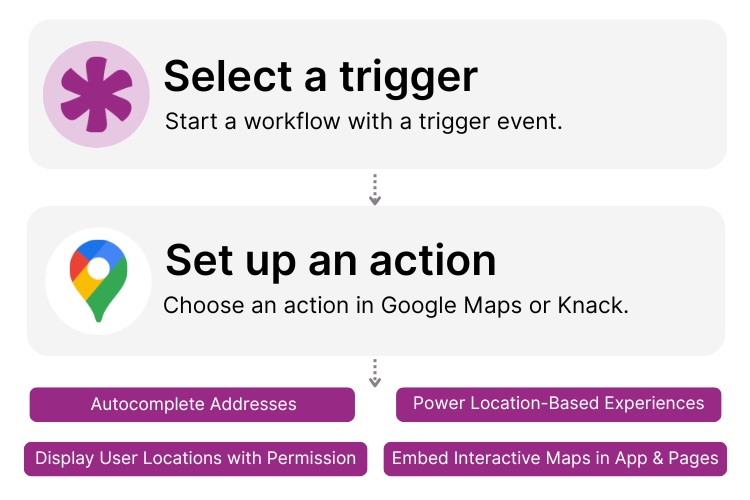
How Knack Flows Works
Connect Google Maps with Knack to power location-based experiences in your customer applications, no code required. With Knack Flows and Google Maps APIs, you can embed interactive maps, display customer or business locations, use address autocomplete, convert coordinates, and automate actions based on map inputs. This integration helps you create store locators, service area maps, property search tools, map-based directories, customer portals with location fields, and any experience where users need to view or interact with locations. Use Knack’s AI-powered app builder to generate map-enabled pages, automate address processing, enrich records with geodata, and trigger actions whenever a location is added or updated.

Step 1: Select a Trigger
A trigger starts your Flow. With Google Maps and Knack, triggers typically originate inside your Knack app, such as “New Record Created,” “Address Updated,” or “User Submits Location.” These events prompt Knack to call Google Maps APIs for tasks like geocoding, reverse geocoding, distance lookup, or displaying a map. Google Maps provides the mapping and location data, while Knack initiates the workflow.

Step 2: Set up an Action in Knack
Once a Trigger occurs, actions control what your Flow does next. In Knack, actions can create or update records, send notifications, route data to map views, or store coordinates for future use. With Google Maps APIs, actions may include retrieving map tiles, converting addresses to latitude/longitude, fetching nearby locations, suggesting autocomplete results, or generating embed-ready map data. Automations can branch, evaluate conditions, or run sequences to enhance customer-facing map experiences.

Step 3: Connect and Automate
When your Knack Flow is ready, run it immediately or build on it with more steps. Your Google Maps and Knack integration now works seamlessly across your app. Embed Google Maps into customer portals, place markers based on Knack records, store geocoded results automatically, enable address autocomplete on forms, and trigger follow-up actions whenever users add or edit locations — all from your AI-powered Knack environment.
Popular Knack + Google Maps Automations
Integrate Knack and Google Maps using pre-built templates or custom Flows. Save time while creating interactive map experiences for customers and site visitors.
Top Use Cases for Integrating Knack with Google Maps

Interactive Store and Business Locators
Display business locations or service points on a live Google Map inside your Knack app. Users can browse locations, filter results, and view store details instantly.

Address Autocomplete for Customer Forms
Speed up customer submissions with Google Maps Autocomplete. Automatically standardize addresses and prevent errors when users enter their location.

Geocoded Customer Profiles & Directories
Convert addresses into precise coordinates and use them to display pins on maps, sort by proximity, or build interactive customer or property directories.

Map-Based Customer Experiences
Power location-based features like “Find Near Me,” service coverage visualization, map-enabled search tools, and property or listing displays—all generated from Knack data.
Triggers and Actions
Knack Flows help you automate workflows by connecting your data and actions. A trigger starts a workflow, and an action executes a task based on the trigger.
About Google Maps
Google Maps is one of the world’s most widely used mapping platforms, offering interactive maps, geocoding, address lookup, directions, and location-based services. Through its APIs, such as Maps Embed, Maps JavaScript, Geocoding, Places Autocomplete, and Distance Matrix, Google Maps enables developers and businesses to build rich, interactive customer experiences. From map displays and store locators to advanced location search and real-time navigation, Google Maps powers millions of applications with accurate geospatial data and intuitive user interfaces.

10 No-Code Apps for Sales & Marketing Teams
In the fast-paced world of sales and marketing, agility and...
Read
More
Benefits of Using an Inventory Management System
Inventory management is the art and science of overseeing and...
Read
More
7 Knack Apps for SMB Owners
As a small or medium-sized business leader, you constantly juggle...
Read
More





