


 Log In






Classify Knack form submissions using text classification models
- Features & Benefits
- AI Powered App-Building

Build apps in minutes with AI
- Security and Infrastructure

Protect and control your data
- No-Code Database

Manage and connect your data
- Integrations

Connect tools and sync workflows
- Reports

Track and visualize performance
- User Access

Manage roles and permissions
- E-commerce

Run and automate online sales
- Front-End Experience

Customize your user interface
- Workflows

Streamline operations with automations
- Forms

Collect and manage data easily
- AI Powered App-Building
- Dive into Knack
- App Templates

Start fast with pre-built app templates
- Blog

Read insights and practical tips
- Case Studies

See how others use Knack
- Videos

Watch tutorials and user stories
- Glossary

Look up common no-code terms
- App Templates
- Additional Resources
- Compare Knack

See how Knack stacks up
- Hire an Expert Builder

Get hired to build or expand apps
- Help Center

Learn how to set up your app
- Developer Docs

Access technical guides and documents
- Community Forum

Connect with other Knack builders
- Compare Knack
- Partner Programs
- Become An Affiliate

Earn revenue by referring Knack
- Become an Expert Builder

Get hired to build apps
- Agency Program

Resell Knack to your clients
- Become An Affiliate
Integrate Knack with Hugging Face
How Knack Flows Work
Connect Hugging Face and Knack using Knack Flows to bring open-source and custom AI models directly into your no-code applications. This integration allows you to send data from Knack, such as form submissions, documents, or text fields, to Hugging Face models for processing. Use Hugging Face to classify content, translate text, or answer questions from documents, then store the AI outputs back in Knack records. With Knack handling data, workflows, and logic, and Hugging Face providing model intelligence, you and your team can build flexible, AI-powered applications without custom development.

Step 1: Select a Trigger
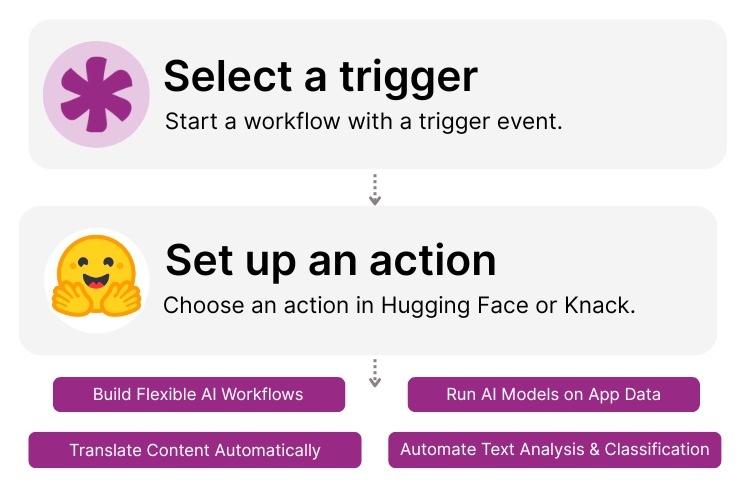
A trigger is an event that starts your automation workflow. In a Knack and Hugging Face integration, triggers typically originate in Knack, such as a new record being created, a form being submitted, or a document being uploaded. These events signal when data should be sent to Hugging Face for AI processing.

Step 2: Set up an Action in Knack
Once a trigger occurs, actions define what happens next in your Flow. Hugging Face actions may include running text classification, translating content into other languages, or answering questions from documents. Knack actions can then store the AI output, update records, tag entries, notify users, or branch workflows based on model results.

Step 3: Connect and Automate
When your Flow is ready, you can activate it immediately or expand it with additional steps. Your Knack app and Hugging Face models are now connected. AI-generated outputs flow back into Knack automatically, enabling intelligent workflows, structured data enrichment, and scalable experimentation with different models.
Popular Knack + Hugging Face Automations
Connect Knack and Hugging Face with pre-built workflows to apply machine learning models to your application data.
Top Use Cases for Integrating Knack with Hugging Face

Text Classification & Tagging
Automatically categorize feedback, support requests, survey responses, or content using ML models.

Multilingual Content Processing
Translate text stored in Knack into other languages for global teams or audiences.

Document Intelligence
Answer questions from uploaded documents to extract key information and store results as structured data.

Model-Driven Workflow Logic
Use AI predictions or classifications to route records, trigger notifications, or apply business rules.

Flexible AI Experimentation
Test and swap different Hugging Face models while keeping your Knack workflows and data structure intact.
Triggers and Actions
Knack Flows help you automate workflows by connecting your data and actions. A trigger starts a workflow, and an action executes a task based on the trigger.
About Hugging Face
Hugging Face is a leading machine learning platform known for its open-source model hub and tools for building, sharing, and deploying AI models. It provides access to thousands of pre-trained models for natural language processing, translation, classification, and document understanding.
When integrated with Knack, Hugging Face becomes a powerful AI engine for no-code applications. Knack supplies the structured data, workflows, and automation, while Hugging Face delivers model-driven intelligence. This lets teams build adaptable, AI-powered apps without writing custom code.


15 Best No-Code Automation Software To Supercharge Your Workflows
Here are the best no-code automation software options to supercharge...
Read
More
10 No-Code Apps for Sales & Marketing Teams
In the fast-paced world of sales and marketing, agility and...
Read
More
21 Apps You Can Build with Knack’s No-Code AI Solution
The demand for agile and efficient application development solutions has...
Read
More





