


 Log In






Add new Stripe payments to Knack records
- Features & Benefits
- AI Powered App-Building

Build apps in minutes with AI
- Security and Infrastructure

Protect and control your data
- No-Code Database

Manage and connect your data
- Integrations

Connect tools and sync workflows
- Reports

Track and visualize performance
- User Access

Manage roles and permissions
- E-commerce

Run and automate online sales
- Front-End Experience

Customize your user interface
- Workflows

Streamline operations with automations
- Forms

Collect and manage data easily
- AI Powered App-Building
- Dive into Knack
- App Templates

Start fast with pre-built app templates
- Blog

Read insights and practical tips
- Case Studies

See how others use Knack
- Videos

Watch tutorials and user stories
- Glossary

Look up common no-code terms
- App Templates
- Additional Resources
- Compare Knack

See how Knack stacks up
- Hire an Expert Builder

Get hired to build or expand apps
- Help Center

Learn how to set up your app
- Developer Docs

Access technical guides and documents
- Community Forum

Connect with other Knack builders
- Compare Knack
- Partner Programs
- Become An Affiliate

Earn revenue by referring Knack
- Become an Expert Builder

Get hired to build apps
- Agency Program

Resell Knack to your clients
- Become An Affiliate
Integrate Knack with Stripe
How Knack Flows Work
This integration lets you instantly log new customers, payments, subscriptions, invoices, refunds, and disputes directly into your Knack app—no manual entry required. Build live dashboards, track billing activity, monitor failed payments, and gain full visibility into every transaction and checkout session, all from within your custom Knack portal.

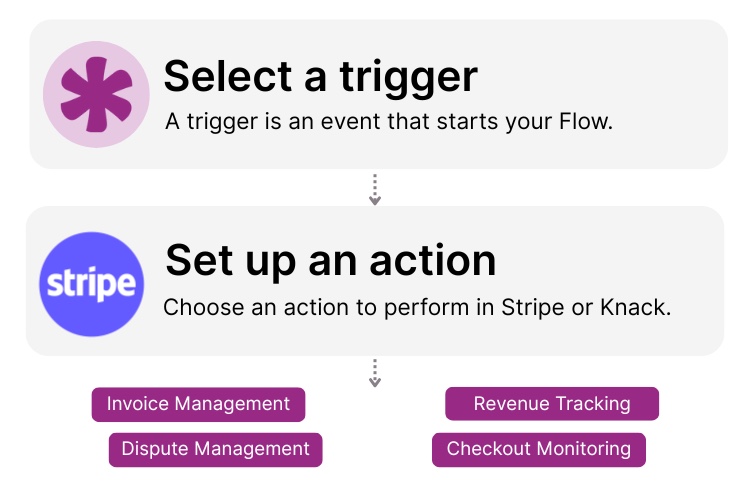
Step 1: Select a Trigger
A trigger is an event in your automation that starts your Flow. You can select a trigger event in Stripe that will initiate your workflow. For example, you might choose “New Payment” or “New Subscription” as the trigger. Knack monitors Stripe for the selected trigger.

Step 2: Set up an Action in Knack
Once a Trigger has occurred, Actions executes the tasks within your Flows. Example: “Create new customer in Stripe” Next, you can determine what happens in Knack once the Stripe trigger is activated. A Flow can contain one action, a sequence of custom actions, action based on rules or conditions, and more. For example, you could set up an action to “Create a New Record” in Knack when a new subscription is added or “Update an Existing Record” when a deal stage changes.

Step 3: Connect and Automate
When your Knack Flow is ready, you can add more actions or start running it right away. Your Stripe and Knack apps are now seamlessly connected. Create a new record in your Knack app every time a new subscription occurs in Stripe, track details, manage billing, store invoice data, and more right from your Knack app.
Popular Knack + Stripe Automations
Seamlessly connect Stripe to Knack with Flows to automate your payment operations and keep your data in sync.
Top Use Cases for Integrating Knack with Stripe

Creative and Production Workflow Tracking
Monitor design progress, comments, and approvals in real time within your Knack app with automated status updates and notifications.

Content Library Organization
Sync Canva folders and assets with Knack to create a searchable content library that finds existing assets, catalogs new designs, and tracks version updates.

Campaign Planning and Scheduling
Link Canva visual assets to your content marketing calendar in Knack. Automatically organize designs by launch date, and maintain a unified calendar view of content deadlines and campaign publish dates.
Triggers and Actions
Knack Flows help you automate workflows by connecting your data and Actions. A Trigger starts a workflow, and an Action executes a task based on the Trigger.
About Stripe
Stripe is a leading online payments processing platform that helps businesses of all sizes accept payments and manage transactions. Acting as a secure bridge between customers and merchants, Stripe supports a wide range of payment methods, including credit cards, bank transfers, and digital wallets. Known for its developer-friendly tools, strong security, and global reach, Stripe powers millions of businesses around the world with seamless and scalable payment solutions.

Find Inspiration on the Knack Blog

Stripe and Knack: Turn Cart Abandonment into Customer Loyalty
You’ve built an online store. Orders are coming in. Then...
Read
More
How to Build an Inventory Manager App Without Code
Welcome to our detailed guide on “Building an Inventory Management...
Read
More
The Comprehensive Guide to Business Rules Management Systems
In a market defined by ever-evolving complexities and dynamic consumer...
Read
More





