Explore Solutions
Read how you can revolutionize your operation with Knack.
Read Customer Stories
Knack builders are succeeding.
- Features & Benefits
- AI Powered App-Building
Build apps in minutes with AI
- Security and Infrastructure
Protect and control your data
- No-Code Database
Manage and connect your data
- Integrations
Connect tools and sync workflows
- Reports
Track and visualize performance
- User Access
Manage roles and permissions
- E-commerce
Run and automate online sales
- Scheduling
Real-time appointment booking
- Workflows
Streamline operations with automations
- MCP Server
Connect your AI tool to Knack
- AI Powered App-Building
- Platform Overview
Try Interactive Demo
Get a quick taste of Knack.
- Dive into Knack
- App Templates
Start fast with pre-built app templates
- Professional Services

Have a professional assist your build
- Blog
Read insights and practical tips
- Case Studies
See how others use Knack
- Videos
Watch tutorials and user stories
- Glossary
Look up common no-code terms
- App Templates
- Additional Resources
- Webinars
Discover recent and upcoming webinars
- News

The latest from Knack
- Compare Knack
See how Knack stacks up
- Hire an Expert Builder
Get hired to build or expand apps
- Help Center
Learn how to set up your app
- Developer Docs
Access technical guides and documents
- Community Forum
Connect with other Knack builders
- Webinars
- Partner Programs
- Become An Affiliate
Earn revenue by referring Knack
- Become an Expert Builder
Get hired to build apps
- Agency Program
Resell Knack to your clients
- Become An Affiliate

Template Marketplace
Expedite your app build with a pre-built template.
SOLUTIONS
Build a custom CRM Software Solution for Your Business
- Contact Management
- Task Management
- Customer Support
- Marketing Automation
- Analytics & Reporting
- Integrations & Collaboration
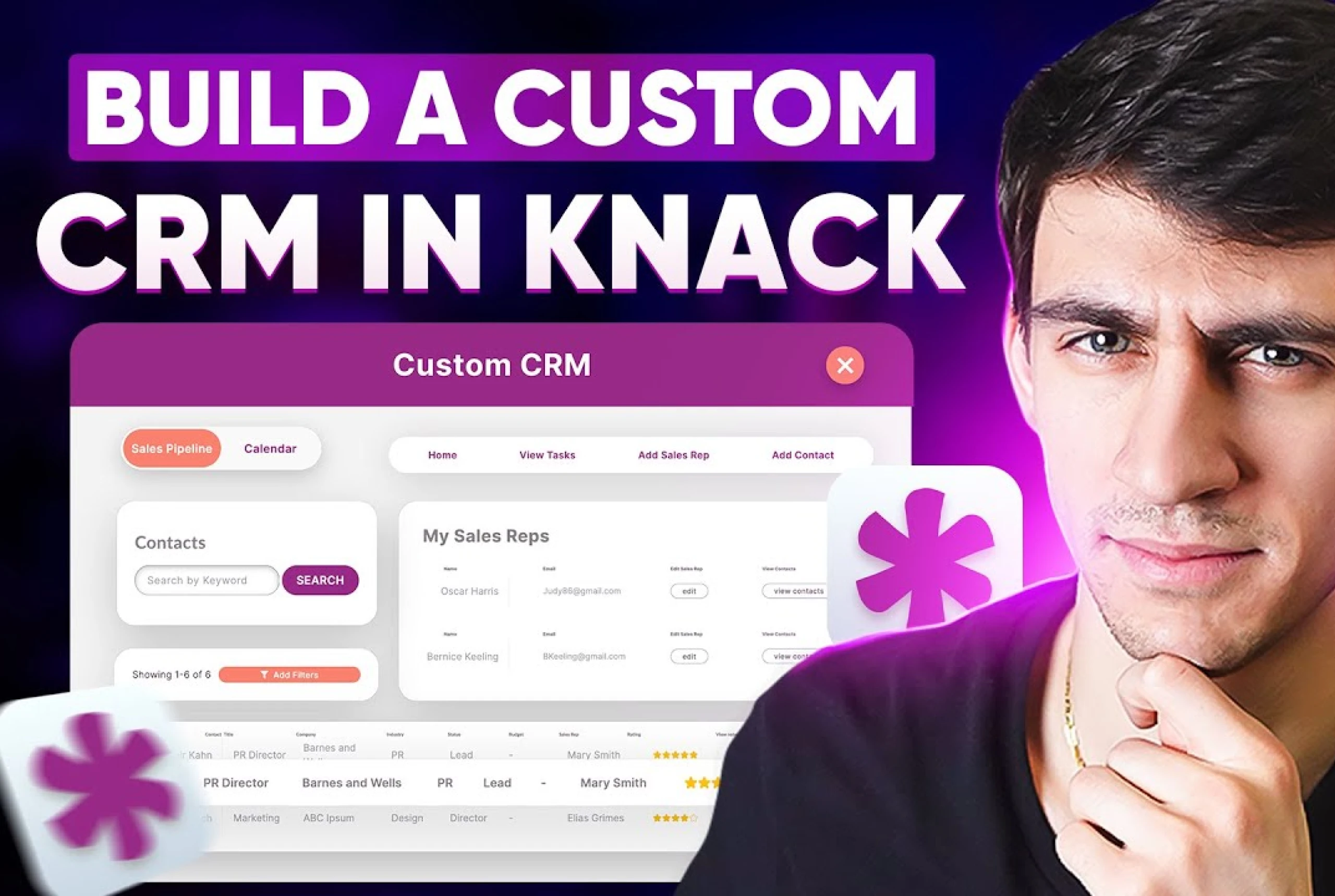
Build a Custom CRM Software Solution Easily
Unite Your Sales Team with a Custom CRM, Ignite Your Sales Funnel
Achieve Operational Excellence Through a Custom CRM
Build a Feature-Rich Custom CRM Software Solution with Seamless Integrations
Cut Costs by Building Your Custom CRM Without Traditional Development
Jumpstart your Custom CRM Development with our Template
Unite Your Sales Team with a Custom CRM, Ignite Your Sales Funnel
Achieve Operational Excellence Through a Custom CRM
Build a Feature-Rich Custom CRM Software Solution with Seamless Integrations
Cut Costs by Building Your Custom CRM Without Traditional Development
Jumpstart your Custom CRM Development with our Template
Examples of What a Custom CRM Can Be Used For
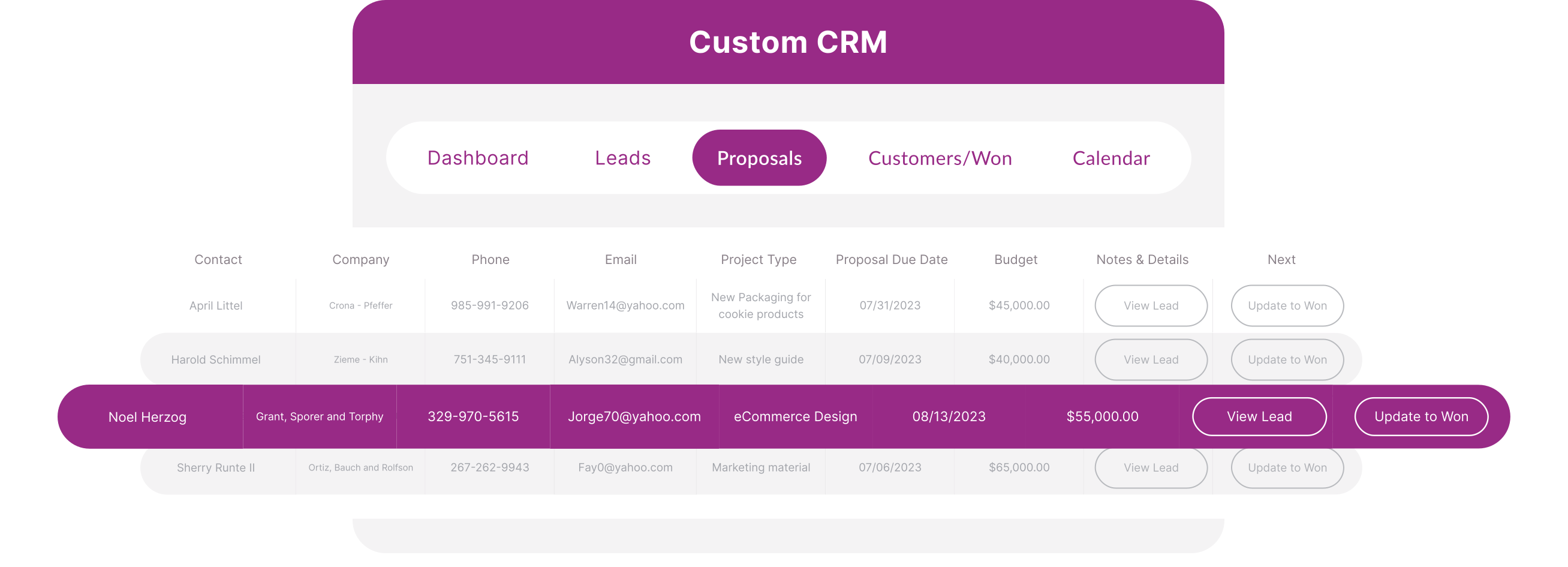
Sales Pipeline Management
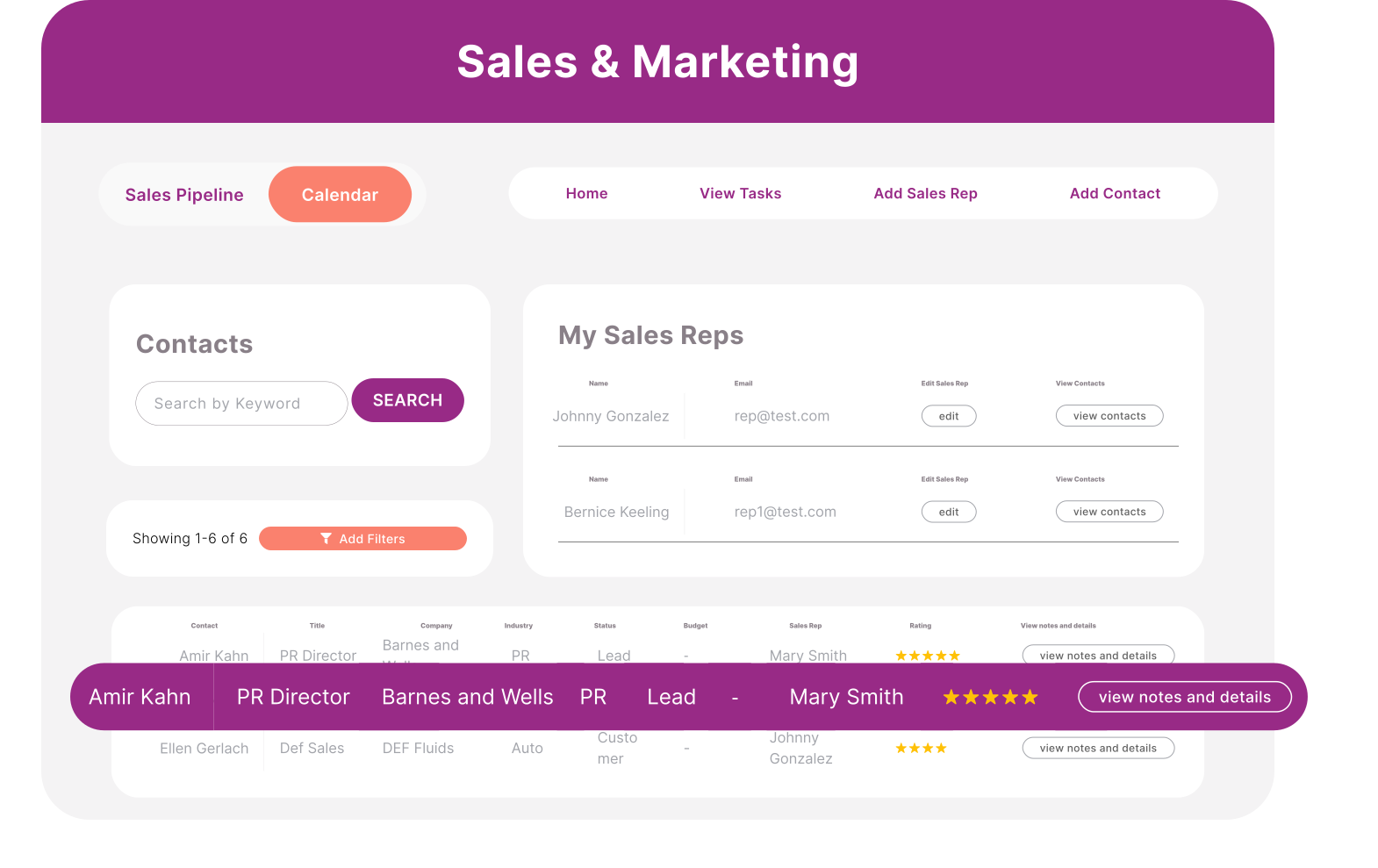
Generic pipelines don’t always reflect the way your business sells. With Knack, you can design a visual pipeline that’s unique to your sales process, complete with custom fields, drag-and-drop stages, and real-time progress tracking. Automations update deal statuses, send reminders when leads go quiet, and notify managers about stalled opportunities. Beyond simply tracking deals, this setup provides real-time visibility into conversion rates, average time-to-close, and revenue forecasts—empowering your sales team to prioritize the right opportunities and improve close rates.
Customer Support Ticketing System
Customer satisfaction depends on how quickly and effectively your team resolves issues. With a custom CRM software solution from Knack, you can build a ticketing system designed around your support workflows. Every ticket is automatically linked to a customer record, providing instant context on purchase history, past interactions, and account details. Rules can automatically assign tickets to the right agent, trigger SLA countdowns, or escalate urgent requests. By integrating with email, chat, or even web forms, you can ensure every customer inquiry creates a ticket automatically—reducing manual effort and improving response times.
Partner or Vendor Relationship Tracking
Partnerships and vendor relationships are critical to long-term success, but managing them often requires juggling spreadsheets or disconnected systems. Knack lets you build a custom CRM that centralizes all partner and vendor data in one secure place. You can store contracts, monitor project milestones, and track key contacts while keeping all activity tied back to the right record. With Knack’s open API, this information can sync with procurement, invoicing, or supply chain systems—giving you a clear, up-to-date view of performance and obligations. This level of organization strengthens vendor accountability and supports better collaboration with external partners.
Account Management & Renewals Tracking
Retaining customers often requires just as much effort as acquiring them. With Knack’s flexible CRM, account managers can easily track contract terms, renewal dates, upsell opportunities, and health scores in one dashboard. Automated reminders can notify teams when a renewal is coming up or flag accounts showing signs of risk. Relational connections ensure all customer data—from support history and invoices to product usage and service requests—is linked together. This full-picture view makes it easier for account managers to build stronger relationships, anticipate customer needs, and prevent revenue leakage.
Marketing Campaign Tracking
Measuring marketing impact is often a challenge when campaign data and sales data live in separate tools. Knack solves this by allowing you to track campaigns directly inside your custom CRM software. Campaigns can be linked to the leads, deals, or accounts they generate, giving you a clear view of ROI. You can segment campaigns by audience, monitor performance across channels, and automatically create follow-up tasks for new leads. By consolidating marketing and sales data in one place, Knack makes it easier to see what’s driving results and adjust strategies quickly.
Internal Project & Task Management
Business operations often rely on projects and tasks that extend beyond customer-facing activities. With Knack, you can transform your custom CRM into a central project management hub. Teams can create projects, assign tasks, set milestones, and upload files—all linked back to customers, vendors, or internal initiatives. Dashboards provide real-time visibility into progress, workload distribution, and potential bottlenecks. By keeping project data connected to your CRM records, you eliminate silos, improve accountability, and ensure every initiative aligns with broader business goals.
Advanced Capabilities for Your Custom CRM Solution
Real-Time Sales Pipeline Monitoring
Predictive Analytics
Document Management
Customizable Fields and Layouts
Task Management
Support for Multiple Products and Geographies
Conditional and Validation Rules
Kiosk Studio for No-Code Customization
Localization and Multi-Currency Support
Automating Routine Tasks
Visual App Builder
Unlimited Users
Status Change Tracking
Linked Records for Related Items
Cross-Data Connections
Advanced Collaboration Controls
API & App Integrations
Custom CRM FAQs
How easy is it to integrate other software with Knack’s custom CRM?
What are the main benefits of using a custom CRM software solution rather than purchasing a CRM solution?
While off-the-shelf CRM software can be a good starting point for some businesses, a custom CRM solution offers a level of flexibility, control, and efficiency that simply can’t be matched. Here’s why:
Build Exactly What You Need: With a custom CRM, you’re not limited to pre-defined features or workflows. You have the power to build precisely what your business requires, tailoring the system to your unique processes, terminology, and data structure.
Customize Pricing Based on Implementation: Instead of paying for features you don’t need, you can work with a platform like Knack to customize your CRM solution and only pay for the features and functionality that are essential to your business.
A Solution as Unique as Your Business: Every business is different, and your CRM should reflect that. A custom CRM allows you to build a solution that’s perfectly aligned with your organization’s structure, culture, and goals. When the CRM is adopted enthusiastically by your team it contributes to more productivity and collaboration all around.
Iterate and Adapt More Rapidly: Business needs are constantly evolving, and your CRM should be able to keep up. With a custom solution, you have the flexibility to make changes and updates quickly, adapting to new challenges and opportunities as they arise. That way, your CRM remains a valuable asset for your business, even as your needs change over time.
What are the drawbacks of building a custom CRM software solution?
While the idea of a perfectly tailored CRM is enticing, it’s essential to be aware of the potential downsides before diving into a custom build. Here’s a reality check:
Higher Upfront Investment: Building a custom CRM often requires a more significant upfront investment (time and money) than buying an off-the-shelf solution. You’ll need to dedicate resources to planning, designing, and developing the system. This might involve hiring developers, project managers, and designers, which can quickly add to the cost. However, a no-code platform like Knack can significantly reduce these expenses by empowering you to build your CRM without needing a dedicated development team.
Time Commitment: Building a custom solution isn’t a quick fix. It takes time to gather requirements, design workflows, develop features, and thoroughly test the system. Unlike purchasing a ready-made CRM, you can’t simply delegate this process to an external team. You’ll be deeply involved throughout the entire development lifecycle, which can demand a considerable time commitment from your internal resources.
Maintenance is on You: Once your custom CRM is live, you’re responsible for keeping it running smoothly. This includes regular maintenance, troubleshooting any issues, implementing updates, and ensuring data security. While Knack takes care of the underlying infrastructure and security updates, you’ll still need to manage the day-to-day upkeep of your CRM application.
Training and Onboarding: With a custom CRM, you’ll need to create your own training materials and onboarding processes. This means developing tutorials, documentation, and potentially conducting training sessions to ensure your team can effectively use the new system. This adds another layer of responsibility and requires an investment of time and effort.
The Knack Advantage:
The good news is that these challenges can be minimized with careful planning and the right tools. No-code platforms like Knack significantly reduce development time and costs, plus offer the support and resources to go live sooner. You can build a powerful CRM without writing a single line of code, inviting your team to take ownership of the process. Knack’s intuitive interface and pre-built templates streamline the entire development process, allowing you to get your CRM up and running faster, with less reliance on external developers.
What should the best custom CRM software solution do?
A custom CRM is more than just a digital Rolodex – it’s the command center for all your customer relationships. A truly exceptional custom CRM should:
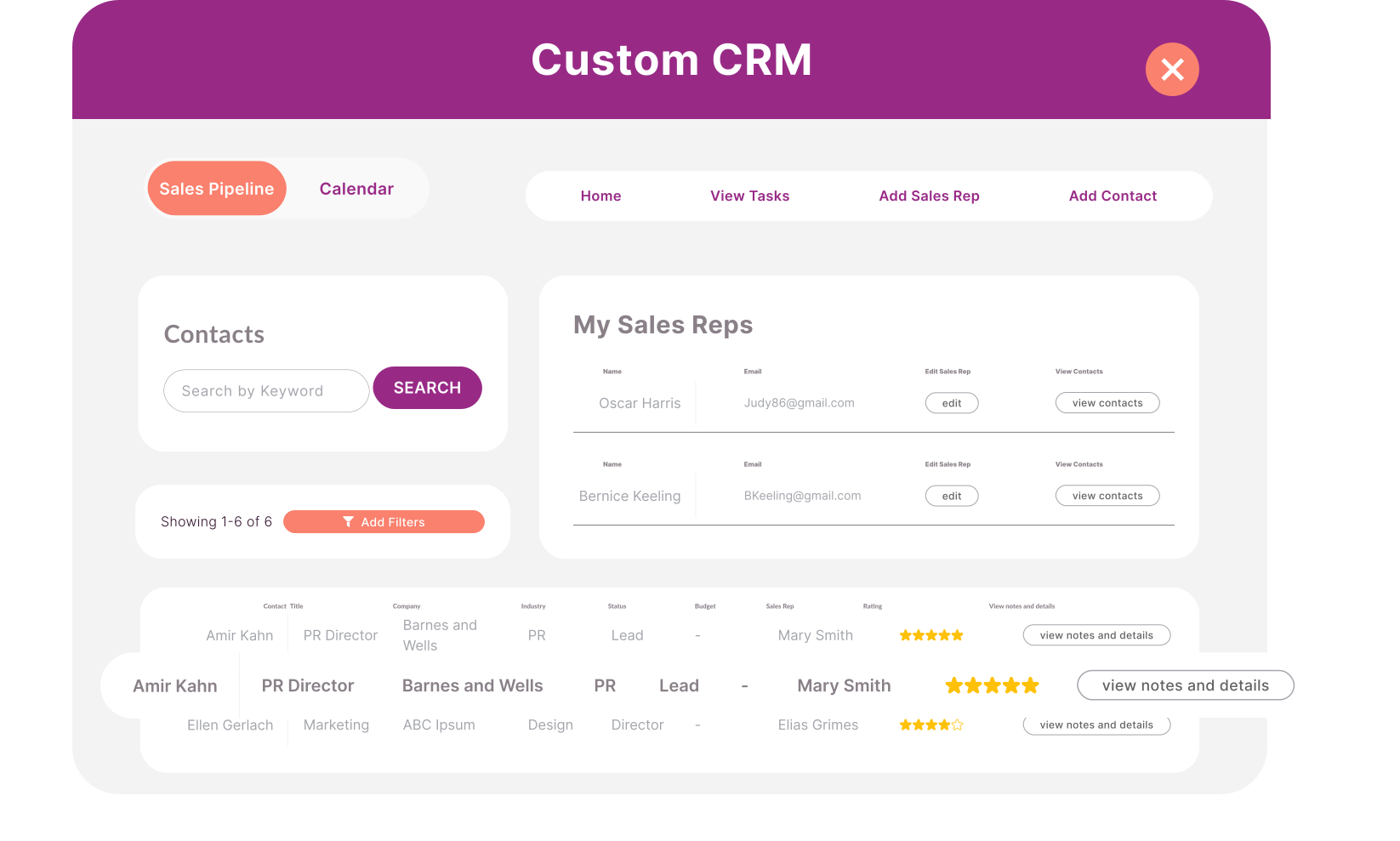
Store and Manage Contacts: Think beyond a static list of names and numbers. Your CRM should paint a vivid portrait of each customer, capturing their unique preferences, history, and interactions with your brand. This holistic view allows you to personalize every touchpoint, anticipating their needs and nurturing relationships that always come back for more.
Identify, Score, and Assign Leads: Your CRM should analyze and prioritize potential customers, identifying those with the highest probability of conversion. It should intelligently score leads based on your unique criteria, seamlessly routing them to the right sales representatives, so no promising prospect is overlooked.
Integrate with Communication Platforms: Your CRM should also be able to integrate with all (or most) of your preferred communication channels – email, phone, chat – to create a harmonious flow of information. Every interaction is tracked, every follow-up is automated, and a comprehensive history of every conversation is readily available.
Manage the Sales Pipeline: Visualize your sales process as a dynamic journey, guiding your customers effortlessly from initial interest to closed deals. Your CRM should provide a crystal-clear view of this progression, allowing you to identify any roadblocks, optimize the flow, and ensure a smooth and satisfying experience for your customers.
Manage and Share Documents: Scattered files and endless email threads don’t serve you anymore. Your CRM should be secure and organized for all your critical documents – proposals, contracts, presentations. Sharing these with your team and clients becomes effortless, streamlining the entire process and fostering a sense of transparency and trust.
Automate Common Tasks: Liberate your team from the limitations of repetitive, time-consuming tasks. Your CRM should automate those mundane chores – data entry, lead scoring, follow-up emails – allowing your team to dedicate their energy to what truly matters: creating connections and driving revenue growth.
Analyze Customer Data: Uncover the hidden narratives within your customer data, transforming raw information into actionable insights. Your CRM should provide insightful reports and analytics, revealing trends, patterns, and valuable intelligence about customer behavior.
How long does it take to develop a custom CRM with Knack?
How can I build my custom CRM from scratch?
You can use Knack’s no-code tools visual app builder to build a custom CRM from scratch. For more information, read this guide.
How much would it cost to develop a CRM using full code development?
What are the 4 types of CRM?
CRM systems generally fall into four main categories, each designed to serve a different business need:
– Operational CRM – Streamlines and automates everyday processes like sales, marketing, and customer service to improve efficiency.
– Analytical CRM – Collects and analyzes customer data to uncover patterns, predict behavior, and guide smarter decision-making.
– Collaborative CRM – Breaks down silos by enabling teams across departments to share customer information and work together seamlessly.
– Strategic CRM – Focuses on long-term relationship building by combining customer insights with big-picture business strategy.
With Knack’s custom CRM software, you’re not locked into just one approach—you can combine elements from all four types to build a CRM that supports your exact workflows and growth goals.
What is the most customizable CRM?
The most customizable CRMs give you full control over how the system looks, functions, and integrates with your existing tools. That means you can adapt data fields, workflows, dashboards, permissions, and automations to match the way your business already operates.
While many platforms claim flexibility, Knack takes customization to the next level. Its no-code platform empowers you to design a custom CRM from the ground up—without developers or costly IT resources. You can structure your data, build tailored interfaces, and connect seamlessly with ERP, accounting, or marketing systems. The result is a CRM that fits your business today and scales as your needs evolve.
Additional Resources on Custom CRMs
How to Build a HIPAA-Compliant CRM Without Code
How to Build a HIPAA-Compliant CRM Without Code Standard CRM software is…
7 Best HIPAA Compliant Scheduling Software Options
For healthcare practice managers and clinic owners, juggling phone check-ins and tracking…
Hospitality Operations Management: Tracking Housekeeping, Maintenance, and Staff Tasks
Hospitality operations depend on smooth coordination across housekeeping, maintenance, and staff management…