


 Log In






Insert Knack records into BigQuery tables for analytics
- Features & Benefits
- AI Powered App-Building

Build apps in minutes with AI
- Security and Infrastructure

Protect and control your data
- No-Code Database

Manage and connect your data
- Integrations

Connect tools and sync workflows
- Reports

Track and visualize performance
- User Access

Manage roles and permissions
- E-commerce

Run and automate online sales
- Front-End Experience

Customize your user interface
- Workflows

Streamline operations with automations
- Forms

Collect and manage data easily
- AI Powered App-Building
- Dive into Knack
- App Templates

Start fast with pre-built app templates
- Blog

Read insights and practical tips
- Case Studies

See how others use Knack
- Videos

Watch tutorials and user stories
- Glossary

Look up common no-code terms
- App Templates
- Additional Resources
- Compare Knack

See how Knack stacks up
- Hire an Expert Builder

Get hired to build or expand apps
- Help Center

Learn how to set up your app
- Developer Docs

Access technical guides and documents
- Community Forum

Connect with other Knack builders
- Compare Knack
- Partner Programs
- Become An Affiliate

Earn revenue by referring Knack
- Become an Expert Builder

Get hired to build apps
- Agency Program

Resell Knack to your clients
- Become An Affiliate
Integrate Knack with Google BigQuery
How Knack Flows Work
Connect Google BigQuery with Knack using Flows to automate data pipelines, manage large-scale datasets, and power analytics-driven applications. This integration allows you to send structured data from Knack into Google BigQuery for warehousing, analysis, and reporting, while also using BigQuery data to inform workflows and dashboards inside Knack. Build ETL-style pipelines, update tables programmatically, and manage analytical datasets without writing complex SQL or custom code. Knack acts as the orchestration and application layer, while BigQuery provides scalable, high-performance analytics.

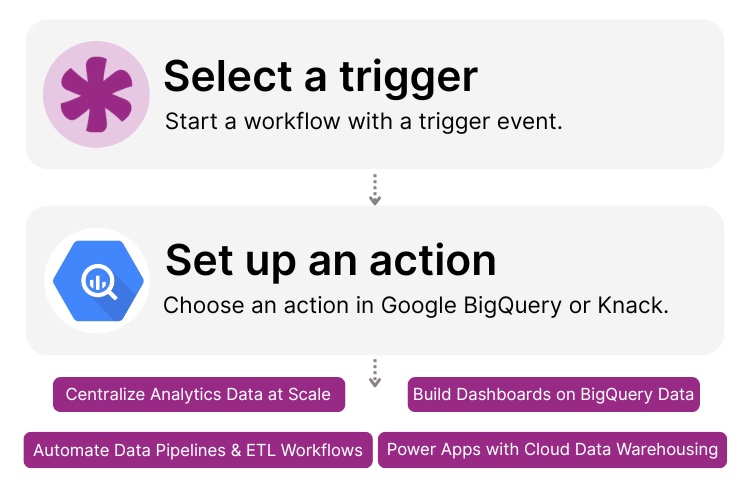
Step 1: Select a Trigger
A trigger is an event that starts your Flow. In a Google BigQuery and Knack integration, triggers typically originate in Knack, such as when a new record is created, a record is updated, or a form is submitted. These triggers determine when data should be inserted into, patched in, or used to update tables in BigQuery as part of an analytics or warehousing workflow.

Step 2: Set up an Action in Knack
Once a trigger occurs, actions execute the tasks within your Flow. Google BigQuery actions can insert rows, patch existing data, or update tables, while Knack actions can prepare, validate, and transform records before they are sent. Flows can include conditional logic, batching, and multi-step data processing to support analytics-ready datasets.

Step 3: Connect and Automate
When your Flow is ready, you can activate it immediately. Your Knack app and Google BigQuery environment are now connected. Knack data can flow into BigQuery for reporting and analysis, while BigQuery-backed insights can be surfaced through Knack dashboards and portals. This creates a complete analytics pipeline from data capture to decision-making.
Popular Knack + Google BigQuery Automations
Integrate Knack and Google BigQuery to automate analytics pipelines, centralize data, and power reporting workflows at scale.
Top Use Cases for Integrating Knack with Google BigQuery

ETL & Data Pipeline Automation
Automatically send structured Knack data into BigQuery tables for large-scale analysis, reporting, and long-term storage.

Analytics & Business Intelligence Workflows
Centralize operational data from Knack in BigQuery to support dashboards, performance metrics, and data-driven decision-making.

Data Transformation & Enrichment
Use Knack to validate, enrich, and normalize records before inserting or updating them in BigQuery datasets.

Scalable Data Warehousing
Move high-volume or historical data out of application databases and into BigQuery for cost-effective, scalable storage and querying.

Analytics-Driven Applications
Surface BigQuery-backed insights through Knack dashboards, portals, and internal tools without exposing raw warehouse complexity to end users.
Triggers and Actions
Knack Flows help you automate workflows by connecting your data and actions. A trigger starts a workflow, and an action executes a task based on that trigger.
About Google BigQuery
Google BigQuery is a fully managed, serverless cloud data warehouse designed for fast, scalable analytics on large datasets. It enables organizations to store, query, and analyze massive volumes of structured data using SQL without managing infrastructure.
When integrated with Knack, Google BigQuery becomes the analytics backbone for no-code applications. Knack handles data capture, workflows, and business logic, while BigQuery provides the performance and scale required for advanced reporting, data pipelines, and enterprise analytics.


3 Steps to Create Your Website-Based Database With No-Code Builders
Asking how to create an online database for my website?...
Read
More
25 Marketing Agency Tools You Can Build with Knack in Minutes
Marketing agencies encounter many challenges while striving to provide exemplary...
Read
More
10 Effective Onboarding Strategies For New Hires
Onboarding is more than just paperwork and orientation; it’s the...
Read
More





