


 Log In






Add and manage Google Search Console sites from Knack
- Features & Benefits
- AI Powered App-Building

Build apps in minutes with AI
- Security and Infrastructure

Protect and control your data
- No-Code Database

Manage and connect your data
- Integrations

Connect tools and sync workflows
- Reports

Track and visualize performance
- User Access

Manage roles and permissions
- E-commerce

Run and automate online sales
- Front-End Experience

Customize your user interface
- Workflows

Streamline operations with automations
- Forms

Collect and manage data easily
- AI Powered App-Building
- Dive into Knack
- App Templates

Start fast with pre-built app templates
- Blog

Read insights and practical tips
- Case Studies

See how others use Knack
- Videos

Watch tutorials and user stories
- Glossary

Look up common no-code terms
- App Templates
- Additional Resources
- Compare Knack

See how Knack stacks up
- Hire an Expert Builder

Get hired to build or expand apps
- Help Center

Learn how to set up your app
- Developer Docs

Access technical guides and documents
- Community Forum

Connect with other Knack builders
- Compare Knack
- Partner Programs
- Become An Affiliate

Earn revenue by referring Knack
- Become an Expert Builder

Get hired to build apps
- Agency Program

Resell Knack to your clients
- Become An Affiliate
Integrate Knack with Google Search Console
How Knack Flows Work
Connect Google Search Console and Knack using Knack Flows to centralize search data and manage SEO workflows through a structured, no-code system. This integration allows you to bring Google Search Console data and actions, such as site health management and URL inspection, into Knack, where they can be stored, tracked, and acted on through workflows. Use Knack to organize search-related information, monitor indexing status, manage SEO tasks, and build internal dashboards that give you and your team visibility into search performance and technical SEO activity.

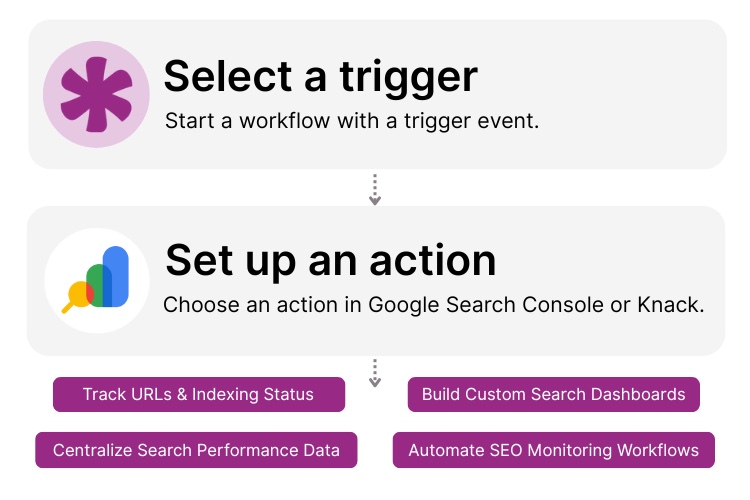
Step 1: Select a Trigger
A trigger is an event that starts your automation workflow. In a Google Search Console and Knack integration, triggers often originate in Knack. For example this could be when a new site is added to your system, a URL needs to be inspected, or an SEO check is requested. These triggers determine when Knack should interact with Google Search Console.

Step 2: Set up an Action in Knack
Once a trigger occurs, actions define what happens next in your Flow. Google Search Console actions can include adding or removing sites and running URL inspections. Knack actions may store inspection results, update records, notify team members, or route issues into review workflows. This allows SEO activity to be managed systematically instead of ad hoc.

Step 3: Connect and Automate
When your Flow is ready, you can activate it immediately or expand it with additional logic over time. Your Knack app and Google Search Console are now connected. Search-related actions and outcomes can be logged, tracked, and managed inside Knack. This creates a centralized system for SEO operations and site monitoring.
Popular Knack + Google Search Console Automations
Connect Google Search Console and Knack to monitor site issues, track search data, and coordinate SEO workflows from a central application.
Top Use Cases for Integrating Knack with Google Search Console

SEO Site Management
Use Knack to manage Search Console properties, ownership details, and site metadata in one organized system.

URL Indexing & Inspection Tracking
Trigger URL inspections from Knack and store results to track indexing status, coverage issues, and validation history.

Centralized SEO Dashboards
Organize search-related records and inspection activity in Knack dashboards to support long-term visibility and reporting.

Operational SEO Workflows
Route indexing checks, validation requests, and follow-up actions through Knack workflows so SEO tasks are tracked and repeatable.

Scalable SEO Operations
Build internal tools in Knack that support SEO coordination across multiple sites, teams, or clients without manual tracking.
Triggers and Actions
Knack Flows help you automate workflows by connecting your data and actions. A trigger starts a workflow, and an action executes a task based on the trigger.
About Google Search Console
Google Search Console is a free tool from Google that helps website owners monitor, maintain, and troubleshoot their site’s presence in Google Search. It provides insights into site indexing, visibility, and technical search performance while allowing users to submit and inspect URLs.
When integrated with Knack, Google Search Console becomes part of a broader SEO operations system. Site management and inspection actions can be initiated from Knack, while results are stored, tracked, and acted on through automated workflows. This gives teams a centralized, scalable way to manage search performance without manual processes.


3 Steps to Create Your Website-Based Database With No-Code Builders
Asking how to create an online database for my website?...
Read
More
25 Marketing Agency Tools You Can Build with Knack in Minutes
Marketing agencies encounter many challenges while striving to provide exemplary...
Read
More
10 Effective Onboarding Strategies For New Hires
Onboarding is more than just paperwork and orientation; it’s the...
Read
More





