


 Log In






Bakery Inventory Manager Template
Always deliver the freshest goods by keeping track of what your kitchen needs everyday.

Build apps in minutes with AI

Protect and control your data

Manage and connect your data

Connect tools and sync workflows

Track and visualize performance

Manage roles and permissions

Run and automate online sales

Customize your user interface

Streamline operations with automations

Collect and manage data easily

Start fast with pre-built app templates

Read insights and practical tips

See how others use Knack

Watch tutorials and user stories

Look up common no-code terms

See how Knack stacks up

Get hired to build or expand apps

Learn how to set up your app

Access technical guides and documents

Connect with other Knack builders

Earn revenue by referring Knack

Get hired to build apps

Resell Knack to your clients
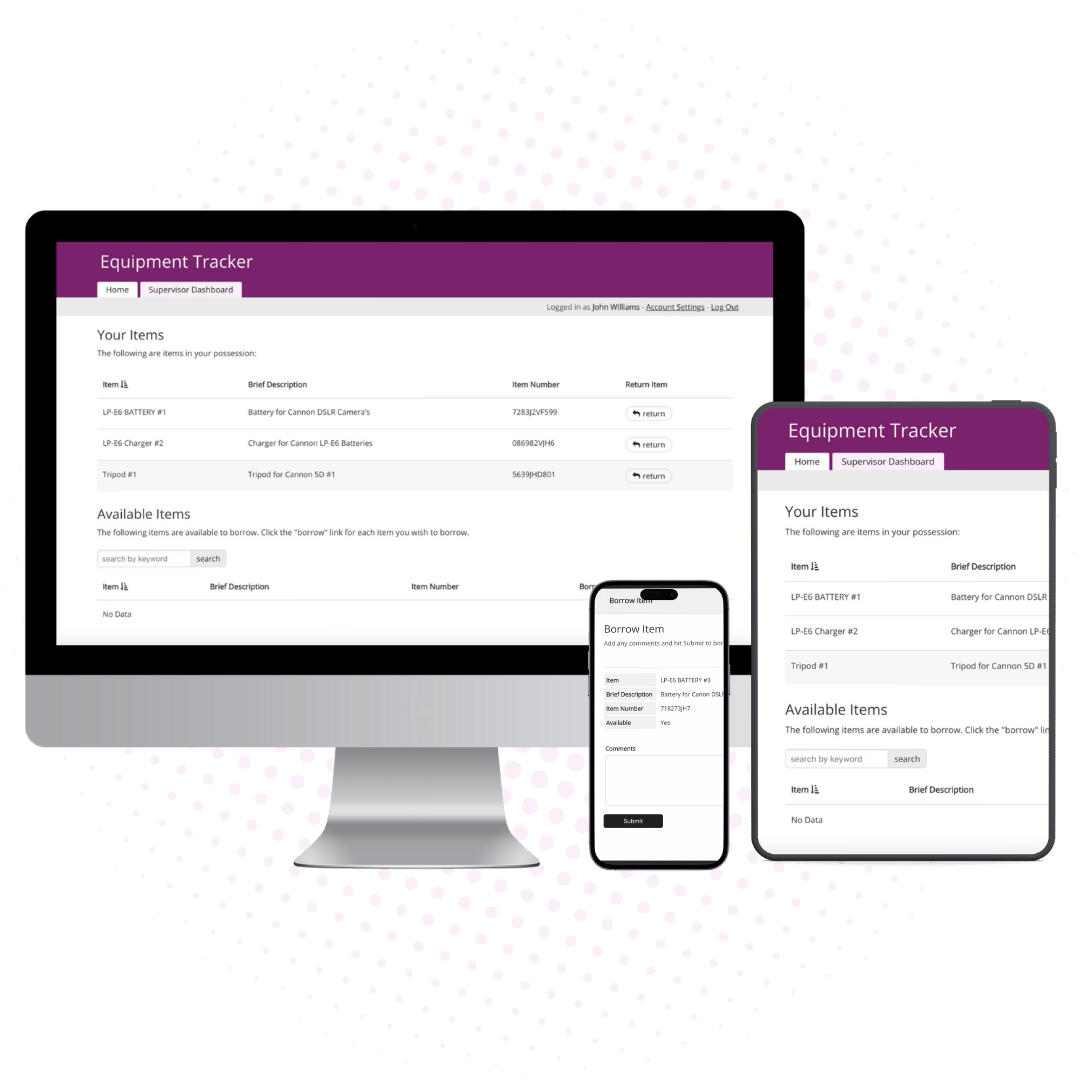
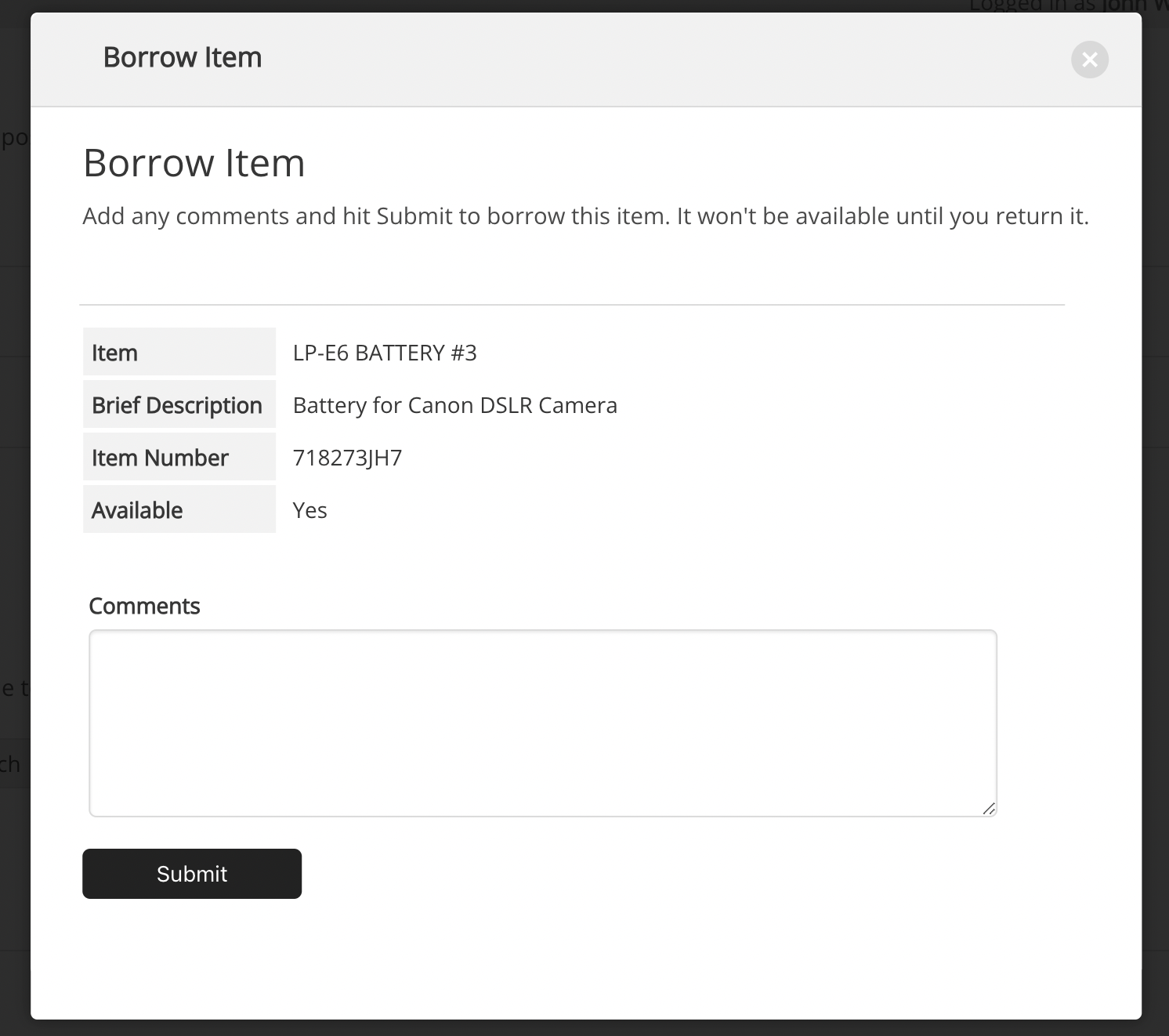
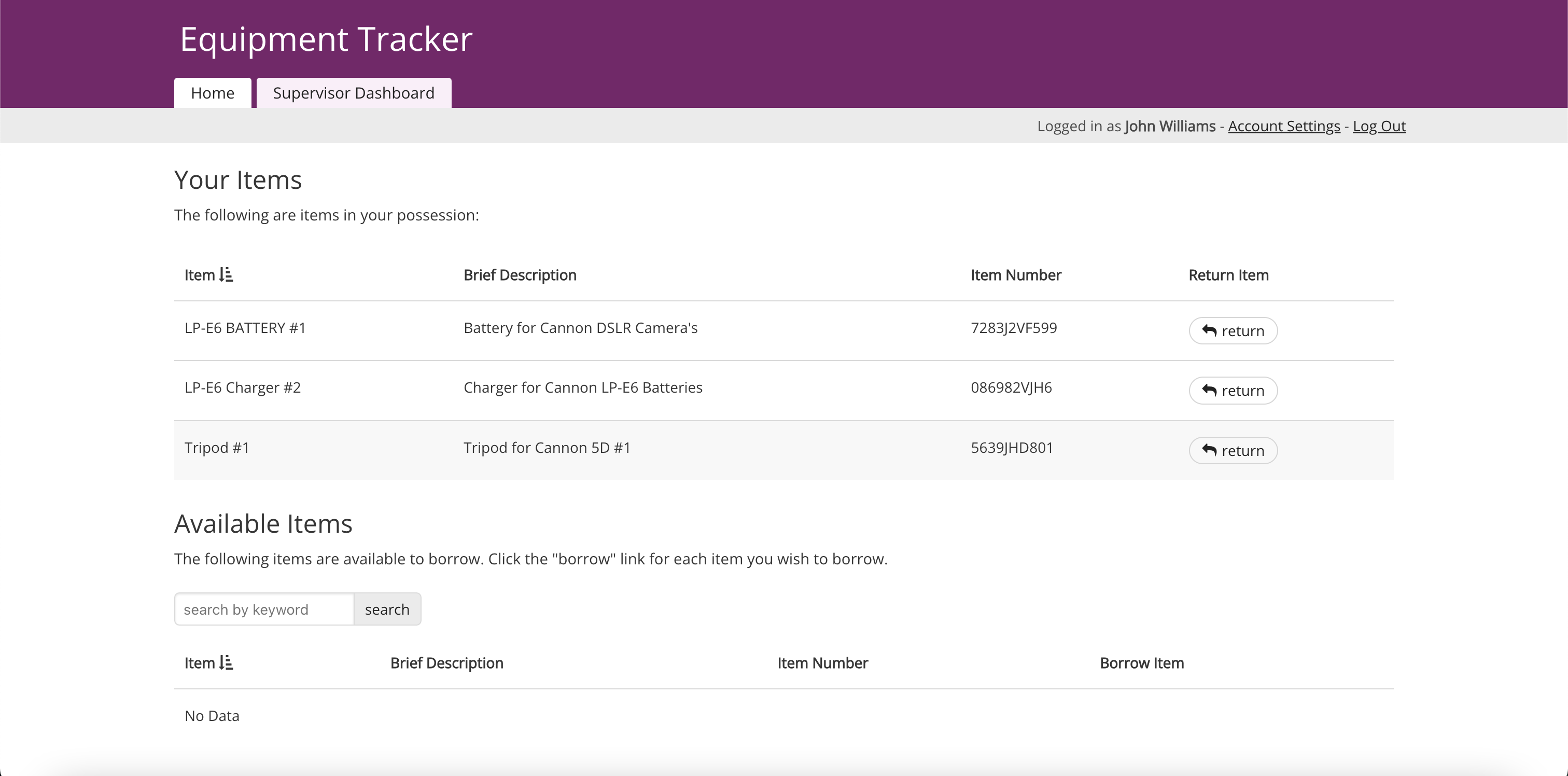
Enable employees to log in, view, and check out available equipment. Once checked out, equipment is removed from availability, ensuring no overlap in assignments and allowing employees to access the tools they need when they need them.
Streamline communication with notifications at each stage of the checkout process. Automatically alert employees when equipment becomes available or when checkouts are due for return, keeping all stakeholders informed and reducing manual follow-ups.
Streamline communication with automated notifications. Receive alerts when a new purchase order is submitted or approved, ensuring that all stakeholders are informed at every stage of the process.
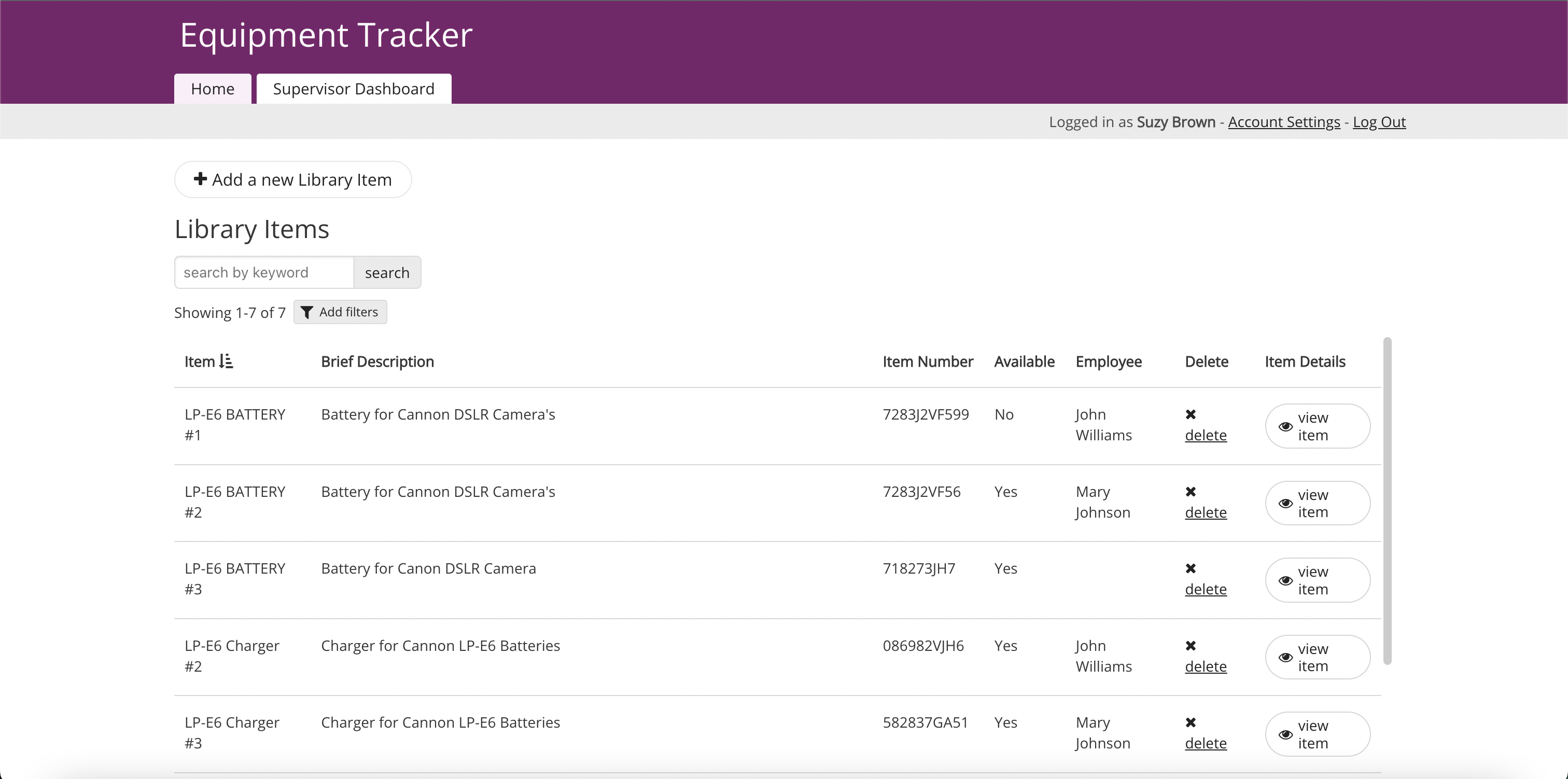
Grant specific access roles to manage privacy and control over equipment use. Allow designated employees to view and check out equipment, while providing admins with full oversight of all inventory and historical usage data.
Ensure employees can view and check out equipment from any device, supporting accessibility and ease of use for remote or field-based staff.
Keep a detailed log of each piece of equipment’s checkout history, including who checked it out and when. Generate insightful reports to understand equipment usage patterns and make informed decisions about equipment maintenance and future acquisitions.

Ensure construction teams or field workers can check out tools and equipment from mobile devices, with real-time availability and automated return alerts to prevent delays.

Track the usage of laptops, tablets, and other devices in IT departments, with automated notifications for overdue returns to minimize loss and improve accountability.

Enable event planners to reserve and track usage of cameras, lighting, and other equipment, ensuring smooth logistics with notifications for availability and returns.

Allow students and faculty to check out lab tools or sports equipment, while administrators monitor usage and send reminders for timely returns.

Streamline the management of shared warehouse tools, like forklifts or scanners, by ensuring availability and preventing overlapping assignments.

Track and manage critical equipment for fire departments or disaster relief teams, ensuring availability with automated alerts and real-time inventory access.







