


 Log In









Artificial intelligence (AI) for project management is revolutionizing how organizations manage projects. It’s improving efficiency, accuracy, and insight across the project lifecycle.
AI automates routine tasks, provides data-driven insights, and predicts potential risks. This empowers project managers to make smarter decisions. As AI adoption grows, project teams are finding new ways to streamline workflows. They can deliver results faster and more effectively.
In this guide, we’ll explore the key advantages of using artificial intelligence in project management and show you how to implement it to its fullest potential for optimal results.
TL;DR: Key Benefits of AI in Project Management
- AI streamlines project workflows by automating repetitive tasks, enabling managers to focus on strategy. Predictive analytics enhances planning, resource allocation, and risk management, while AI assistants boost productivity through smart scheduling and note-taking.
- Seamless integrations with platforms like Slack and Google Drive support real-time collaboration—especially for remote teams. Industry use cases in law, consulting, construction, and marketing show AI’s broad applicability.
- Top tools offer automation, intelligent recommendations, and content enhancements. Looking ahead, AI is driving improvements in agility, ethical deployment, and advanced analytics across the project management lifecycle.
What Is AI for Project Management?
In the context of project management, artificial intelligence refers to the use of advanced algorithms and machine learning to enhance project planning, execution, and monitoring.
AI can automate repetitive tasks such as scheduling, resource allocation, and progress tracking. This, in turn, frees up managers to focus on strategic priorities. It also analyzes vast amounts of project data to identify patterns and support more informed, data-driven decision-making throughout the project lifecycle.
How AI Technologies Work in Project Management
AI technologies are transforming project management. They use predictive analytics, machine learning, and NLP to optimize workflows and decision-making.
Predictive analytics examines historical project data to forecast potential risks, such as delays or budget overruns. Machine learning algorithms continuously learn from ongoing project data. They enable smart task prioritization by identifying critical dependencies and allocating resources efficiently. Meanwhile, NLP improves search and knowledge retrieval. It interprets unstructured text from project documents, emails, and reports, helping teams access relevant information quickly.
3 Easy Ways to Start Building For Free
1. Generate an App with AI
2. Use one of our templates
3. Import your own data

Free 14-Day Trial. No Credit Card Required
Benefits of Using AI in Project Management
Leveraging AI for project management offers users a wide array of significant advantages with minimal potential downsides. By making projects faster, more accurate, and more collaborative, teams of nearly any size and across all industries can reap substantial benefits from this powerful technology.
Streamlining Task Automation
AI streamlines project management by automating routine tasks such as scheduling meetings, generating status reports, and tracking progress, significantly reducing the manual workload for teams. This automation not only saves time but also minimizes human error and allows team members to focus on higher-value strategic work.
For example, in a software development project, an AI-powered project management tool can automatically update task completion statuses, alert team members of upcoming deadlines, and generate weekly progress reports without manual input, ensuring that managers have real-time visibility into the project’s health while the team remains focused on coding and testing rather than administrative tracking.
Enhancing Predictive Analytics
By analyzing historical data to forecast potential project risks and outcomes, AI enables teams to proactively address issues before they escalate. Unlike traditional forecasting methods, which often rely on static templates or manual estimation, AI uses real-time data, pattern recognition, and predictive modeling to provide dynamic, highly accurate insights.
Without leveraging this modern forecasting technology, projects can face unexpected delays, budget overruns, or resource bottlenecks, as teams may miss early warning signs and fail to implement preventive measures.
Optimizing Resource Allocation
Making the most out of available resources is vital in project management, and AI plays a key role by analyzing project requirements alongside team capabilities to allocate resources efficiently. By assessing factors such as skill sets, workload, and task priorities, AI can recommend the optimal assignment of personnel, equipment, and time, ensuring that every resource is used effectively.
This is particularly beneficial for teams operating under strict budgets or with limited resources, as it minimizes waste and maximizes productivity, ultimately helping projects stay on schedule and within financial constraints while maintaining high-quality outcomes.
Improving Communication and Collaboration
Today’s organizations often operate in geographically dispersed environments, with team members working remotely or collaborating across multiple countries within global corporations.
AI-powered tools, such as automated translation services and AI-driven collaboration platforms, facilitate seamless communication among team members, stakeholders, and clients by ensuring messages are clear, timely, and contextually accurate. These tools help bridge time zones and reduce misunderstandings, thereby fostering stronger collaboration and enabling teams to respond more quickly and effectively to project needs regardless of location.
Enhancing Productivity with AI Assistants
An AI assistant is a software tool designed to support project managers and team members by handling routine administrative tasks such as scheduling, reminders, and data organization. These tools are meant to assist, not replace, allowing teams to focus more time and energy on strategic, non-administrative work that drives the project forward.
How AI Executive Assistants Help Leaders
AI Executive Assistants are advanced solutions that help executives manage schedules, emails, and project priorities efficiently, ensuring that critical tasks and communications are handled promptly. Users can customize these assistants to align with their specific needs and workflows, such as prioritizing certain meetings, filtering emails, or tracking project milestones. In a product launch project, for instance, an AI Executive Assistant can automatically schedule team check-ins and remind the executive of upcoming deadlines, allowing them to focus on strategic decision-making rather than administrative coordination.
AI Project Managers and Task Managers
AI assistants can support team members beyond executives. AI Project Managers and Task Managers streamline task assignments and deadlines. They automate delegation, track progress, and send reminders for upcoming tasks. This ensures projects stay on schedule and teams remain aligned. Without AI-driven support, teams risk missed deadlines, uneven workloads, and higher error rates.
AI Meeting Assistants and Notetakers
AI Meeting Assistants and Notetakers streamline scheduling by finding optimal times and sending calendar invites. They capture discussion points, decisions, and action items in real time. These tools transcribe conversations, highlight key topics, and create organized summaries. This saves time, reduces administrative work, and improves accountability and team alignment.
Integrating AI Tools for Project Collaboration
The versatility of AI-driven tools allows them to be applied across industries for a wide range of unique purposes. Whether a law firm is managing a complex case with multiple deadlines or a marketing agency is coordinating a product launch campaign, AI can be tailored to fit the specific needs of each project.
Law Firms
AI-powered tools offer significant benefits for law firms. They streamline complex workflows, improve document management, and enhance deadline tracking.
For example, AI project management tools can automatically organize case files, track court dates, and assign tasks to paralegals or associates based on workload and expertise, ensuring nothing falls through the cracks. They can also generate reminders for contract reviews or client meetings and provide predictive insights on case timelines, helping attorneys allocate resources more efficiently and focus on strategic legal work rather than administrative tasks.
Consulting Firms
Consulting firms face challenges in managing multiple client projects and meeting tight deadlines. AI can help by automating task allocation. It monitors project progress in real time and uses predictive analytics to anticipate delays or resource bottlenecks.
For instance, AI project management tools can automatically assign consultants to tasks based on expertise and availability, generate progress reports for clients without manual effort, and alert project managers to emerging risks, ensuring projects stay on track while allowing consultants to focus on delivering high-value strategic insights.
Construction Businesses
In construction, teams often deal with unique obstacles in project management, as much of their time is spent on job sites rather than in the office, making communication, progress tracking, and resource coordination more challenging. AI tools can help bridge this gap by providing real-time updates and automating task assignments.
In these environments, AI project management tools can track equipment usage, alert managers to delays in material deliveries, and generate visual progress reports from site data, ensuring that project managers have accurate, up-to-date information without needing to be physically present.
Marketing Agencies
For marketing teams, project management typically involves coordinating campaigns, managing content creation, tracking deadlines, and analyzing performance metrics across multiple channels.
Traditional methods, such as spreadsheets or basic task lists, often fall short by being time-consuming, prone to human error, and lacking real-time visibility into project progress. AI features have helped streamline these tasks and improve accuracy by automating content scheduling and prioritizing tasks based on deadlines and team capacity.
For example, marketing agencies can use AI project management tools to assign design tasks automatically. They track social media campaigns and generate performance reports. This allows teams to focus more on creative strategy than before.
Integration and Collaboration with AI Tools
Beyond AI-powered tools, project management technologies must integrate seamlessly with external business systems. This ensures smooth data flow and unified workflows. Integration with collaboration platforms is especially important. It allows team members to access documents, updates, and communications in real time. This reduces miscommunication and improves overall project efficiency.
Essential Integrations for Seamless Workflows
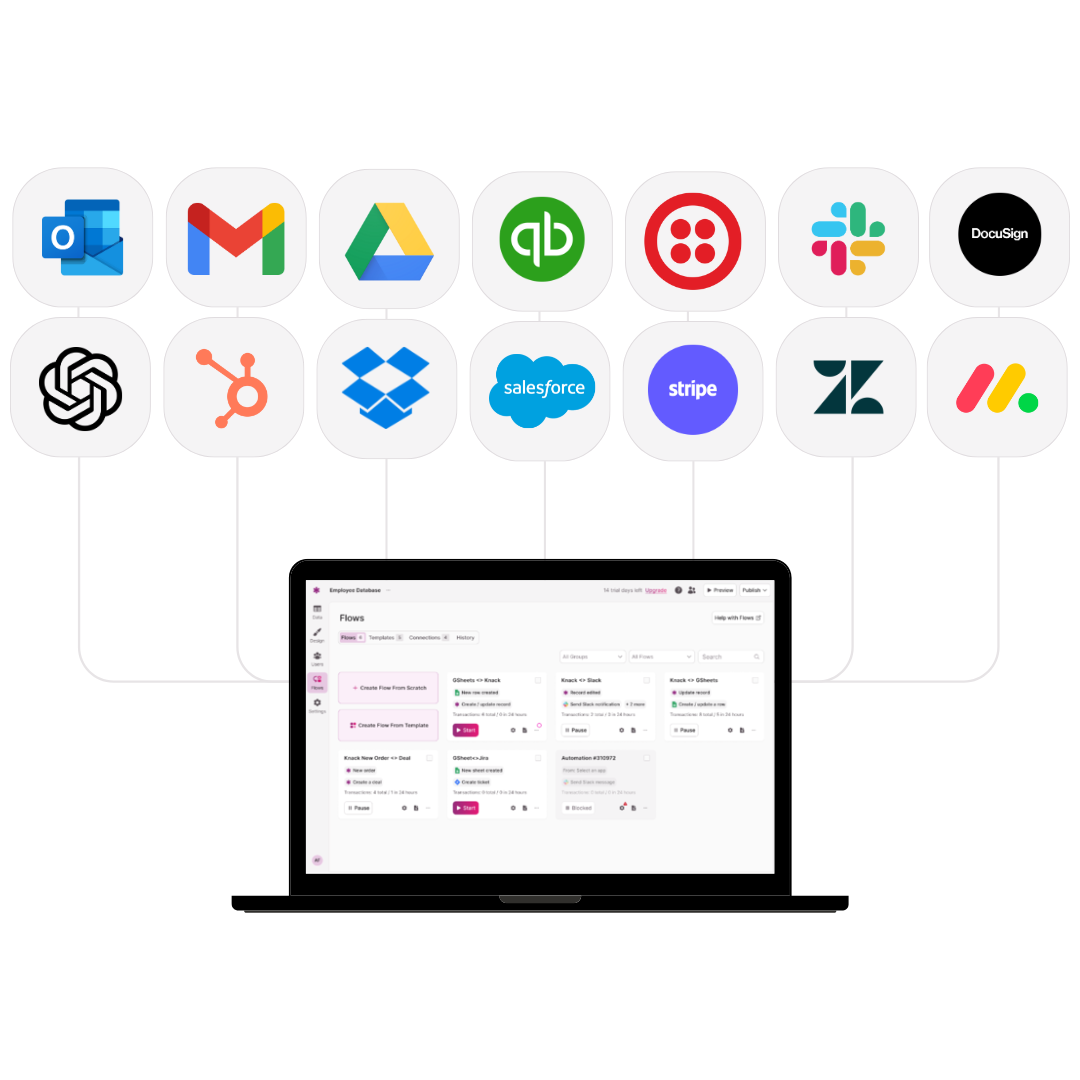
By connecting with platforms like Slack, Microsoft Teams, Google Drive, and other popular services, AI project management tools can centralize communication, automate updates, and synchronize files across different systems. This integration allows teams to receive real-time notifications, easily share documents, and track project progress without switching between multiple applications, improving efficiency and reducing the risk of missed deadlines or overlooked tasks.
Without strong connectivity to collaboration tools, AI systems can create information silos and increase the likelihood of errors, thus undermining the productivity and effectiveness of the project management process.
Collaborative Features for Remote Teams
For remote teams, collaborative features in project management are essential for maintaining productivity and cohesion, emphasizing real-time collaboration, asynchronous communication, and innovative onboarding resources.
Real-time collaboration tools let team members work together on documents, track changes, and update tasks simultaneously. Asynchronous communication keeps progress moving across time zones. AI tools enhance these processes. They summarize discussions, suggest task assignments, and provide personalized onboarding guidance. This helps remote teams stay aligned and accelerates integration for new members.
Popular AI Project Management Tools
When it comes to AI-powered project management platforms, there is a wide range of potential solutions to choose from. Each offers unique features and capabilities. While no single platform is a one-size-fits-all solution for every project, the following options are regarded as some of the top choices available today.
Asana
Asana is a cloud-based project management platform designed to help teams organize, track, and manage their work efficiently. It offers features such as task assignments, project timelines, workflow automation, and collaboration tools to streamline project planning and execution.
Key Features
- Smart Task Prioritization – AI helps identify and prioritize high-impact tasks based on deadlines, dependencies, and team workload.
- Automated Workflow Recommendations – Suggests automation rules for repetitive processes, such as task assignments or status updates.
- Predictive Project Insights – Provides forecasts on project timelines, potential bottlenecks, and risk areas.
Pros
- User-Friendly Interface – Intuitive design makes it easy for teams of all sizes to navigate and manage projects.
- Customizable Workflows – Flexible project templates and automation allow teams to tailor the software to their specific needs.
- Collaboration Tools – Enables seamless communication, file sharing, and task commenting within the platform.
Cons
- Cost – Premium features can be expensive for smaller teams or startups.
- Overwhelming for New Users – The abundance of features can be confusing without proper onboarding.
ClickUp
ClickUp serves as an all-in-one project management and productivity platform designed to help teams plan, organize, and collaborate on tasks from a single workspace. The platform offers customizable views, workflow automation, goal tracking, and AI-powered features to enhance efficiency and streamline project execution.
Key Features
- ClickUp Brain (AI Assistant) – Generates summaries, drafts, and responses directly within tasks, documents, and comments.
- Smart Summaries – Automatically summarizes meeting notes, project updates, and long comment threads for quick insights.
- Predictive Recommendations – Analyzes workload and project data to suggest task prioritization and resource allocation.
Pros
- Highly Customizable Interface – Users can tailor dashboards, task views, and workflows to match their team’s processes.
- All-in-One Platform – Combines project management, documentation, goal tracking, and communication in one place.
- Extensive Integration Options – Connects easily with tools like Slack, Google Workspace, Zoom, and GitHub.
Cons
- Steep Learning Curve – The abundance of features can be overwhelming for new users.
- Performance Issues – Large workspaces may experience occasional lag or slow loading times.
Trello
Trello acts as a visual project management tool that helps teams organize tasks and workflows using boards, lists, and cards. It simplifies project tracking through an intuitive drag-and-drop interface, making it easy to manage deadlines, assign tasks, and collaborate in real time.
Key Features
- Smart Card Recommendations – Suggests task assignments, due dates, and follow-ups using machine learning insights.
- Natural Language Commands – Allows users to create rules and actions by typing simple, conversational instructions.
- Predictive Due Date Adjustments – Uses project data to forecast realistic timelines and adjust task deadlines automatically.
Pros
- Flexible Organization – Boards, lists, and labels can be customized to fit any workflow or project type.
- Strong Collaboration Capabilities – Teams can comment, attach files, and tag members directly on tasks for clear communication.
- Extensive Integrations – Connects with tools like Slack, Google Drive, and Jira for seamless workflow management.
Cons
- Limited Advanced Features on Free Plan – Many useful options, such as detailed reporting or advanced permissions, require a paid upgrade.
- Can Become Cluttered – Large or complex projects can overwhelm boards and make navigation difficult.
Knack: No-Code Project Management Software
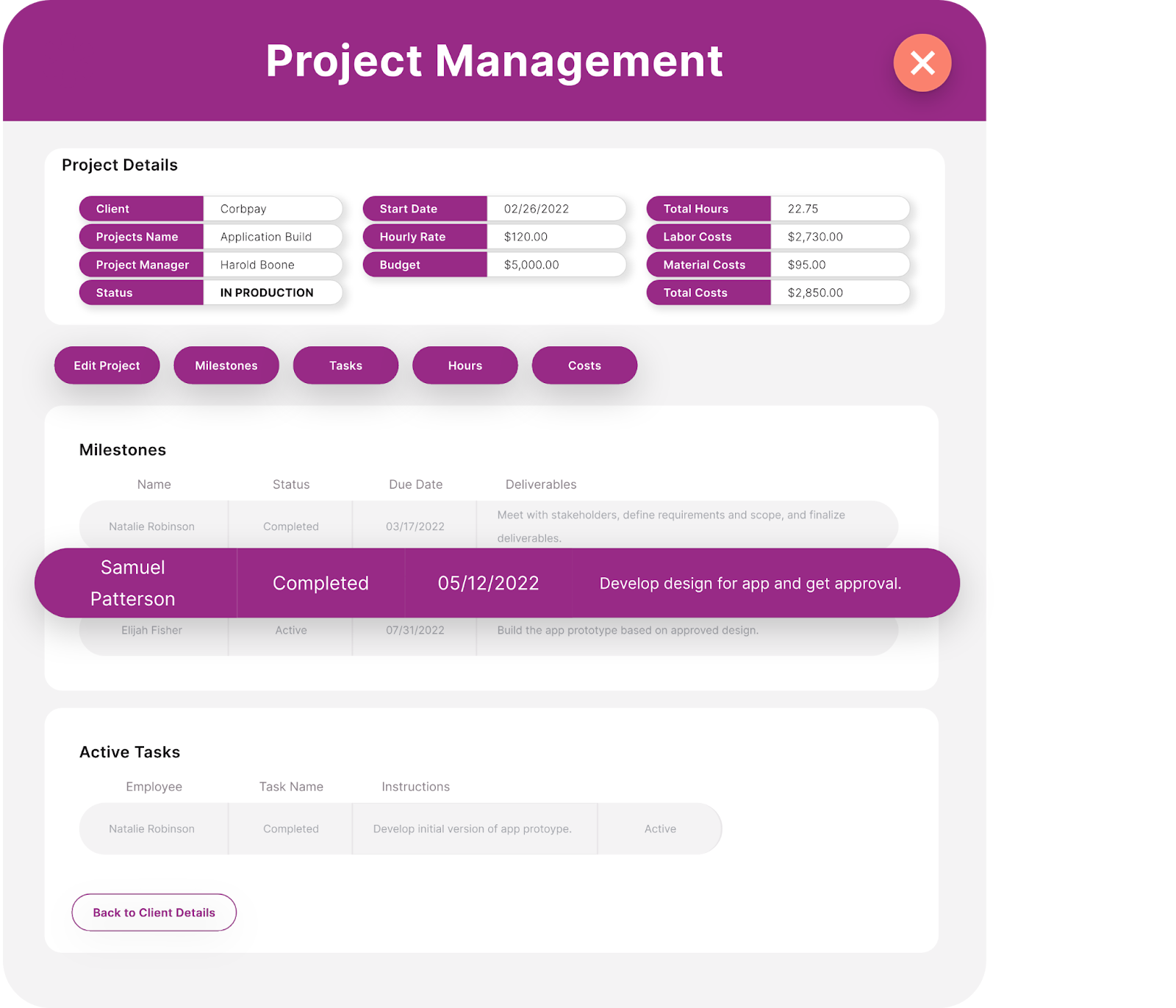
Knack is a no-code, AI-powered app builder that enables users to create custom business applications without needing programming expertise. While it isn’t specifically a project management software, it empowers teams to build personalized project management solutions tailored to their unique workflows and operational needs.
Key Features
- AI-Assisted App Building – Uses natural language input to help users design and structure custom databases and workflows quickly.
- Predictive Data Modeling – Analyzes existing data to suggest optimal structures, relationships, and fields for new applications.
- Smart Insights and Reporting – Leverages AI to identify trends, generate reports, and provide actionable recommendations from stored data.
Pros
- No-Code Platform – Empowers non-technical users to create complex systems without relying on developers.
- Scalable Design – Grows alongside your business, supporting both small teams and larger organizations.
- Strong Data Management – Centralizes information in structured, easy-to-navigate databases.
Cons
- Design Flexibility Can Be Overwhelming – The abundance of options may require careful planning to avoid overly complex builds.
- Less Traditional Project Management Interface – Since it’s not a dedicated PM tool, users may need to configure features to mirror standard project management layouts.
How to Implement AI in Your Projects
Choosing to utilize AI for project management is only one half of the equation; the other half lies in properly implementing the technology and maximizing its potential. Success depends on more than just adopting AI—it requires selecting the right tools, integrating them seamlessly with your existing systems, and ensuring your team is fully trained to use them effectively.
From setup to execution, understanding how to align AI capabilities with your project goals is key to getting the most out of your investment.
Selecting the Right AI Tools
The first step in choosing the right AI tools for project management is to identify your organization’s most pressing challenges and goals, then find a solution with features that best align with them. When selecting AI tools, consider the complexity of your projects, the size and structure of your team, and budget constraints to ensure the platform supports both current and future needs.
A marketing team managing multiple campaigns simultaneously, for instance, might prioritize AI features such as automated task prioritization, predictive deadline management, and intelligent reporting to streamline workflows and keep campaigns on track across different channels.
Integration with Existing Systems
Next, you’ll need to verify that the AI technology you’ve selected integrates seamlessly with your existing business systems. Project management teams often rely on tools such as collaboration platforms (Slack, Microsoft Teams), file storage services (Google Drive, Dropbox), CRM systems, and calendar applications—all of which should work smoothly with your new AI solution.
To ensure compatibility, take advantage of free trials and demos to test shortlisted platforms using your real data and external systems, confirming that workflows and data sharing function without disruption across the board.
Training and Adoption Strategies
To ensure teams effectively use AI tools and embrace adoption throughout your organization, it’s important to provide comprehensive training and ongoing support tailored to different user roles and skill levels. A competent AI solution should offer extensive resources, such as tutorials, webinars, and responsive customer support, to facilitate both onboarding and continuous education without delays.
Neglecting this step can lead to underutilization of the technology, decreased productivity, and frustration among team members, ultimately preventing your company from realizing the full benefits of its AI investment.
Future Trends in AI for Project Management
Since AI continuously learns and adapts from its own data and interactions, its evolution is accelerating every day. This rapid advancement holds exciting implications for project management, as increasingly powerful capabilities will soon enable more efficient and intelligent solutions than many could have imagined just a few years ago.
Advancements in Machine Learning and AI
Future AI developments will reshape project management. Systems will become more predictive, adaptive, and autonomous. Machine learning will analyze complex project patterns. It will learn from past successes and failures. AI will provide increasingly precise recommendations.
In a large construction project, advanced machine learning can predict supply chain disruptions weeks in advance. AI can reassign resources and suggest cost-saving alternatives. This allows project managers to make data-driven decisions with greater foresight and efficiency.
The Role of AI in Agile Methodologies
Despite its growing capabilities, AI for project management still has limitations. This includes challenges with understanding nuanced human judgment and adapting to rapidly changing project requirements.
However, future AI advancements could significantly enhance agile project management. Enabling real-time adjustments, predictive sprint planning, and continuous workflow optimization will allow teams to respond more quickly to shifting priorities. This will likely open new possibilities for project management teams, such as dynamically reallocating resources across concurrent projects and generating actionable insights to improve overall project outcomes.
Ethical Considerations in AI Deployment
Ethical issues surrounding AI use, including bias, transparency, and accountability, are valid concerns that must be carefully managed in project management applications. AI developers are continuously refining algorithms, datasets, and decision-making processes. This will minimize errors and ensure the system provides accurate and fair information.
As these improvements progress, project management could benefit from more reliable insights, clearer explanations for AI-driven recommendations, and greater trust in automated decision-making, thereby supporting more equitable and informed project outcomes.
Conclusion: Why AI Is Critical for Future Project Success
AI is transforming project management by enhancing efficiency, improving decision-making, and fostering seamless collaboration across teams and projects. Leveraging AI-powered tools has quickly become an industry standard, meaning that organizations not adopting these solutions risk falling behind competitors.
Project management teams needing a customized solution can use Knack. Its no-code platform builds tailored tools that integrate into workflows. This helps teams stay competitive and achieve greater success.
Ready to see what Knack can do for you? Sign up for your free, no-risk trial today!
AI for Project Management FAQs
How does AI improve project scheduling?
AI analyzes historical data and current project parameters to create optimized schedules, thus reducing delays and resource conflicts.
Can AI predict project risks?
Yes, AI utilizes predictive analytics to identify potential risks early, allowing for proactive mitigation strategies.
Is AI suitable for small project teams?
Absolutely, AI tools are scalable and can be tailored to fit the needs of small teams, enhancing efficiency without significant overhead.
What are the costs associated with AI tools?
Costs vary based on the tool’s capabilities and the organization’s size; however, many AI project management tools offer scalable pricing models.
Will AI replace project managers?
AI is designed to augment, not replace, project managers by automating routine tasks and providing data-driven insights to support decision-making.





