


 Log In












In the fast-paced and complex construction industry, efficiency, organization, and collaboration are crucial for successful project management. Managing everything from budget estimates to equipment tracking and job dispatch can become overwhelming without the right tools. Knack, a no-code software platform, offers a suite of 14 template apps designed to simplify these processes, giving construction businesses powerful, easy-to-use solutions that improve workflow and productivity.
Each template is tailored to meet specific construction needs, from planning and resource allocation to quality control and vendor management. These ready-to-use, customizable apps empower teams to integrate essential functions seamlessly and adapt their workflows to evolving project requirements—all without the need for coding expertise.
This blog post will walk you through Knack’s 14 construction templates, detailing how they streamline tasks, enhance collaboration, and keep projects on track. Whether you’re managing small jobs or large-scale projects, these tools can transform your approach to construction management and set your team up for success.
Construction Spreadsheet Templates vs. Template Apps
Google Sheets or Microsoft Excel templates, while familiar and useful for basic data management, often fall short when handling complex construction projects. They can become cumbersome, difficult to navigate, and prone to errors as data volume grows. Customization and automation in spreadsheets require advanced skills, and collaboration is often hindered by version control and access issues. These limitations can lead to inefficiencies and data silos that slow down project progress.
Knack’s no-code template apps offer a better solution, providing an intuitive, user-friendly interface that centralizes data, streamlines workflows, and automates processes—all without the need for coding. With real-time collaboration features, role-based permissions, and seamless integration with other tools, Knack empowers construction companies to scale and adapt their project management as needed. By choosing Knack, teams can improve efficiency, maintain better communication, and manage projects with greater accuracy and ease.
14 Template Apps for Construction Teams
1. Construction Estimate Template
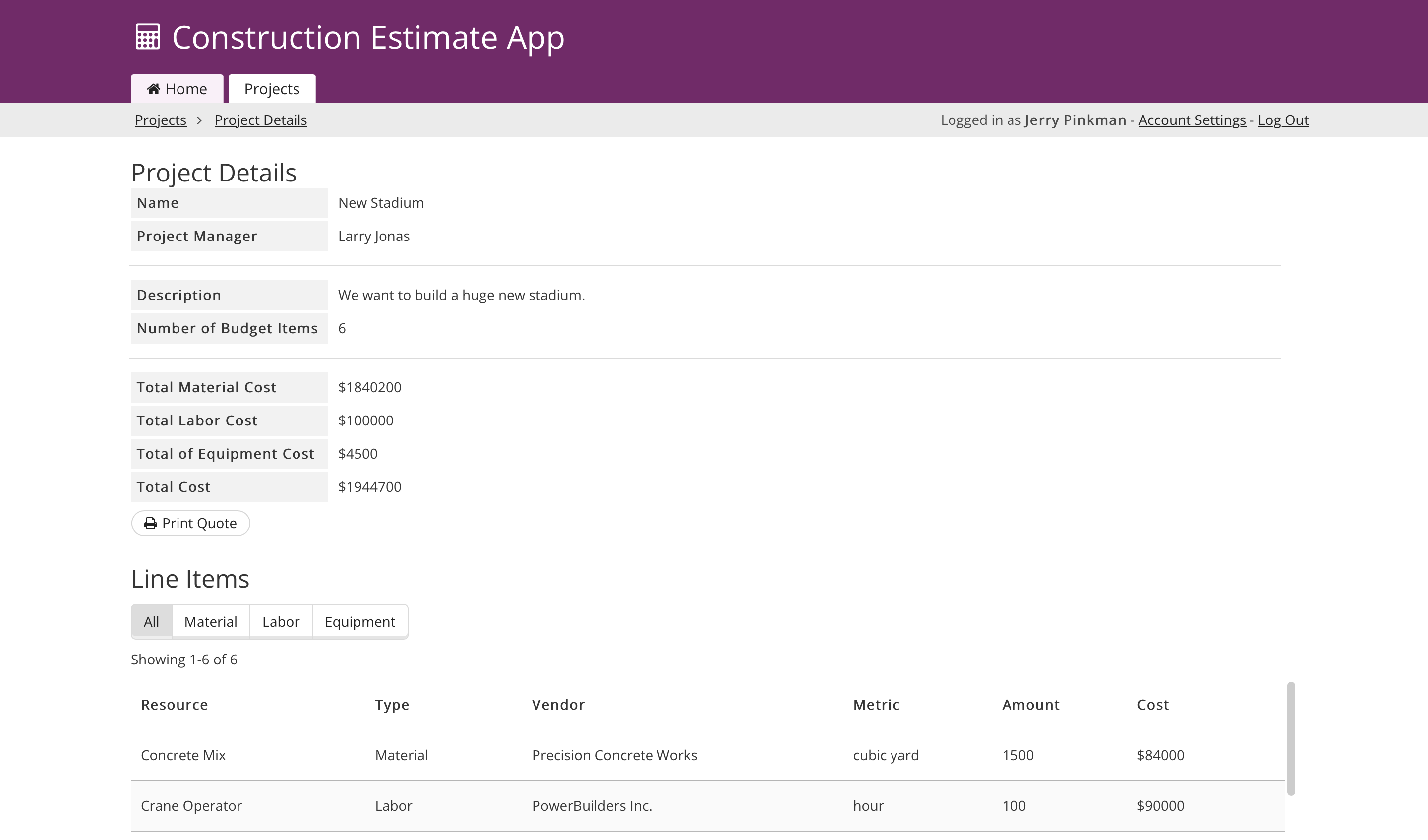
This template helps construction professionals generate precise project estimates. Users can input project details, itemize costs, and manage client information, ensuring accuracy and transparency from the start. It simplifies the budgeting phase, helping project managers secure approvals and track estimate statuses.
Construction Estimate Template >>
2. Construction Project Management Template
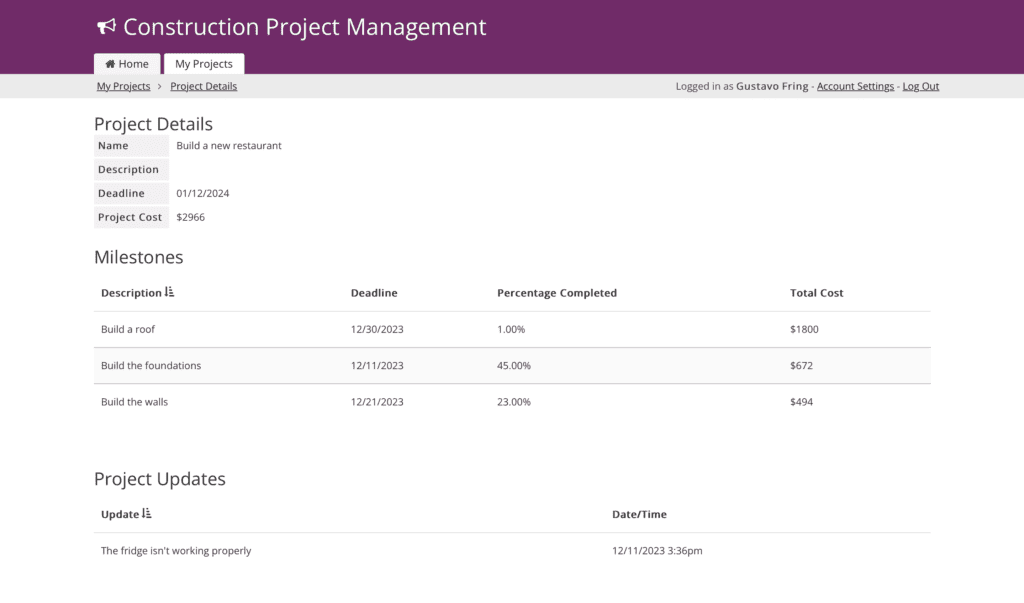
A comprehensive solution for managing multiple projects, this app streamlines scheduling, task assignments, and construction phase progress tracking. It facilitates communication and collaboration between team members and stakeholders, ensuring projects stay on schedule and within scope.
Construction Project Management Template >>
3. Employee Training & Safety Tracker Template
Track employee certifications, safety training, compliance records, and renewal deadlines with this construction safety training template. Teams can manage workforce qualifications in one centralized system to improve job site safety, reduce compliance risks, and keep training records organized.
Employee Training & Safety Tracker Template >>
4. Equipment Tracker Template
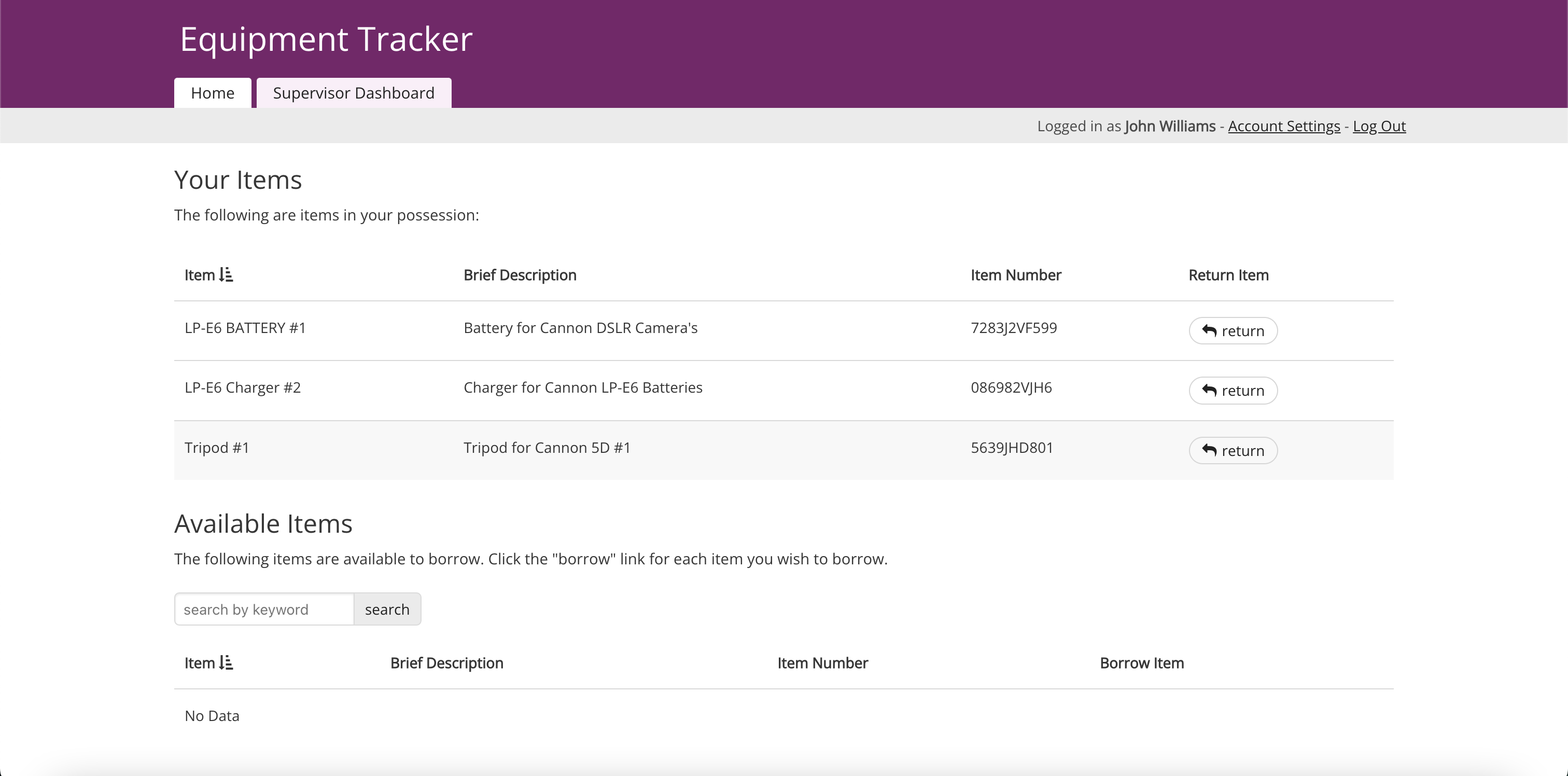
This template helps teams manage equipment usage and maintenance schedules. Users can track equipment locations, monitor maintenance histories, and schedule regular servicing to reduce downtime and operational costs, ensuring resources are used effectively.
Equipment Tracker Template >>
5. Construction Fleet Management Template
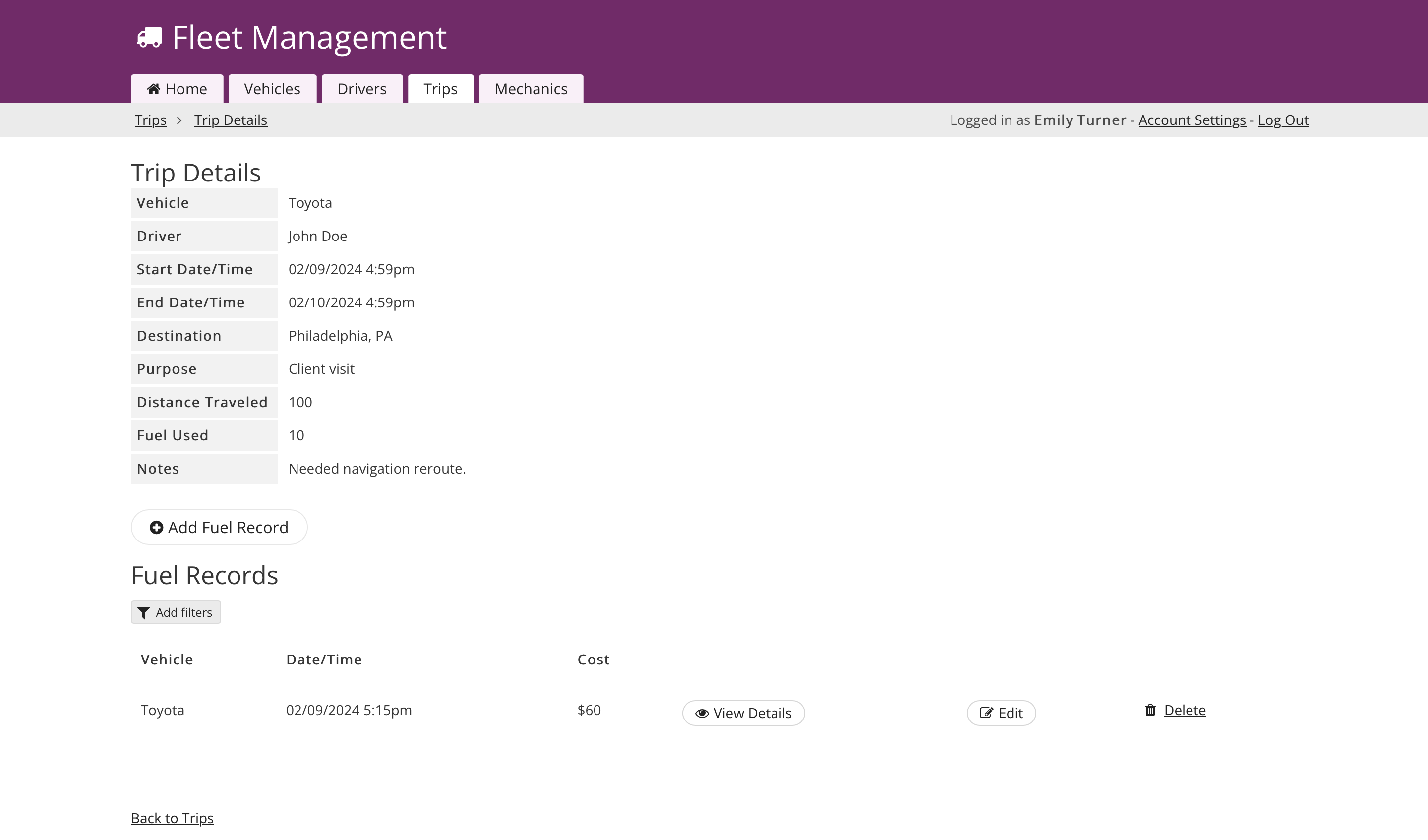
A valuable tool for construction firms with vehicle fleets, this app allows for the management of vehicle jobsites, maintenance needs, driver assignments, and usage logs. It optimizes fleet operations, ensuring vehicles are always ready for deployment to construction sites.
Fleet Management Template >>
6. Field Service Dispatch Template
Ideal for managing field operations, this template enables job assignments to field workers, tracks job progress, and provides real-time updates. It enhances communication between the office and the field, ensuring projects are completed efficiently.
Job Dispatch Template >>

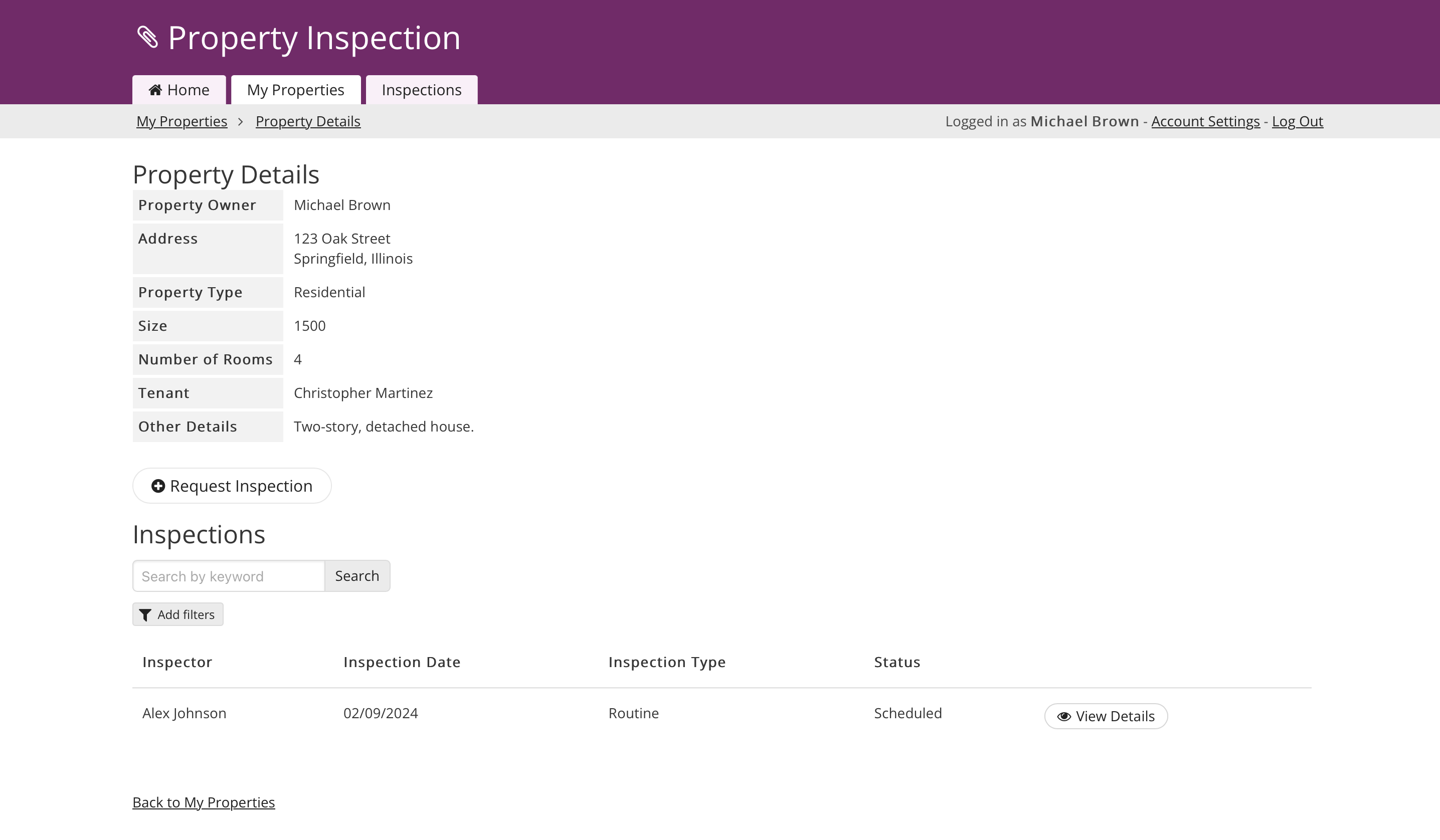
7. Property Inspection Template
This app simplifies the property inspection process by allowing home builders and property managers to document inspection details, add photos, and generate reports. It supports thorough property assessments and ensures all relevant information is stored in one central place.
Property Inspection Template >>
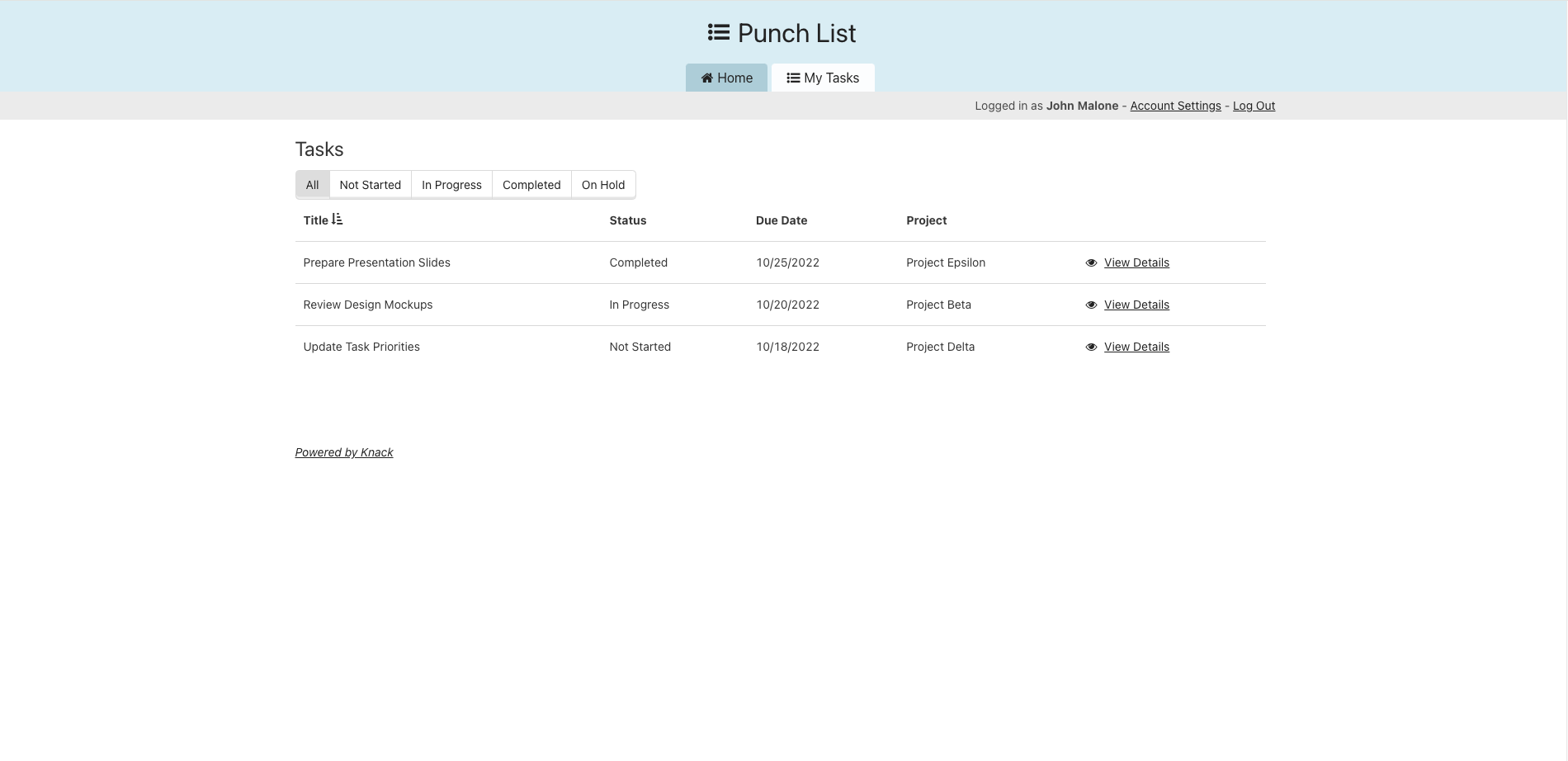
8. Punch List Template
This construction punch list template helps teams manage project closeout tasks, track inspection items, assign corrective actions, and monitor outstanding work before final completion. Contractors can streamline punch list management, improve communication between teams, and ensure construction projects are completed on schedule and up to quality standards.
Punch List Template >>
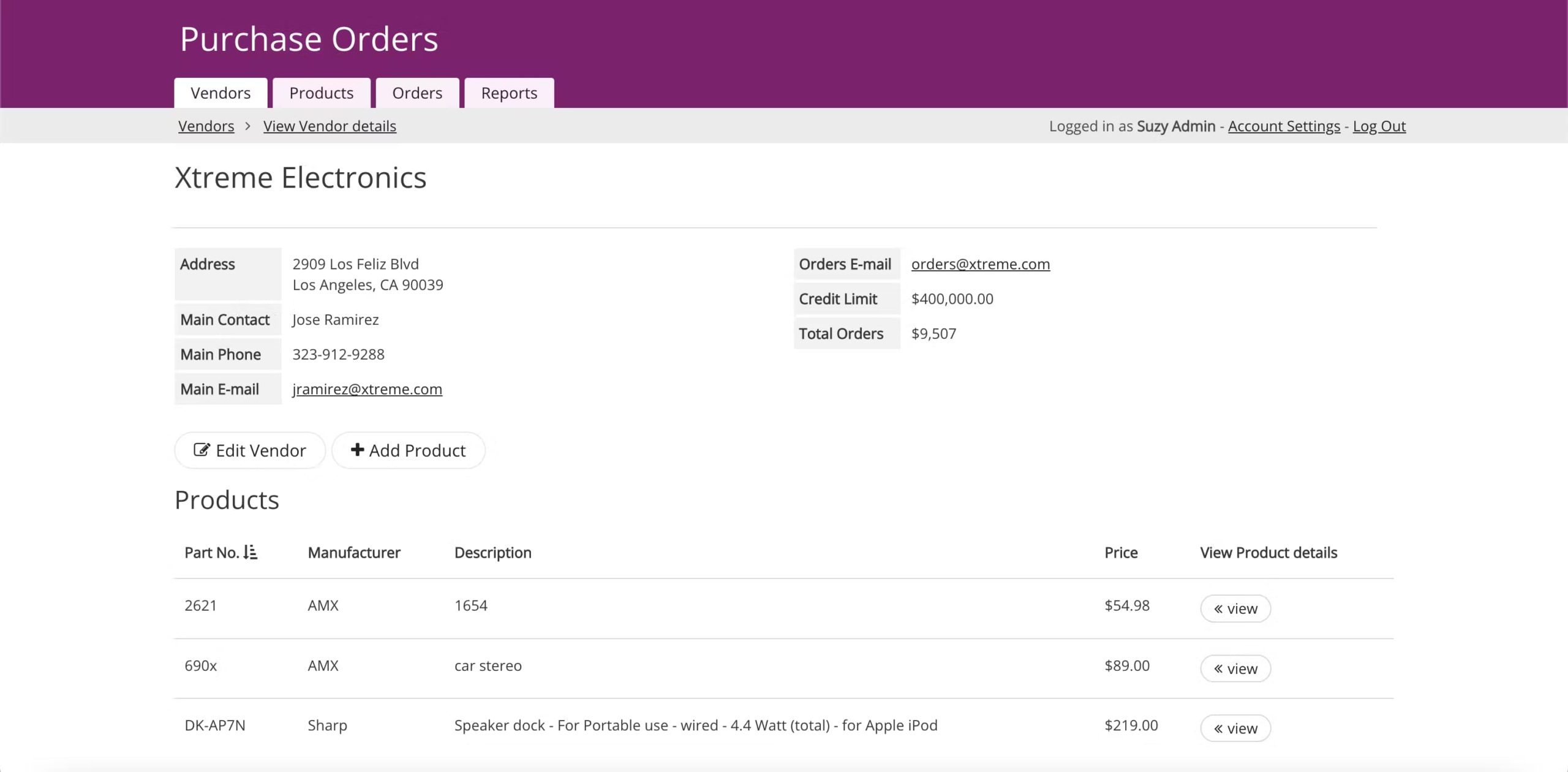
9. Purchase Orders Template
This template streamlines the procurement process by facilitating the creation and tracking of purchase orders. Users can manage supplier details, monitor order statuses, and automate approvals, ensuring the timely acquisition of materials and services.
Purchase Orders Template >>
10. Construction Quality Control Template
This construction quality control template helps teams document inspections, track quality issues, manage corrective actions, and maintain compliance with project specifications. Contractors can improve construction quality assurance processes, reduce costly rework, and identify potential issues before they impact project timelines.
Quality Control Template >>
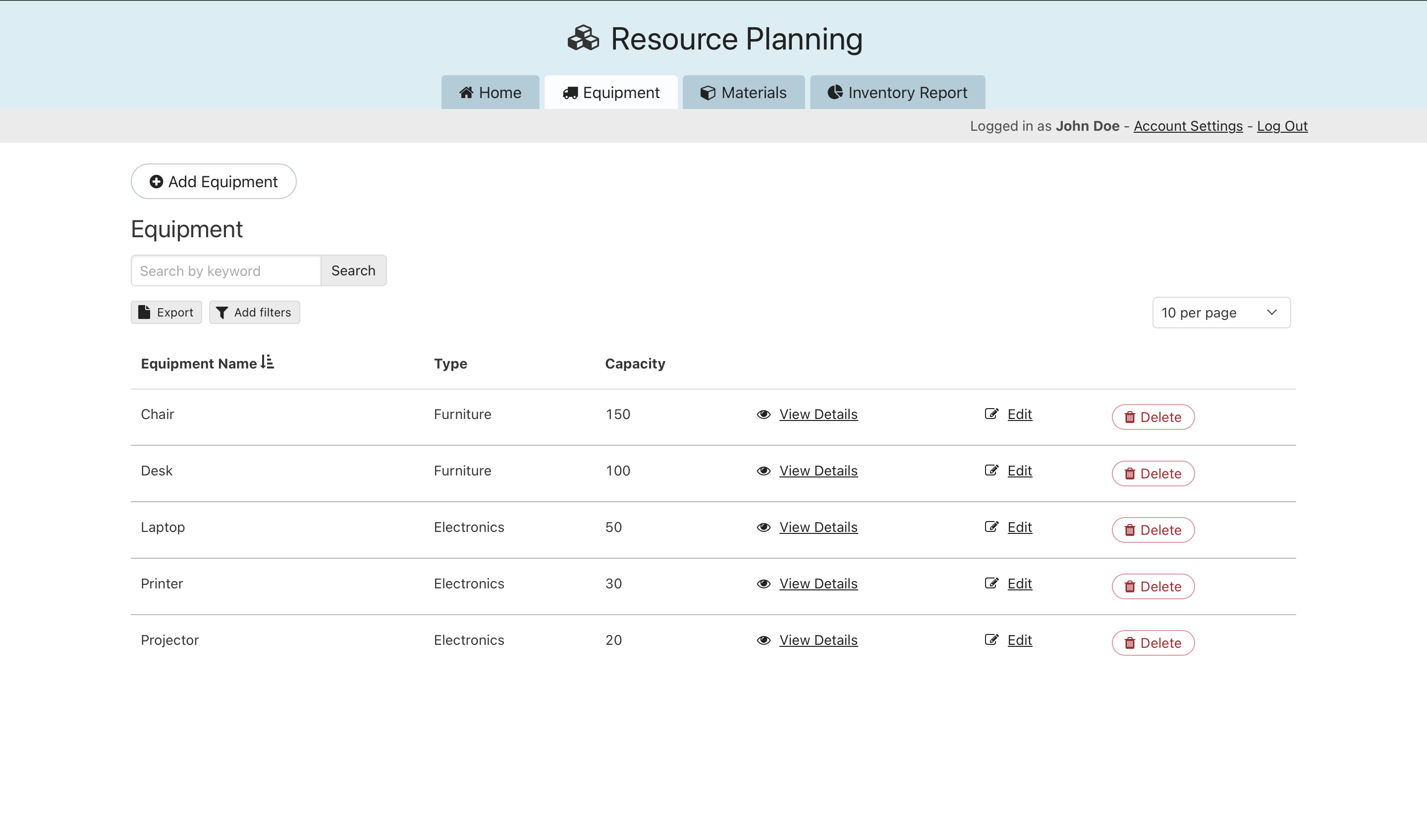
11. Resource Planning Template
This template supports efficient resource allocation by assisting with scheduling and planning. It prevents resource overallocation and helps ensure projects have the right number of skilled workers and equipment when needed.
Resource Planning Template >>
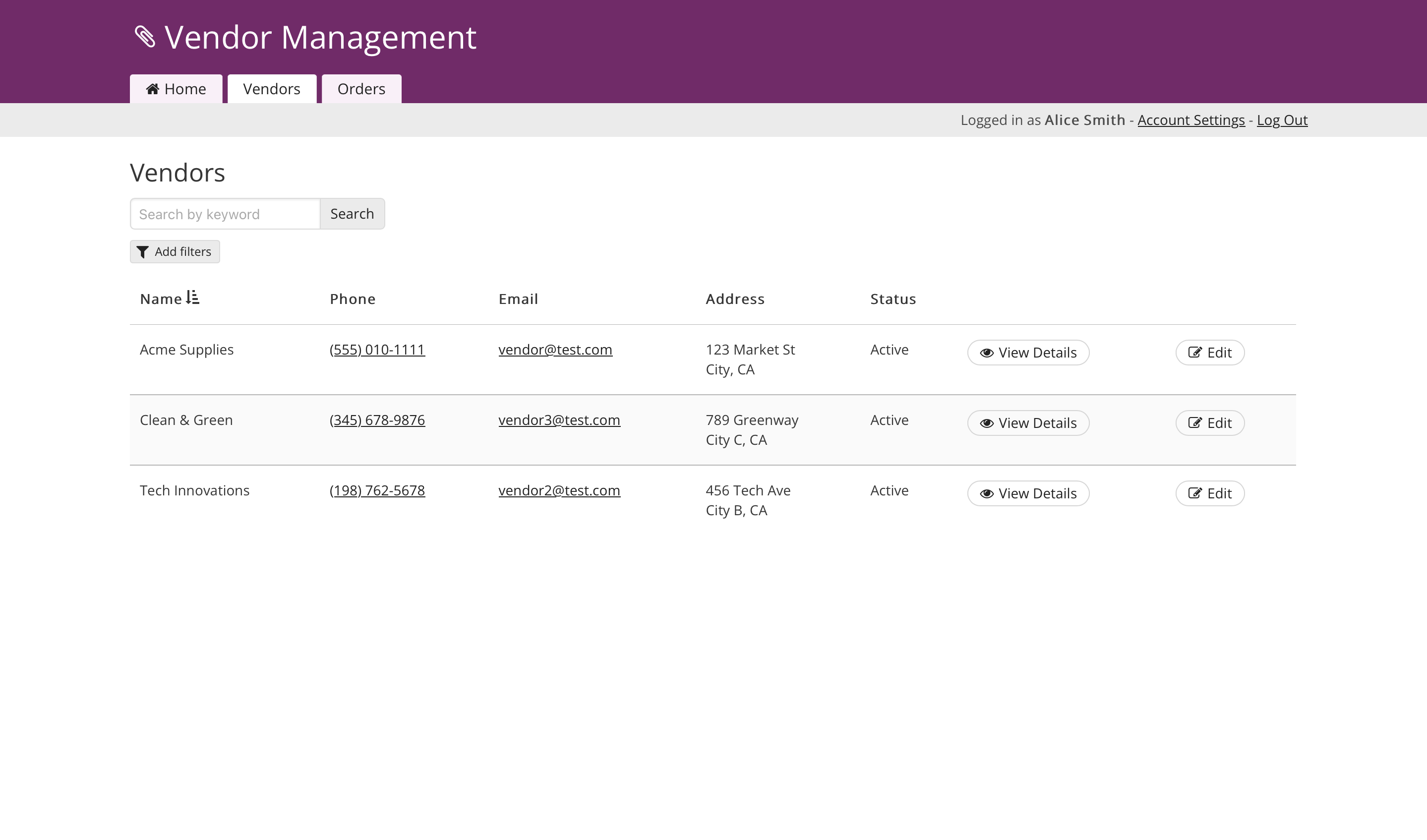
12. Subcontractor & Vendor Management Template
A tool designed to manage relationships with suppliers and subcontractors, this app keeps track of vendor information, contracts, and performance reviews. It supports stronger partnerships and helps maintain accountability across project collaborations.
Vendor Management Template >>
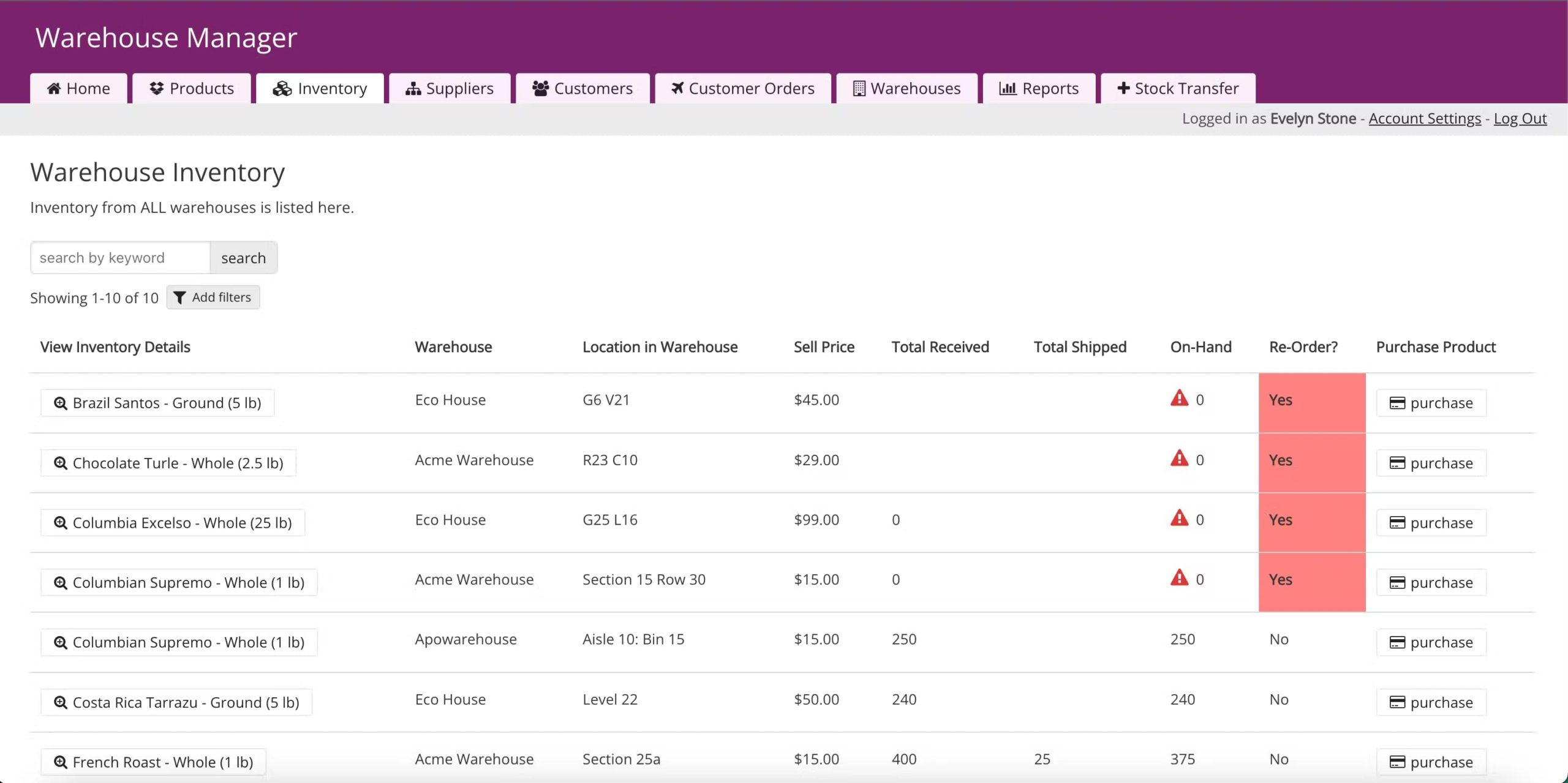
13. Warehouse Manager Template
For managing construction inventory, this app tracks stock levels, manages storage locations, and monitors the usage of materials. It helps prevent material shortages and supports the seamless flow of resources for ongoing projects.
Warehouse Manager Template >>
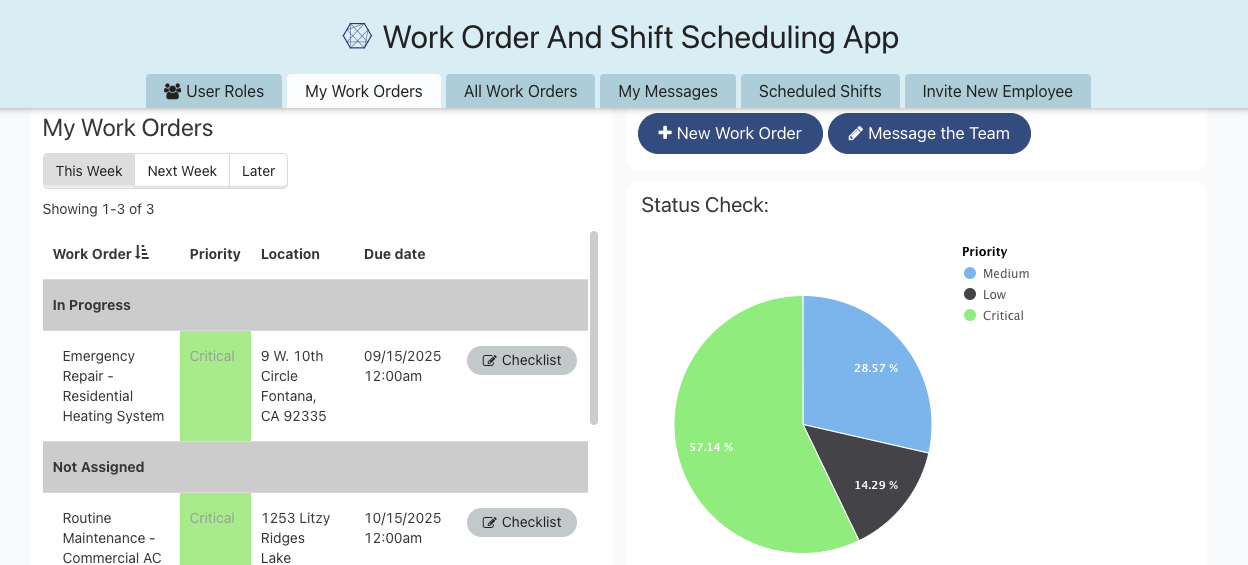
14. Work Order Template
This app simplifies the management of maintenance, change orders, and service requests. Users can create, assign, and monitor work orders, ensuring timely task completion and effective use of resources. It’s an essential tool for handling repairs and routine maintenance.
Work Order Template >>
How Knack Template Apps Work
Knack template apps are designed to provide construction professionals with user-friendly, ready-to-use solutions that can be tailored to fit specific project requirements. Here’s a breakdown of how these apps work:
1. Simple Setup and Customization Knack’s template apps come pre-built with essential features and data structures suited for various construction tasks. Users can get started quickly by selecting the appropriate template and inputting their project-specific data. Each template is customizable without the need for coding—fields, workflows, and reports can be modified to meet the unique needs of your project or team.
2. Intuitive User Interface The apps are designed with simplicity in mind, ensuring that construction teams, from project managers to field workers, can use them with ease. The drag-and-drop interface makes it easy to update records, assign tasks, track progress, and manage resources. This intuitive experience allows teams to focus on the project rather than navigating complex software.
3. Centralized Data Management Each template app organizes project data in one place, providing a centralized hub for all information related to a specific task or project. This eliminates the need for scattered spreadsheets or multiple tools and ensures that teams can access and update real-time data whenever needed.
4. Automated Workflows Knack’s template apps come with built-in automation capabilities that streamline repetitive tasks and improve productivity. Users can set triggers for automatic notifications, job assignments, status updates, and more, reducing manual efforts and speeding up project timelines.
5. Collaborative Features Knack helps construction teams collaborate across projects with real-time task assignments, project updates, shared notes, and centralized communication tools. Teams can improve project coordination between field crews, subcontractors, and office staff while using role-based permissions to securely manage access to project data and workflows.
6. Integration Capabilities Knack’s template apps can integrate seamlessly with other tools and platforms commonly used in construction management, such as accounting software, CRM systems, and cloud storage services. This helps create a connected workflow where data flows smoothly between systems, reducing data entry errors and maintaining consistency.
7. Real-Time Insights and Reporting Knack template apps feature customizable dashboards that offer real-time insights into key project metrics, such as resource allocation, job progress, and financial tracking. Users can generate custom reports and visual data representations to make informed decisions and quickly identify areas that need attention.
By using Knack template apps, construction teams can manage their projects more efficiently, streamline operations, and maintain better communication—all without the need for specialized IT support or advanced technical skills. These apps empower users to adapt and scale their solutions as business needs evolve, ensuring that they can tackle both small projects and large-scale operations with confidence.
How to Choose the Right Construction Template for Your Team
The right construction template can help teams improve scheduling, project tracking, budgeting, inspections, and day-to-day operations. The best option depends on your workflow, project complexity, and how many teams or subcontractors need access to project data.
Smaller teams may rely on Excel or Google Sheets templates to manage schedules, punch lists, or vendor information. However, as projects grow, many construction companies need more advanced tools that support automation, real-time collaboration, and centralized data management.
When comparing construction templates, look for features that improve efficiency across both office and field operations. Mobile access, automated workflows, shared dashboards, and role-based permissions can help reduce manual work, improve communication, and keep projects moving on schedule.
Construction template apps also make it easier to standardize processes across multiple projects, helping teams stay organized while improving reporting accuracy and overall project management.
Start Building with Knack for 14 Days Free
Knack’s suite of 14 construction template apps offers construction teams powerful tools that transform project management, improve workflow efficiency, and foster seamless collaboration. Unlike traditional spreadsheet templates that often become unwieldy and lack automation, Knack’s no-code solutions are customizable, easy to use, and scalable to meet evolving project needs. With built-in automation, centralized data management, and real-time insights, construction teams can stay organized, make informed decisions, and complete projects on time and within budget.
By choosing Knack, you gain access to an all-in-one platform that simplifies complex tasks, eliminates data silos, and enhances communication. Experience how Knack’s template apps can elevate your construction management approach—start building with a 14-day free trial and see the difference for yourself.
Construction Template FAQs
What are the most important construction templates for project management?
The most important construction templates typically include project schedules, work orders, punch lists, budget trackers, inspection forms, vendor management templates, and quality control checklists. These templates help construction teams manage workflows, track project progress, and improve communication between office staff and field crews.
What should a construction project tracking template include?
A construction project tracking template should include project timelines, task assignments, budgets, schedules, inspection records, progress updates, and communication logs. Many construction teams also use tracking templates to monitor subcontractors, equipment, and change orders throughout a project lifecycle.
Can construction templates be customized for different workflows?
Yes, customizable construction templates can be tailored for different project types, team structures, and operational needs. Many construction companies modify templates for estimating, safety tracking, project management, quality control, and subcontractor coordination to better match their workflows.
How do construction templates improve workflow efficiency?
Construction templates help standardize repetitive processes like scheduling, inspections, budgeting, and reporting. By organizing project data in one place, teams can reduce manual work, improve collaboration, minimize errors, and keep construction projects on schedule and within budget.
Table of contents
- Construction Spreadsheet Templates vs. Template Apps
- 14 Template Apps for Construction Teams
- 1. Construction Estimate Template
- 2. Construction Project Management Template
- 3. Employee Training & Safety Tracker Template
- 4. Equipment Tracker Template
- 5. Construction Fleet Management Template
- 6. Field Service Dispatch Template
- 7. Property Inspection Template
- 8. Punch List Template
- 9. Purchase Orders Template
- 10. Construction Quality Control Template
- 11. Resource Planning Template
- 12. Subcontractor & Vendor Management Template
- 13. Warehouse Manager Template
- 14. Work Order Template
- How Knack Template Apps Work
- Start Building with Knack for 14 Days Free





