


 Log In









For many consultants, managing invoices manually can quickly become a headache—hours lost creating spreadsheets, chasing down late payments, and dealing with errors or inconsistent tracking. These inefficiencies not only drain valuable time but also create cash flow uncertainty and strain client relationships.
That’s where online invoice software comes in. With automation, professional templates, and streamlined payment options, these tools help consultants save time and get paid faster.
In this guide, we’ll walk through what to look for in online invoice software, how to choose the right tool for your consulting business, and why making the switch can significantly improve both your workflow and bottom line.
Key Takeaways – Why Online Invoicing Matters for Consultants
- Consultants often struggle with manual invoicing, late payments, and inconsistent branding—online invoice software automates these tasks to save time and improve professionalism.
- Top features to look for include customizable templates, recurring billing, integrated payments, time tracking, client portals, and detailed financial reporting.
- Using best practices like clear service descriptions, prompt invoicing, and regular reporting reviews can enhance client trust and cash flow.
- No-code platforms like Knack let consultants build custom invoicing tools that scale with their business, integrating seamlessly with payment and workflow systems.
Why Consultants Need Online Invoice Software
Consultants often struggle with invoicing challenges like juggling manual spreadsheets, chasing down missed payments, and sending invoices that lack consistent branding. These issues not only waste time but can also undermine professionalism and create unnecessary stress around cash flow.
Online invoice software solves these problems by automating repetitive tasks, offering polished, customizable templates that reinforce a consultant’s brand, and providing reliable systems to track payments and send reminders. The result? Greater efficiency, improved client trust, and a smoother, more predictable billing process that lets consultants focus on their core work instead of administrative headaches.
3 Easy Ways to Start Building For Free
1. Generate an App with AI
2. Use one of our templates
3. Import your own data

Free 14-Day Trial. No Credit Card Required
Key Features of Online Invoice Software
A well-rounded online invoice software can serve as an all-in-one solution, consolidating invoicing, payments, tracking, and reporting into a single, unified platform. When choosing the right software, be sure to look for key features that ensure it’s powerful and flexible enough to meet both your current needs and future growth.
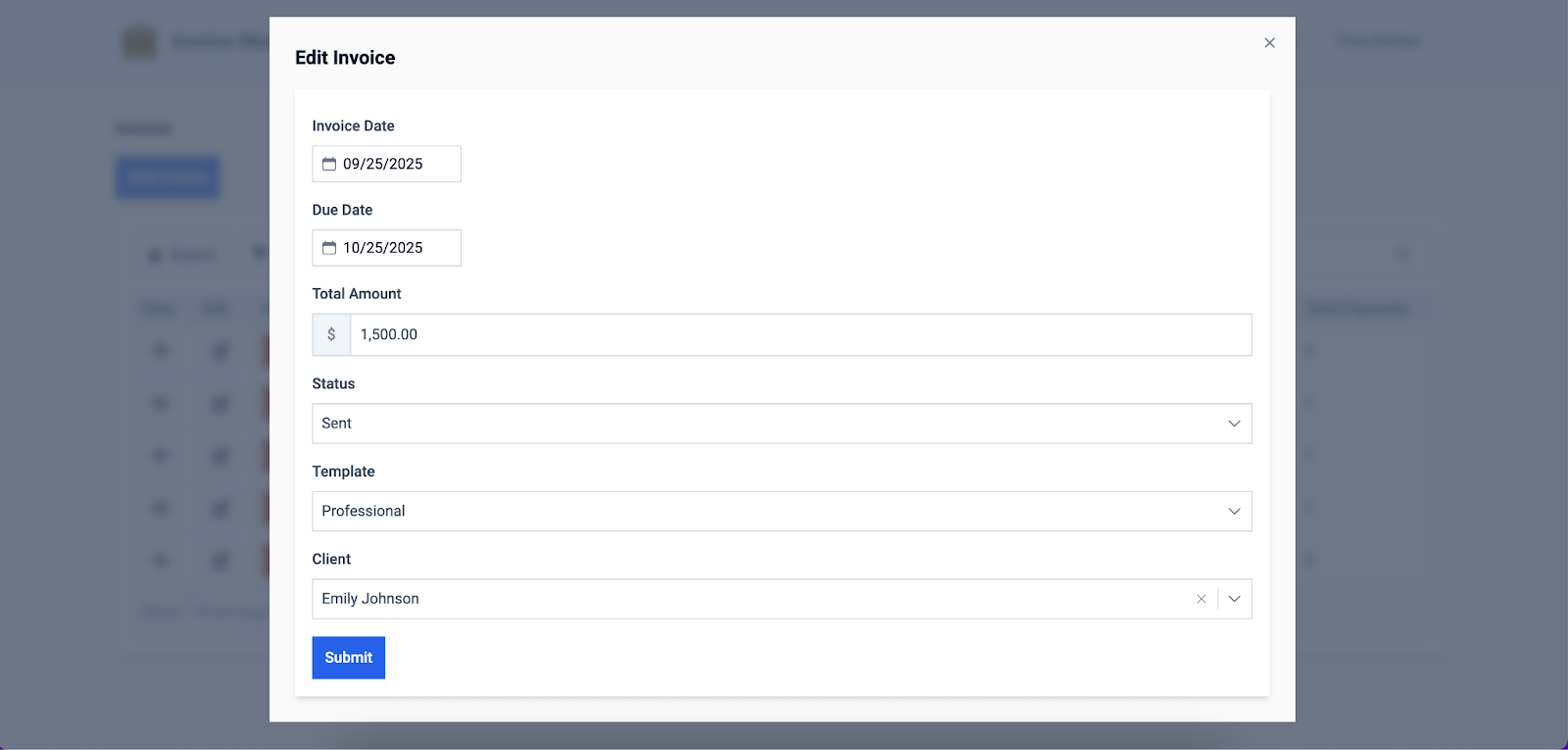
Customizable Invoice Templates
Professional, branded invoices play a key role in shaping how clients perceive a consultant’s business, making consistency and polish essential. With the ability to add a logo, choose brand colors, and include detailed service descriptions, customizable invoice templates transform a standard invoice into a professional representation of your brand. This not only reinforces credibility and trust but also makes invoices easier for clients to understand and recognize.
Automation and Recurring Billing
By automating invoicing tasks, consultants can easily manage recurring clients and save significant time on repeat invoices, eliminating the need to recreate the same documents month after month. Many online invoice platforms also include automation features such as scheduling invoices in advance, calculating taxes, and generating real-time financial reports.
Another core attribute is automated payment reminders, which gently nudge clients about upcoming or overdue payments. This not only helps consultants maintain steady cash flow but also benefits clients by keeping them organized and avoiding late fees, creating a smoother and more reliable billing relationship for both parties.
Payment Integrations
Most online invoice platforms are highly integrable, allowing consultants to connect seamlessly with other business systems and payment applications. Common integrations include PayPal, Stripe, ACH, and credit card processing, which enable faster, more reliable payments that directly improve cash flow. Without these connections, consultants risk delays in receiving payments, increased administrative work to reconcile transactions, and potential errors that can disrupt financial planning.
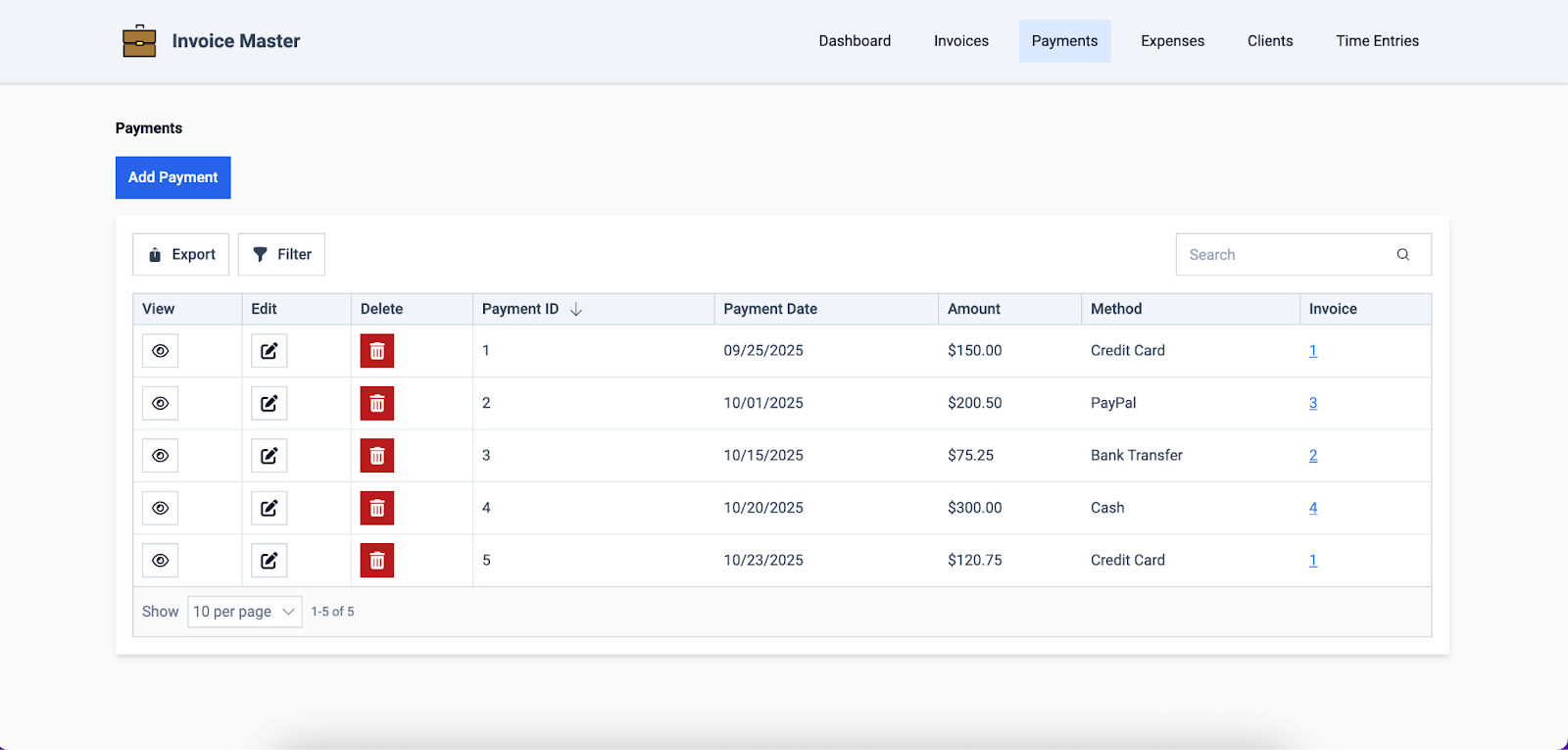
Expense Tracking and Reporting
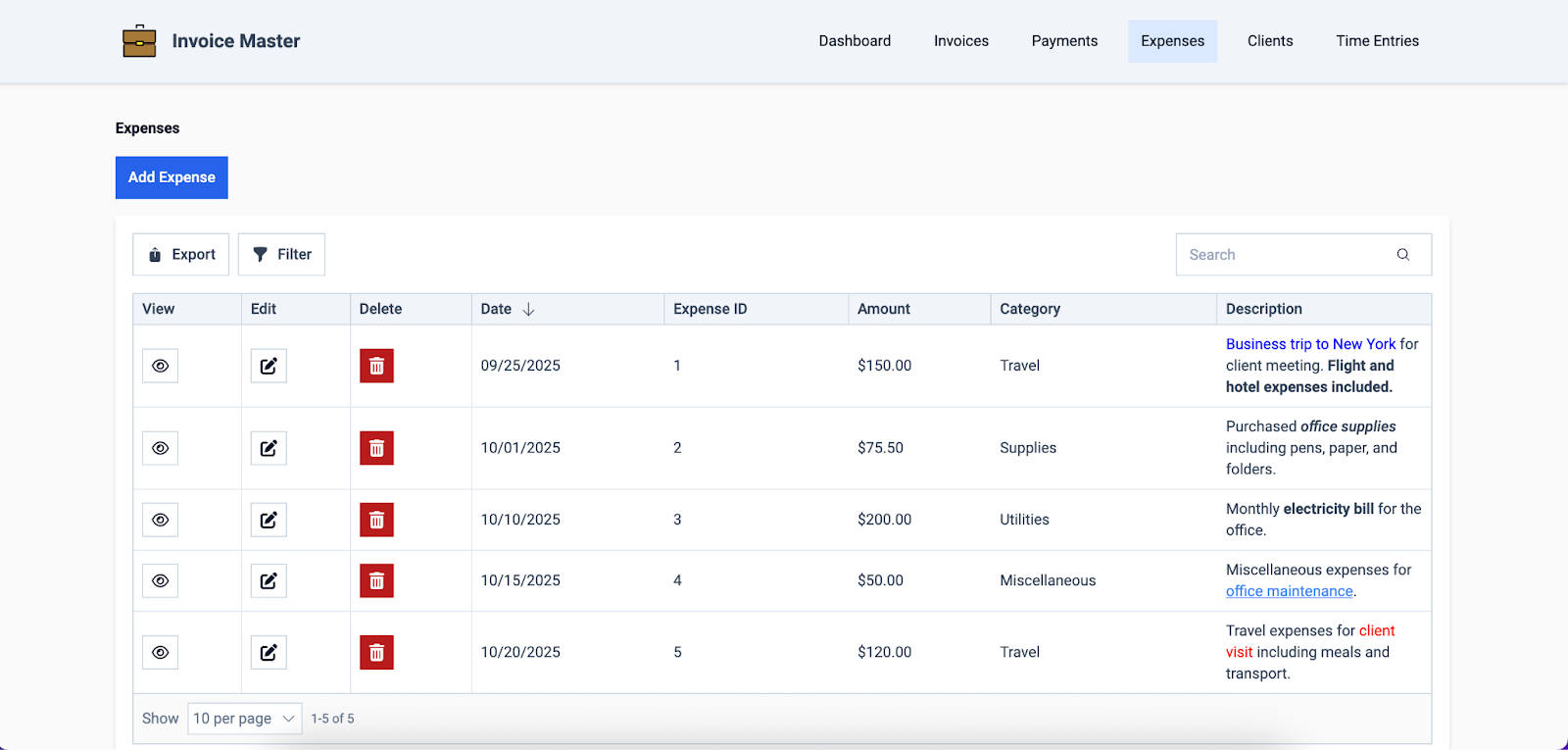
Built-in tracking in online invoice platforms allows consultants to monitor profitability by automatically recording income, expenses, and billable hours, providing a clear picture of overall financial health. Comprehensive reporting features also make it easier to prepare for tax season and plan strategically for the business’s future.
For example, a consultant can quickly generate a report showing total income and deductible expenses from the past year, simplifying tax filing and ensuring they don’t miss any deductions, while also identifying areas where they can adjust rates or reduce costs for better profitability in the coming year.
Time Tracking and Management
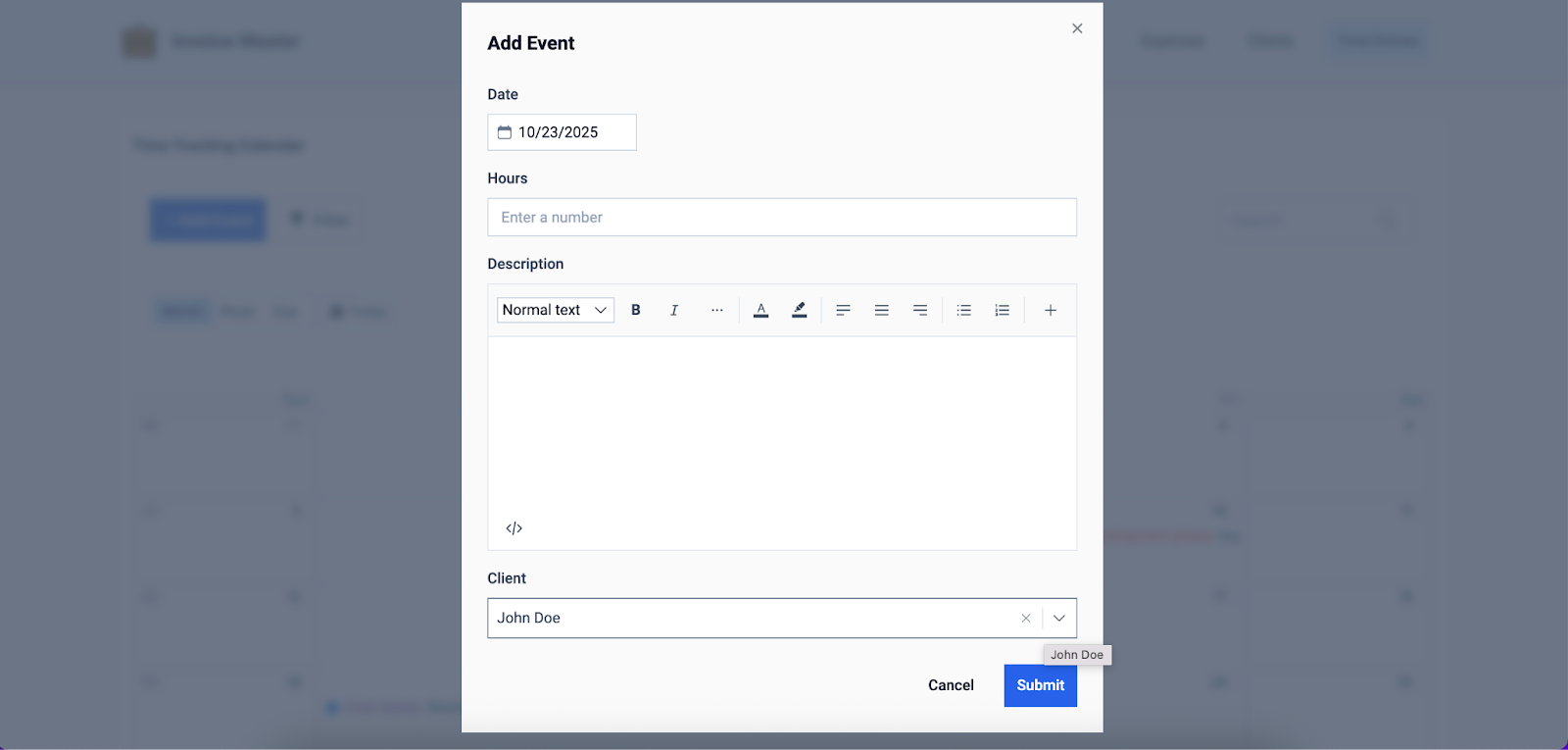
Integrated time tracking tools are vital for consultants, allowing them to accurately and efficiently record billable hours without relying on manual logs or guesswork. These tools often include features like digital timesheets, automatic timers, and even offline capabilities, ensuring that every hour worked is captured regardless of location or connectivity.
By streamlining time tracking, consultants can ensure proper billing and gain valuable insights into how their time is spent, thereby improving productivity, client transparency, and overall profitability.
Client Portal for Enhanced Transparency
A secure client portal provides clients with a convenient way to view, manage, and pay invoices online, streamlining the entire payment process and significantly speeding up payment cycles. For consultants, this means less time spent chasing payments and reconciling transactions, while clients benefit from a transparent, easy-to-use platform that allows them to track their invoices and make payments on their own schedule.
This level of accessibility and security fosters trust and creates a smoother, more efficient financial experience for both parties.
Multi-Currency Support
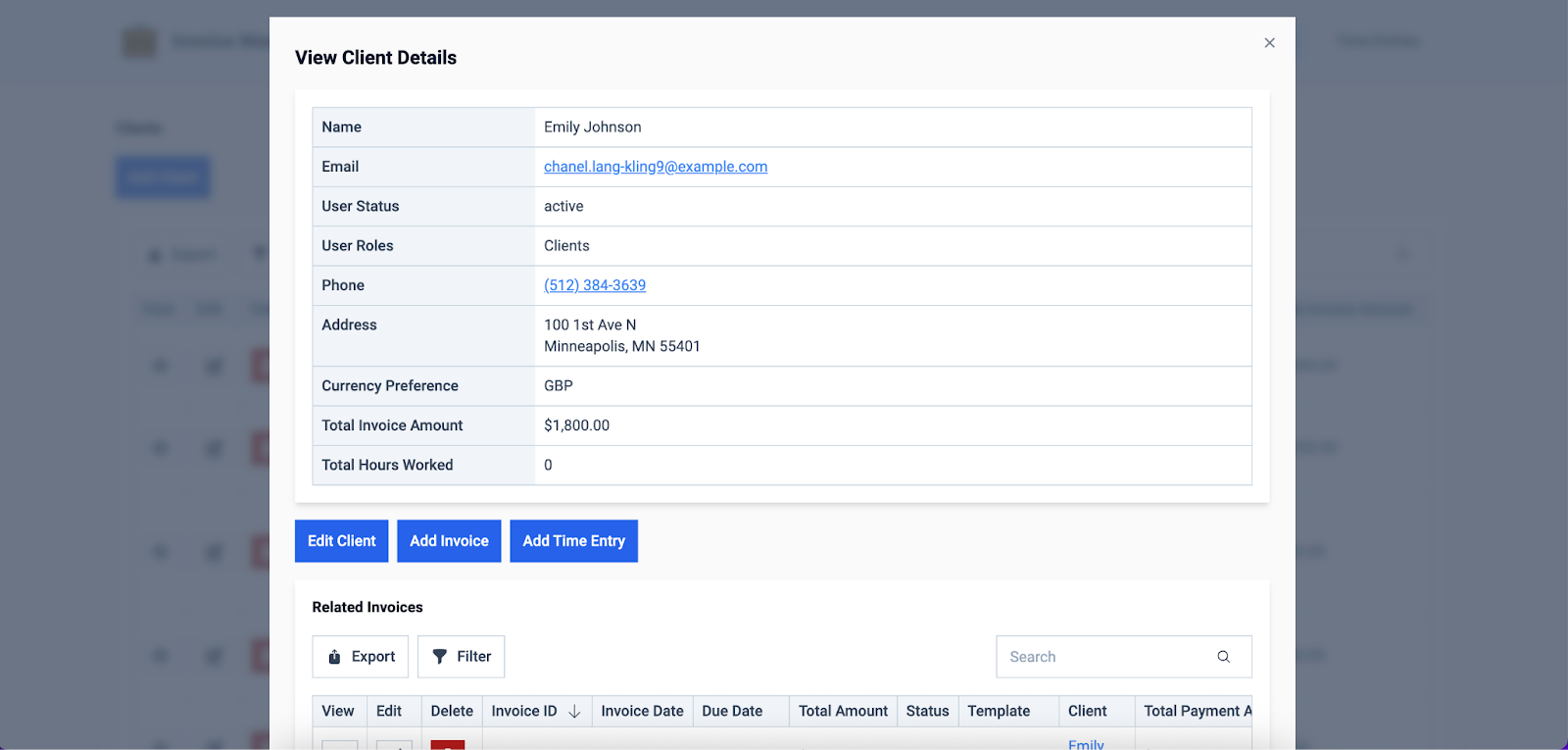
Multi-currency capabilities in online invoice software are crucial for consultants working with international clients, as they allow seamless transactions without the need for manual currency conversions. These features ensure a smooth, inclusive experience for clients anywhere in the world, reducing confusion and potential errors in billing.
A consultant based in the U.S., for instance, can send an invoice in euros to a client in Germany, with the software automatically handling the conversion and payment processing. This not only speeds up payment but also enhances client satisfaction, while the consultant benefits from accurate, hassle-free accounting and predictable cash flow.
Mobile Apps for On-the-Go Invoicing
Mobile accessibility has quickly become an industry standard across all sectors, making it essential for online invoice solutions to offer this capability. Many platforms provide dedicated mobile apps for both iOS and Android, allowing consultants to create invoices, track payments, and manage billing from anywhere, at any time.
This flexibility ensures that consultants can stay on top of their financial workflow while on the go, reducing delays and improving cash flow. Without mobile access, clients may become frustrated or forget to pay if they have to wait until they return to a desktop or laptop, potentially leading to missed payments and strained relationships.
Comprehensive Reporting Tools
Detailed financial and productivity reports in online invoice software offer consultants valuable insights into billing, revenue, and expenses, helping them make informed business decisions. By analyzing these reports, consultants can identify trends, optimize pricing, track profitability, and allocate resources more effectively, ultimately driving growth and improving cash flow.
On the other hand, ignoring these insights can lead to missed opportunities, budgeting errors, and cash flow problems, making it harder to plan strategically and maintain a sustainable business.
Scalability and Integrations
Even beyond payment solutions, it’s important that your online invoice software integrates smoothly with other business systems to maintain interconnectedness across your entire tech stack.
Connections with tools like CRMs, project management systems, and accounting software enable seamless workflows, reducing manual data entry, minimizing errors, and improving overall efficiency. These integrations not only save time in daily operations but also provide a scalable foundation, allowing your consulting business to grow without outgrowing its software.
Invoice Software Best Practices for Consultants
The effectiveness of your online invoice software depends not just on the features it offers, but on how well you use them. By following a proven set of best practices, you can optimize your workflow and ensure you’re maximizing the full potential of your solution.
Here are a few tips to help you get to most out of your chosen platform:
- Maintain clear service descriptions and terms: Ensure each invoice clearly outlines the services provided, rates, and payment terms to avoid confusion and disputes.
- Send invoices promptly after project completion: Timely invoicing helps maintain cash flow and reinforces professionalism with clients.
- Use automation without sacrificing a personal touch: Automate recurring invoices and reminders while customizing messages to maintain client relationships.
- Regularly review reports for insights into income trends: Analyzing financial and productivity reports helps identify opportunities for growth and improved profitability.
- Keep client information up to date: Accurate contact and billing information ensures smooth communication, reduces delays, and prevents payment errors.
How to Choose the Right Online Invoice Software
Choosing the right online invoice software for your consulting business requires not only researching and comparing vendors, but also assessing your internal needs to identify a solution with features that best align with them. The following decision-making framework can streamline this process, helping you select a platform that addresses your most pressing requirements efficiently and effectively:
- Budget: Ensure the software fits within your financial constraints while still offering the features you need.
- Feature set: Evaluate features like customizable templates, automation, reporting, and multi-currency support to ensure the software meets all your invoicing needs.
- Client volume: Choose a platform that can handle your current client load and scale as your business grows.
- Integrations: Look for software that connects seamlessly with your existing tools, such as CRMs, accounting software, and payment processors.
- Mobile access: Confirm the platform offers mobile apps or a responsive design to manage invoices and payments on the go.
We also recommend testing free trials or demos before committing, as this allows you to experience the software firsthand and see how it fits with your workflow. Free trials can reveal potential issues such as clunky interfaces, limited automation, slow integrations, or missing features that may not be apparent through basic online research.
Build Custom Invoice Software with Knack’s No-Code Tools
While ready-made online invoice software can often meet the needs of consultants who are just starting out, many eventually outgrow rigid off-the-shelf tools as their business evolves. Knack empowers users to build fully customized solutions without coding, providing a perfectly tailored platform that consultants of any technical skill level can use, while effortlessly adjusting the system as their needs evolve.
Key capabilities of Knack include:
- Custom invoice forms: Automatically pull client and project data to create accurate, professional invoices.
- Automated workflows: Set up recurring invoices, payment reminders, and approval processes to save time and reduce errors.
- Seamless connections: Integrate with client management, project tracking, and reporting dashboards for streamlined operations.
- Payment gateway integration: Track payment status directly within the app by connecting to gateways like PayPal, Stripe, and ACH.
- Scalability: Easily evolve and expand your platform as your consulting business grows, without outgrowing the software.
For consultants who need more than just a billing tool, Knack provides a flexible, no-code platform that grows with your business.
Conclusion: Why Knack Is Built for Consultant Invoicing
Online invoice software offers consultants numerous benefits, including time savings, automation, enhanced professionalism, and operational flexibility. However, as consultants’ needs evolve, many find that ready-made platforms struggle to handle scalability and customization.
That’s where Knack steps in, providing a no-code solution that allows consultants to build a fully customized invoicing platform that fits their business and grows alongside it.
Try Knack today for free to create a flexible, fully customized invoicing system—no code required.
FAQs About Online Invoice Software
Is online invoice software secure for handling client payments?
Yes. Most platforms use data encryption, secure payment gateways, and industry compliance standards to keep transactions safe.
Can consultants use free invoice software?
Definitely—there are free options out there, but they often come with limits on scalability, features, and professionalism as your business grows.
How quickly can clients pay with online invoice software?
Clients can often pay instantly through payment links and online gateways, though the speed depends on the payment method they choose.
What’s the difference between invoice software and accounting software?
Invoice software is designed to simplify billing and payments, while accounting software covers a wider range of financial management tasks.
Can I manage international clients with online invoice software?
Yes, many tools offer multi-currency support, language options, and cross-border payment methods to make global invoicing easier.





