


 Log In









TL;DR: What You’ll Learn About Resource Tracking Software
Resource tracking software enables businesses to manage resources more effectively. With AI-powered features and no-code customization, you can unify people, equipment, and budget monitoring in one platform.
Why Resource Tracking Is Essential for Modern Teams
Resource tracking has become increasingly essential for modern businesses as organizational needs have expanded rapidly in recent years, now encompassing a wide range of new technologies. But it goes beyond just digital tools; resource tracking also includes the employees who use them and financial considerations, making manual tracking a complex and often overwhelming task.
By leveraging dedicated resource tracking software, businesses can streamline management, gain real-time insights, reduce inefficiencies, and ensure that both tools and people are used effectively to drive growth.
In this guide, you’ll learn how:
- Resource tracking software improves visibility and efficiency across teams.
- AI-powered features deliver predictive scheduling, real-time dashboards, and smarter decision-making.
- Businesses can track people, equipment (via asset tracking software), and budgets all in one place.
- A no-code app builder like Knack makes it simple to customize workflows without coding.
What Is Resource Tracking Software?
Resource tracking software is a tool that allows businesses to monitor the usage, availability, and allocation of key resources, including employees, equipment, and financial budgets, in real time.
Compared to resource management software, which focuses on organizing and coordinating resources, resource tracking software emphasizes visibility and monitoring, with each solution offering value for different operational needs. Centralizing people, equipment, and budgets within a single platform reduces waste and helps organizations make smarter, data-driven decisions.
How AI Improves Resource Tracking Software Performance
AI-powered tracking software makes monitoring smarter by automating repetitive tasks, streamlining scheduling, and analyzing data in real time. It can forecast future needs and deliver predictive insights, helping businesses stay ahead of demand while reducing inefficiencies.
Compared to resource management software, which focuses on organizing and coordinating assets, resource tracking solutions excel at automation and foresight, giving organizations a more proactive approach.
Predictive Scheduling & Allocation
By leveraging predictive scheduling and allocation capabilities, resource management software uses AI to balance workloads, anticipate potential delays, and optimize planning across teams and projects. These solutions analyze historical performance, employee availability, and project timelines to create schedules that reduce bottlenecks and keep work evenly distributed.
For example, a construction firm could use predictive scheduling to forecast when certain equipment might face downtime or when a project phase is likely to run behind, allowing managers to reassign crews or shift tasks before issues occur—ultimately saving time, money, and frustration.
Smart Dashboards & Insights
Interactive dashboards and insights are essential for driving continuous improvement, transforming complex data into clear, actionable visuals. They reveal bottlenecks and recurring patterns that can hinder operations, enabling teams to make timely adjustments before problems escalate. Ignoring this data can leave businesses blind to inefficiencies, resulting in repeated delays, wasted resources, and increased operational costs.
Tracking People with Resource Software: Scheduling, Capacity, and Collaboration
Tracking people becomes much easier with integrated tools, as they empower businesses to handle scheduling, capacity planning, timesheets, and collaboration all in one place. This is highly beneficial for project management, as leaders can ensure resources are being used efficiently to keep progress on track and make necessary adjustments if tasks are falling behind.
Timesheets & Collaboration
Timesheet tracking and collaboration features ensure accurate resource allocation by giving leaders a clear view of how employees are spending their time and how teams are interacting on tasks. With detailed records and shared project visibility, managers can identify over- or under-utilized staff and adjust assignments to balance workloads effectively.
A marketing agency, for instance, could use these tools to see that one team member is consistently spending extra hours on content creation while another has bandwidth available, allowing the leader to reassign tasks, meet deadlines more efficiently, and plan future campaigns with greater accuracy.
3 Easy Ways to Start Building For Free
1. Generate an App with AI
2. Use one of our templates
3. Import your own data

Free 14-Day Trial. No Credit Card Required
How Resource Tracking Software Manages Equipment & Assets
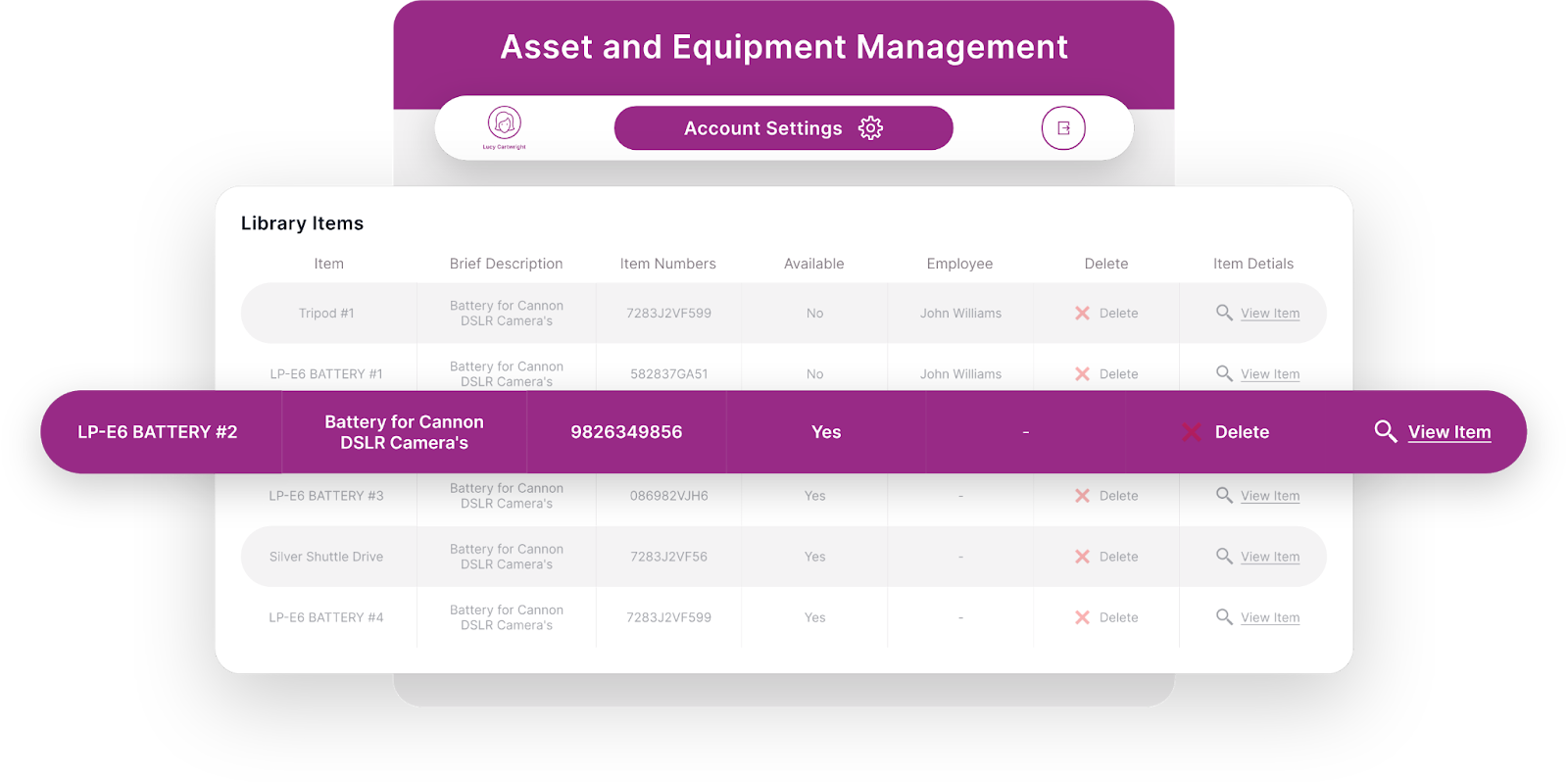
Resource tracking software offers a wide range of functionality, extending beyond employees to include assets and equipment as well, giving businesses full visibility over all critical resources. These tools enhance lifecycle management, streamline maintenance schedules, and optimize equipment allocation to ensure everything is used efficiently and kept in top condition.
Integrated asset tracking software makes it easier for organizations to monitor equipment performance, reduce downtime, and plan for replacements or upgrades proactively.
Maintenance & Lifecycle Tracking
Monitoring assets from acquisition through retirement is essential for maximizing their value and ensuring operational efficiency over time.
Proper maintenance extends the lifespan of equipment, reduces repair costs, and keeps tools functioning optimally, allowing organizations to get the most out of their investments. This comprehensive approach also includes responsible disposal, helping businesses minimize environmental impact while staying compliant with regulatory standards, ensuring that assets are managed sustainably throughout their entire lifecycle.
Tracking Budgets with Resource Software: Forecasting & Financial Oversight
There’s a third—and rather important—resource covered in resource tracking software as well: money.
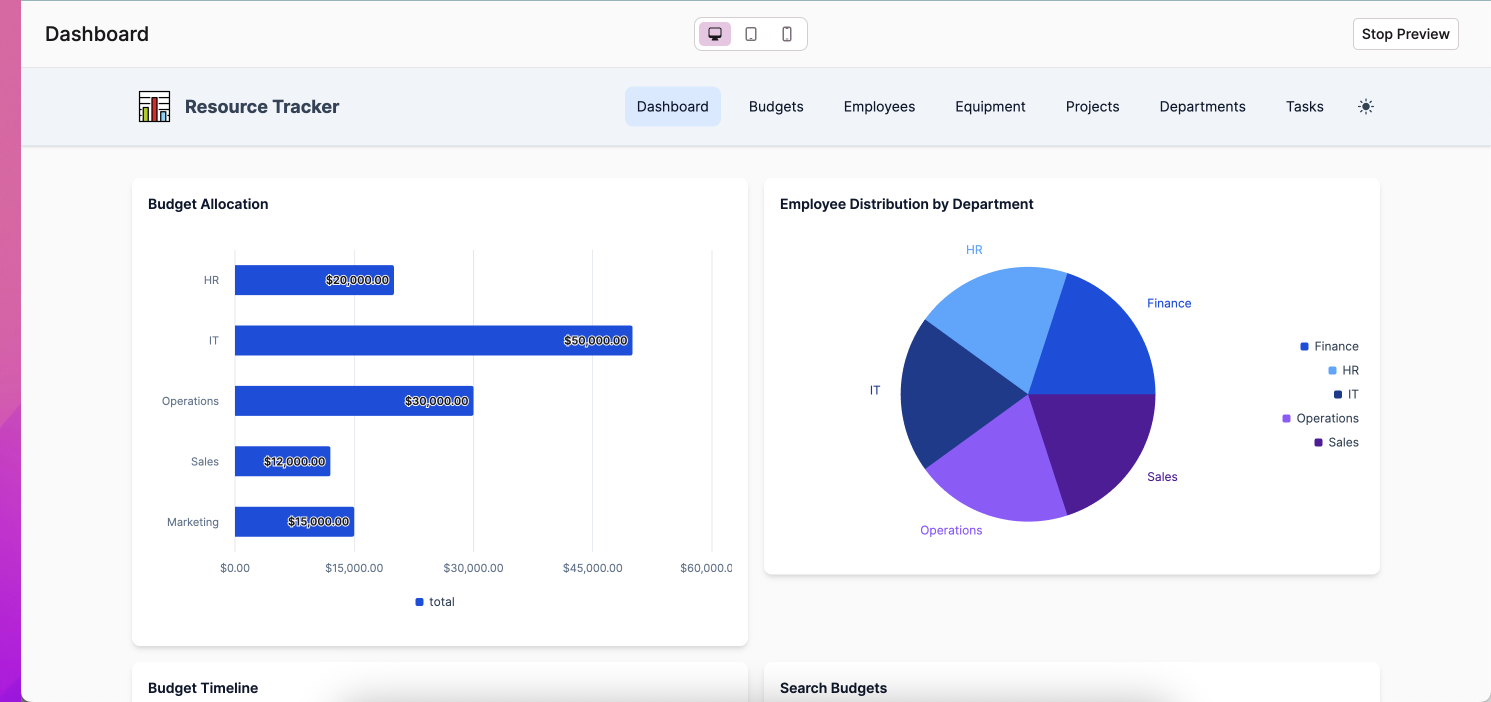
These powerful tools help businesses compare budgeted versus actual spending, perform financial forecasting, and monitor costs in real time to prevent overruns. Resource tracking software simplifies budget tracking and financial oversight, providing leaders with the insights they need to make informed financial decisions and ensure projects stay within budget.
Budget vs. Actuals Tracking
Tracking planned versus actual spending gives businesses greater financial control by highlighting variances between projected and real expenses. Resource tracking software allows organizations to quickly adjust allocations or cut costs if spending exceeds projections, helping prevent budget overruns and maintain financial stability.
Without these features, relying on manual tracking or basic software can lead to missed discrepancies, delayed corrective actions, and potentially significant financial mismanagement.
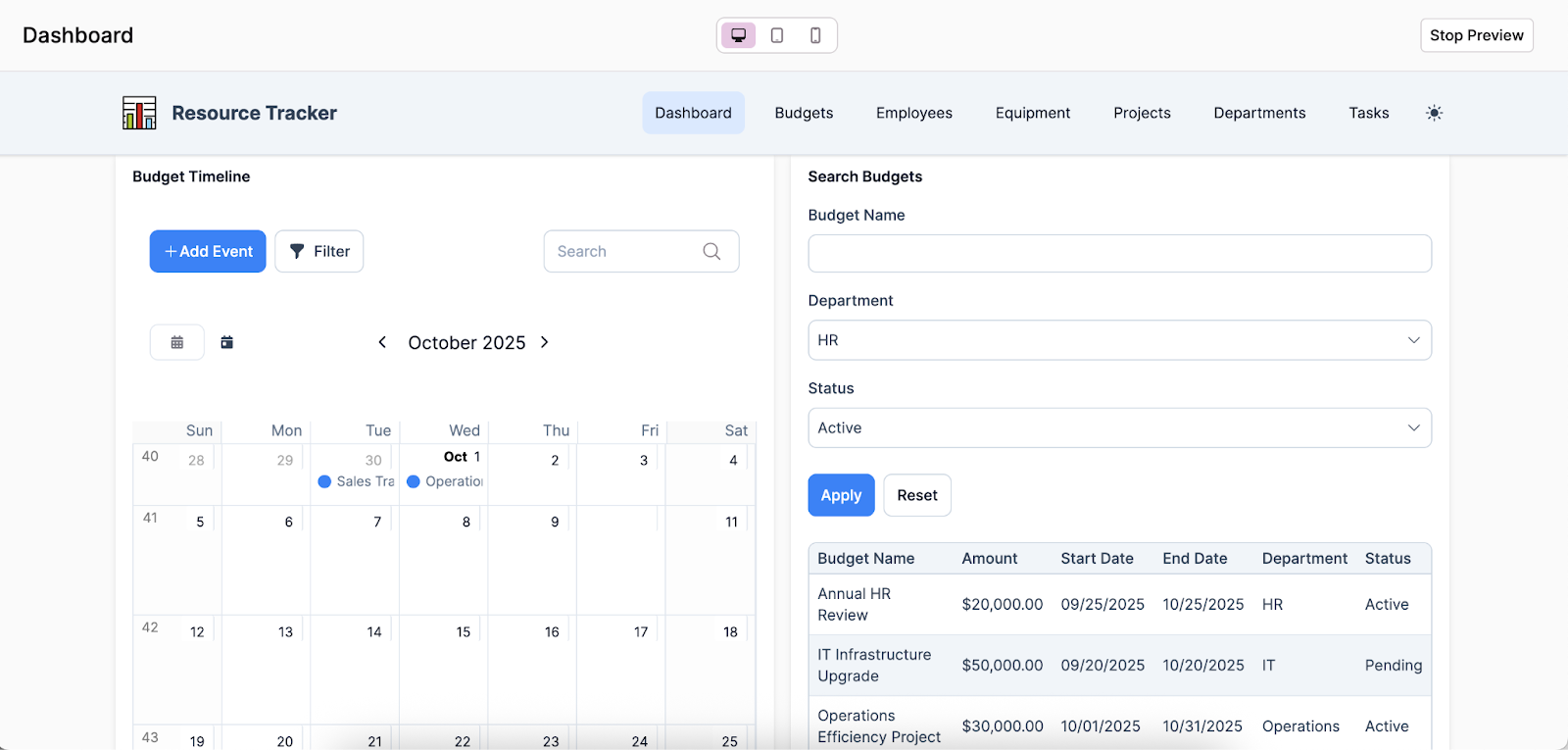
Essential Features of Resource Tracking Software (and Why They Matter)
The key features to prioritize in your resource tracking software will depend largely on your organization’s specific workflows, challenges, and goals. However, certain attributes are valuable for teams of all sizes and industries—here are some key considerations to keep in mind when navigating the selection process:
- Visualization tools (Gantt, Kanban, Heatmaps): Interactive dashboards and visual planning tools help teams see workloads, timelines, and bottlenecks at a glance, making it easier to track progress and adjust schedules.
- Automation & workflows: Automated task assignments, reminders, and approval processes reduce manual work and ensure that projects move forward efficiently.
- Integrations with Slack, Teams, Jira, and Drive: Seamless integration with commonly used collaboration and project management tools keeps all communication and documentation connected, minimizing context switching.
- Resource management software compatibility: Combining resource tracking with resource management software allows organizations to not only monitor assets and people but also plan, allocate, and optimize them for maximum efficiency.
- Real-time reporting & analytics: Access to up-to-date metrics and performance data enables leaders to make informed decisions, identify trends, and anticipate potential issues before they escalate.
Capacity Planning & Forecasting: Prevent Bottlenecks with Resource Tracking Software
Effective capacity planning and forecasting with resource tracking software allows businesses to anticipate workload demands and distribute both people and budgets efficiently, preventing bottlenecks and operational inefficiencies. By connecting budget tracking with personnel allocation, organizations gain a holistic view of resources, ensuring that financial and human assets are aligned to support productivity and avoid overextension.
Utilization Dashboards – Monitor capacity and avoid burnout.
Organizations can leverage utilization dashboards to track capacity and see how much availability each resource has remaining, providing a clear view of workloads and potential constraints. These dashboards apply to both people and equipment—for example, a team lead might notice that a designer has only 20% of their week free for new projects, while a key machine is operating at 80% capacity.
By offering this level of visibility, these tools help prevent employee burnout, optimize equipment usage, improve scheduling, and enable data-driven decisions that enhance overall efficiency and productivity.
Scenario Planning – Test allocation strategies to manage risks.
Scenario planning allows businesses to test different allocation strategies to manage risks and prepare for potential challenges before committing resources. By using “what-if” models, organizations can simulate various situations—such as sudden spikes in workload, equipment failure, or budget changes—to see how different decisions would impact operations.
This approach helps teams make informed choices, optimize resource use, and improve overall project efficiency by planning for multiple outcomes in advance.
Why No-Code App Builders Simplify Resource Tracking Software
Beyond choosing from ready-made resource tracking software solutions, organizations also have the option of building their own platform.
While this process might sound intimidating at first, the rise of no-code app builders now empowers teams of nearly any technical skill level to create a tailored solution that meets their specific needs. A no-code app builder allows users to develop applications through visual interfaces and drag-and-drop components, without writing traditional code.
Knack stands out as a top no-code platform for resource tracking, offering unmatched flexibility, ease of use, and a rich set of features that enable businesses to customize workflows, dashboards, and reporting, making it simple to develop a solution that fits their unique requirements.
Top Resource Tracking Software (Compared)
There are many resource tracking software options available. Below, we’ve highlighted some of the leading tools, starting with Knack—which uniquely combines AI-powered insights with a no-code app builder.
- Knack (Recommended)
Knack is a no-code app builder that lets businesses create custom applications through a visual, drag-and-drop interface without needing to write code. Its combination of power and versatility makes it ideal for organizations looking to build a tailored resource tracking platform that fits their specific workflows and needs.
Pros
- AI + no-code: Knack combines no-code simplicity with AI-powered tools, allowing businesses to build intelligent applications without technical expertise.
- Customizable apps: Users can create fully tailored applications to match their unique workflows, dashboards, and reporting needs.
- Covers people, equipment, and budget: Enables comprehensive tracking across employees, assets, and financial resources in a single platform.
- Integrations: Easily connects with tools like Slack, Teams, Jira, and Google Drive, keeping all data and communication streamlined.
Cons
- Best for teams wanting flexibility: High level of customizability may be overwhelming for organizations seeking a simple, plug-and-play solution.
- Limited offline functionality: Relies on an internet connection for full access, which can be a drawback for teams that need to work offline or in low-connectivity environments.
Sign up for your free, no-risk trial of Knack today!
- Resource Guru
Resource Guru serves as a resource scheduling software that provides a straightforward way to manage team availability, bookings, and project timelines. While it offers simple scheduling and easy-to-use interfaces, it does not include AI-powered features for predictive insights or automated optimization.
Pros
- Simple scheduling: Easily book and manage team members and project timelines with an intuitive interface.
- Visual dashboards: View team availability and project schedules at a glance with clear calendar and grid views.
- Leave & time-off management: Track vacations, sick days, and other absences to avoid scheduling conflicts.
Cons
- No AI capabilities: Lacks predictive analytics or automation to optimize scheduling and resource allocation.
- No advanced forecasting: Cannot easily run “what-if” scenarios or forecast future resource needs.
- Float
Float is a resource scheduling software known for its excellent visualizations, making it easy to see team availability, project timelines, and workloads at a glance. However, it offers limited customization, which can make it less suitable for organizations with complex or unique workflow requirements.
Pros
- Project planning: Helps managers plan workloads across multiple projects efficiently.
- Resource visibility: Gives a clear overview of who is available and when, reducing overallocation.
- Mobile access: Team members can view and update schedules on the go via mobile devices.
Cons
- Limited customization: Offers fewer options to tailor workflows, dashboards, and reporting compared to more flexible platforms.
- Basic reporting: Reporting tools are relatively simple and may not meet the needs of data-driven organizations.
- Monday.com
Monday.com acts as a work operating system that offers a broad range of features for project management, task tracking, and team collaboration across various industries. While highly versatile, it can become complex to manage and costly for larger teams or organizations at scale.
Pros
- Broad feature set: Supports project management, task tracking, resource planning, CRM, and more.
- Visual project views: Includes Kanban, Gantt, calendar, and timeline views for easy visualization.
- Template library: Offers pre-built templates to get started quickly on various project types.
Cons
- Complexity at scale: Managing large teams or projects can become complicated and overwhelming.
- Performance issues: Large boards with many items can sometimes slow down.
- Wrike
Wrike is a project management and collaboration platform that offers strong reporting and analytics capabilities, helping teams track progress and performance in detail. However, its extensive features do come with a steep learning curve, which can be challenging for new users to navigate effectively.
Pros
- Time tracking: Built-in time tracking helps monitor productivity and project budgets.
- Automation: Automates repetitive tasks and notifications to improve efficiency.
- Scalable: Can support small teams up to large enterprises with complex projects.
Cons
- Complex interface: The platform can feel cluttered, making navigation difficult.
- Overlapping features: Some functions may feel redundant or unnecessary for simpler projects.
Knack’s Advantage: AI + No-Code Resource Tracking Simplified
Knack’s resource tracking software brings AI and no-code flexibility together to simplify monitoring across every area of your business. Whether you’re managing people and projects with Knack Project Management, tracking equipment and assets with Knack Asset & Equipment Management, or overseeing budgets with Knack Financial Management, Knack provides one unified, customizable platform.
Conclusion: Choosing the Right Resource Tracking Software
Resource tracking software offers wide-ranging functionality, enabling businesses to monitor people, equipment, and budgets all within a single, centralized platform. Many of these powerful tools leverage AI-powered features for predictive scheduling, real-time dashboards, and smarter planning, helping organizations optimize efficiency and anticipate future needs.
While out-of-the-box solutions may be sufficient for companies with general requirements, using a no-code app builder to customize a platform to your specific workflows can be a more ideal approach.
Among the options available, Knack stands out for its unrivaled flexibility and scalability, ensuring it can meet your organization’s needs both today and tomorrow.
Ready to streamline your operations?
Start your free trial with Knack’s no-code, AI-powered resource tracking software today!
FAQs About Resource Tracking Software
What is the difference between resource tracking software and resource management software?
Resource tracking software focuses on monitoring and visualizing how people, equipment, and budgets are being used, while resource management software helps organize, plan, and optimize those same resources.
Can resource tracking software also serve as asset tracking software?
Yes. Many resource tracking tools include features for tracking equipment and other assets, making it easy to monitor usage, maintenance, and lifecycle in one place.
What features should I look for in resource tracking software?
Look for features like visualization tools (Gantt, Kanban, heatmaps), automation and workflows, integrations with tools like Slack or Jira, predictive dashboards, and the ability to track people, equipment, and budgets.
Do I need coding skills to use a no-code app builder for resource tracking?
Not at all! No-code app builders let you create custom resource tracking solutions using drag-and-drop tools, so anyone can build a platform without writing a single line of code.





