


 Log In






Patient Scheduling Template
Knack's Patient Scheduling template app provides a comprehensive platform designed for doctors, patients, and administrators to manage the medical appointment scheduling process and workflow.

Build apps in minutes with AI

Protect and control your data

Manage and connect your data

Connect tools and sync workflows

Track and visualize performance

Manage roles and permissions

Run and automate online sales

Customize your user interface

Streamline operations with automations

Collect and manage data easily

Start fast with pre-built app templates

Read insights and practical tips

See how others use Knack

Watch tutorials and user stories

Look up common no-code terms

See how Knack stacks up

Get hired to build or expand apps

Learn how to set up your app

Access technical guides and documents

Connect with other Knack builders

Earn revenue by referring Knack

Get hired to build apps

Resell Knack to your clients
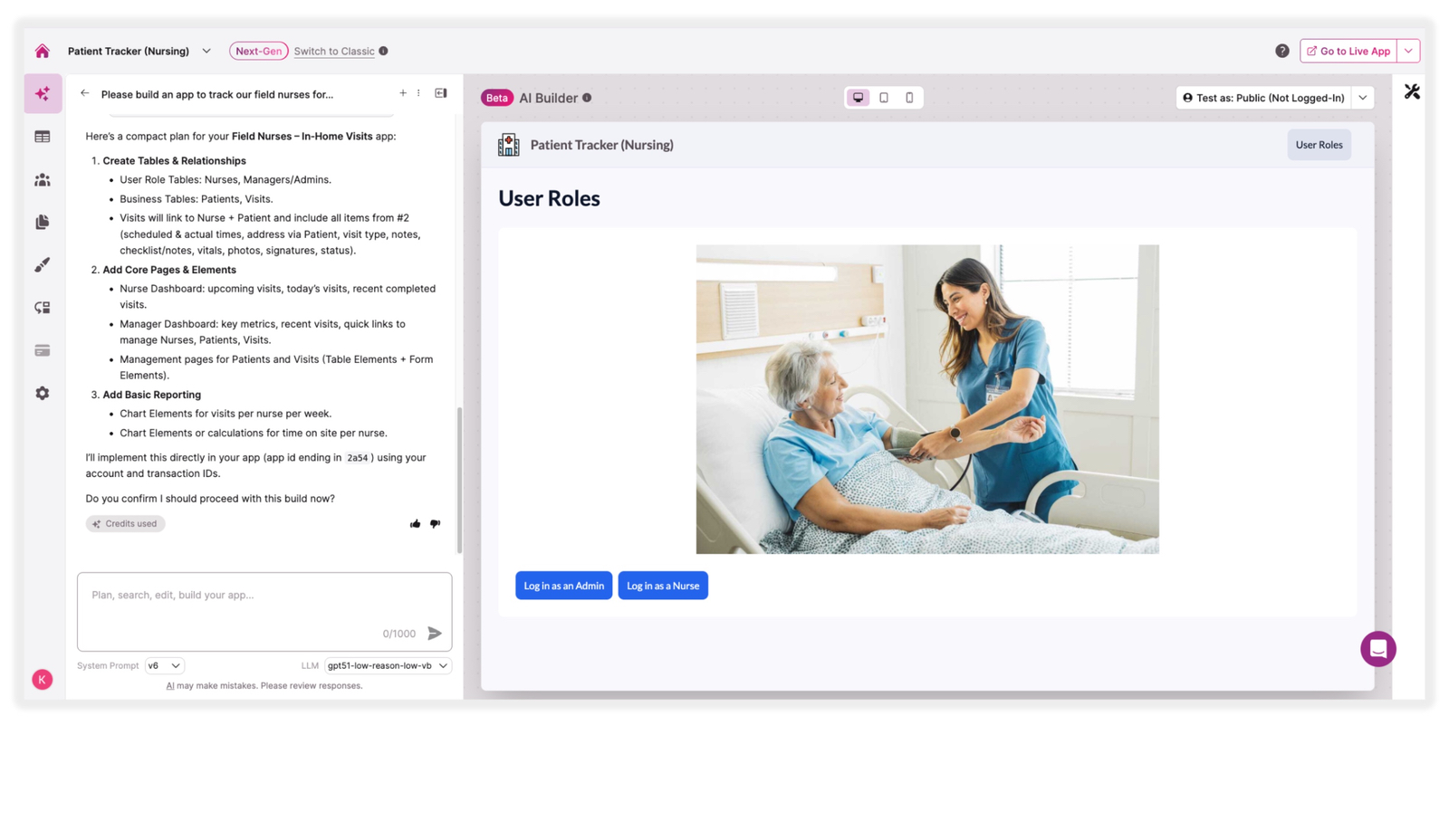
Give nurses a dedicated space to record each patient visit with structured fields for visit date, time, notes, and follow-up actions. Nurses can quickly add new entries, review prior visit history, and ensure nothing is missed between shifts. All visit records are tied to individual patient profiles, keeping documentation organized and immediately accessible.
Allow nurses to mark the physical location of each patient visit directly within the app. Whether tracking visits across a hospital floor, facility wing, or home care route, location data is captured alongside visit records for full context. Supervisors and coordinators can review location history to support scheduling, audits, and care continuity.
Maintain a complete, searchable profile for every patient, including contact details, care history, visit notes, and location records. Nurses can quickly pull up a patient’s full record before or after a visit, reducing reliance on paper charts and disconnected systems. Records are always current and accessible to the relevant staff members based on their role.
Provide distinct access levels so every team member sees only what’s relevant to their case. Nurses can log visits, add notes, and track locations for their assigned patients. Administrators and supervisors can oversee all patient records, review visit histories across the team, and manage staff assignments. Role-based permissions ensure sensitive data stays protected and workflows remain organized.
Help nurses and coordinators stay on top of upcoming and completed visits with schedule views that surface what needs attention. Staff can plan visits by patient, location, or time window, and supervisors can coordinate workloads across the nursing team. Reduce missed visits and scheduling gaps with a structured, centralized calendar.
Bring all patient information, visit logs, notes, and location data into a single, fully searchable and filterable database. Nurses and administrators can quickly find any record, review visit patterns, or prepare reports without digging through spreadsheets or paper files. All data stays current, consistent, and available to authorized team members from any device.
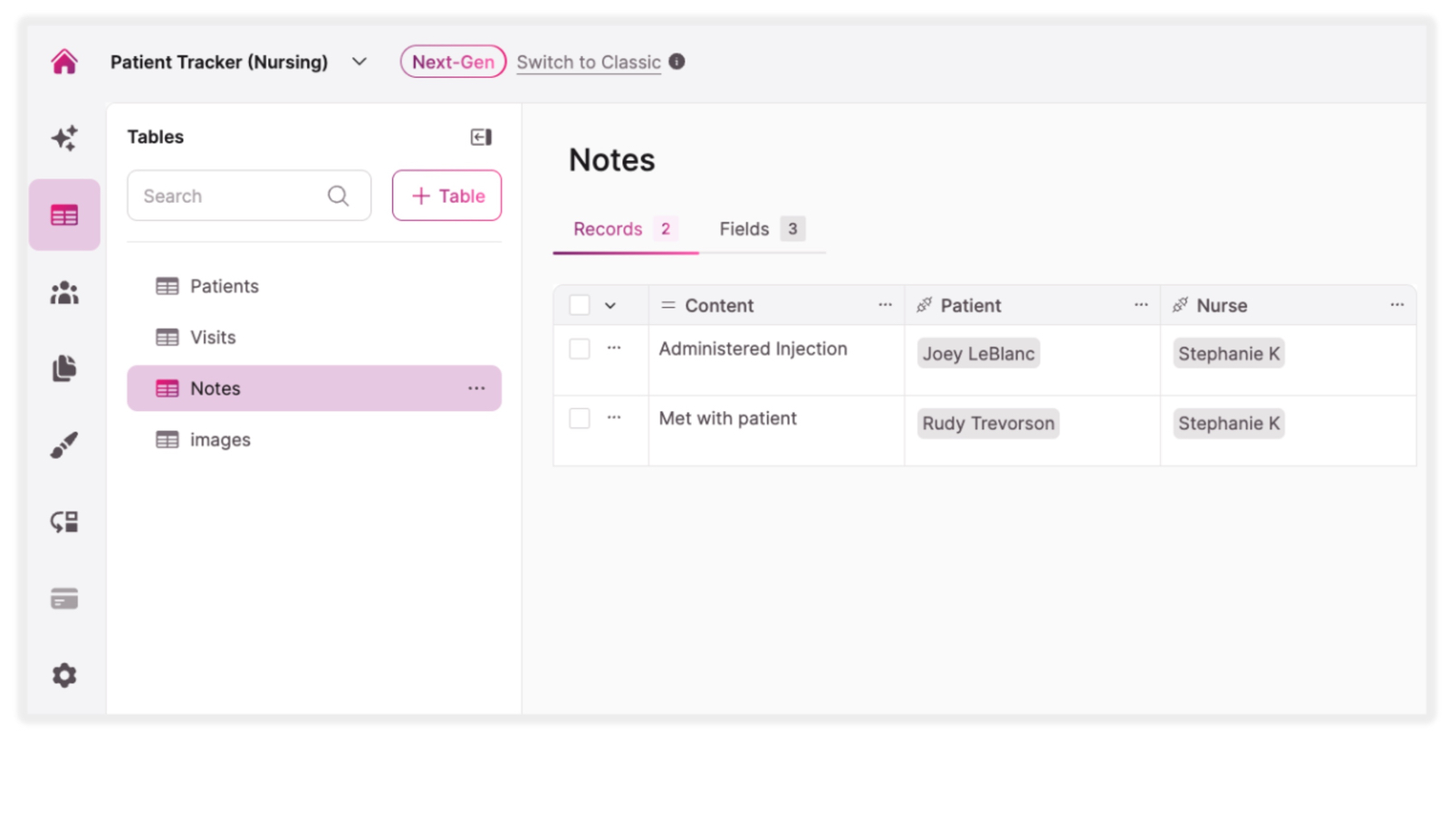
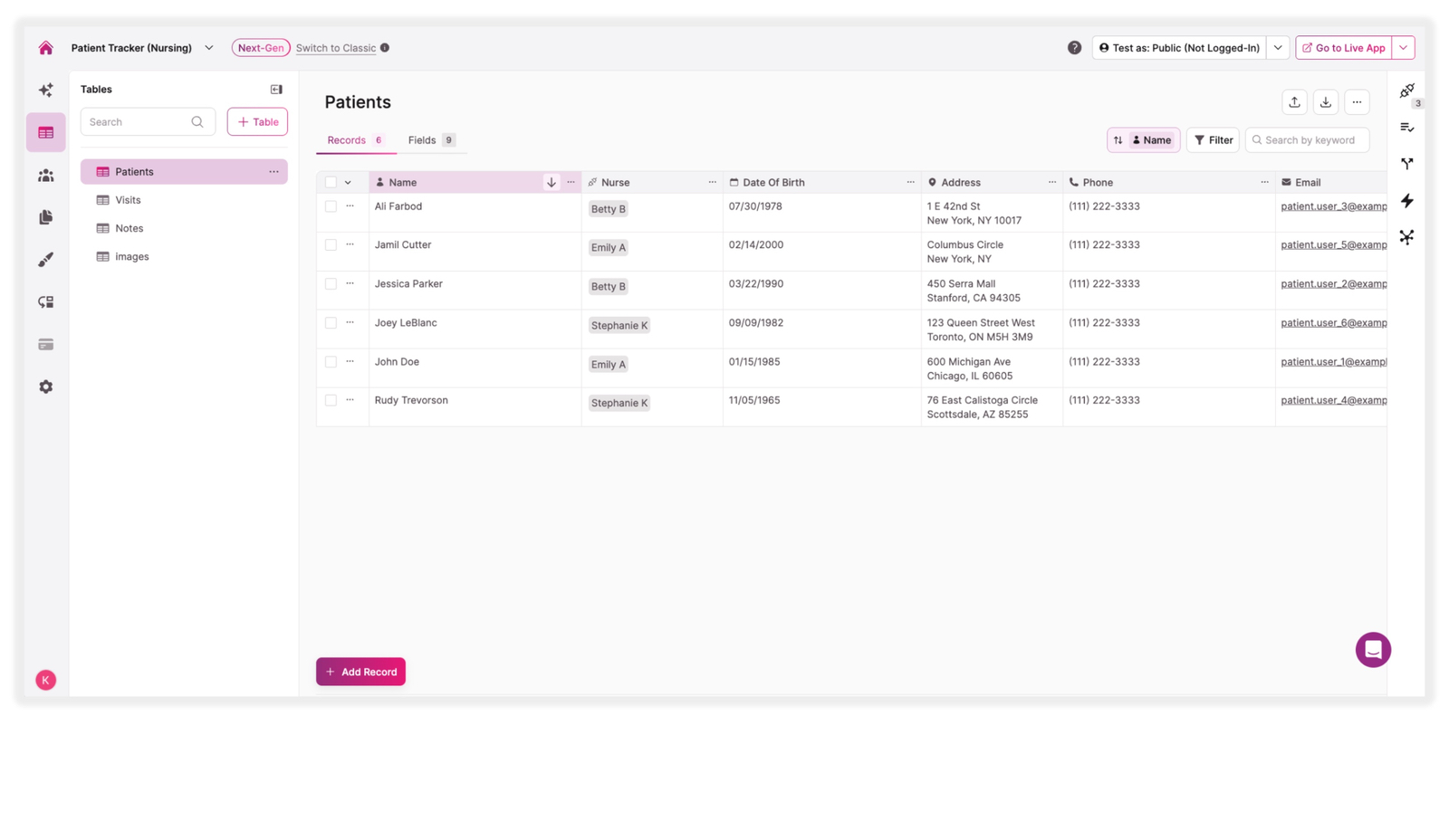
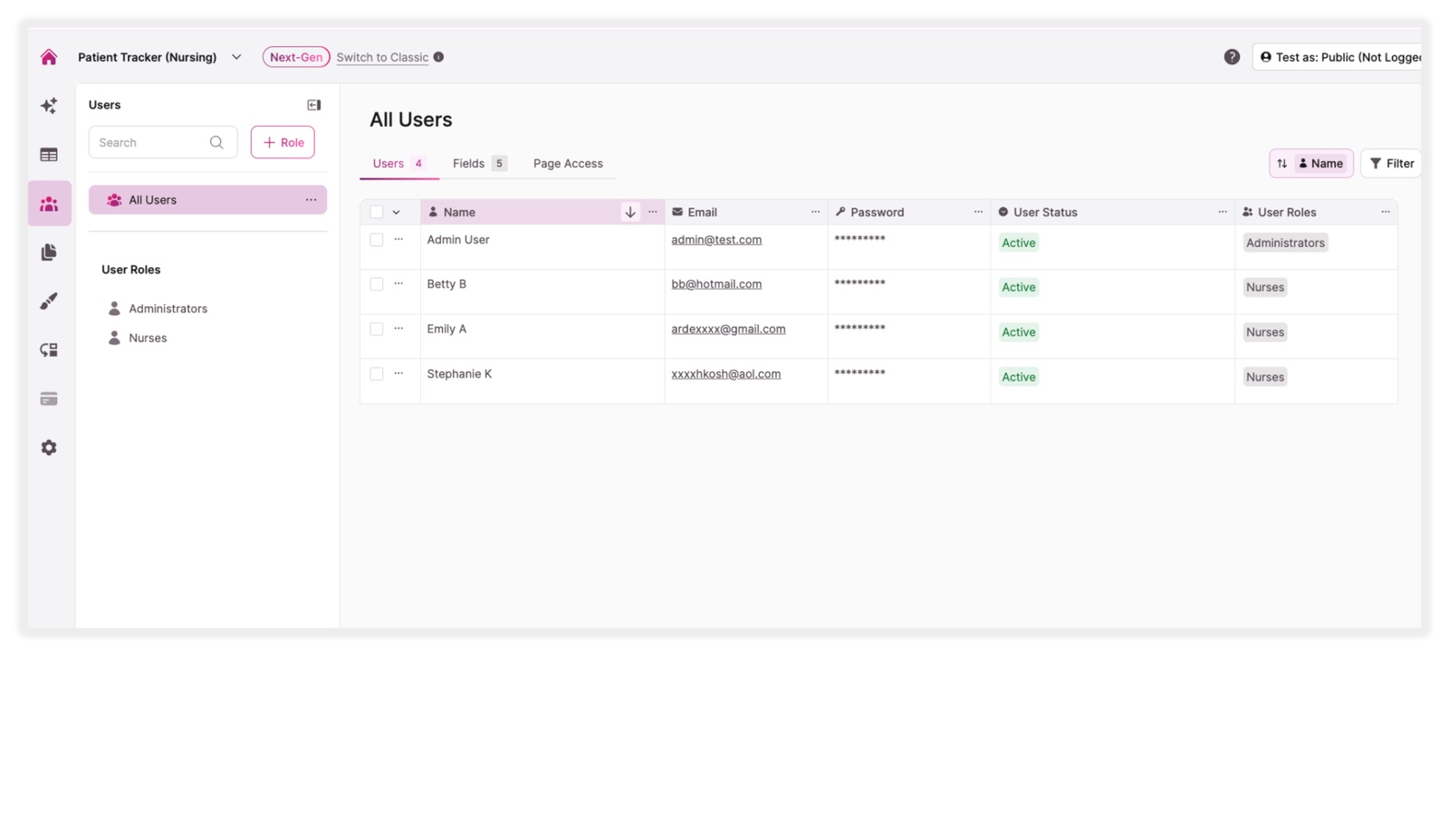
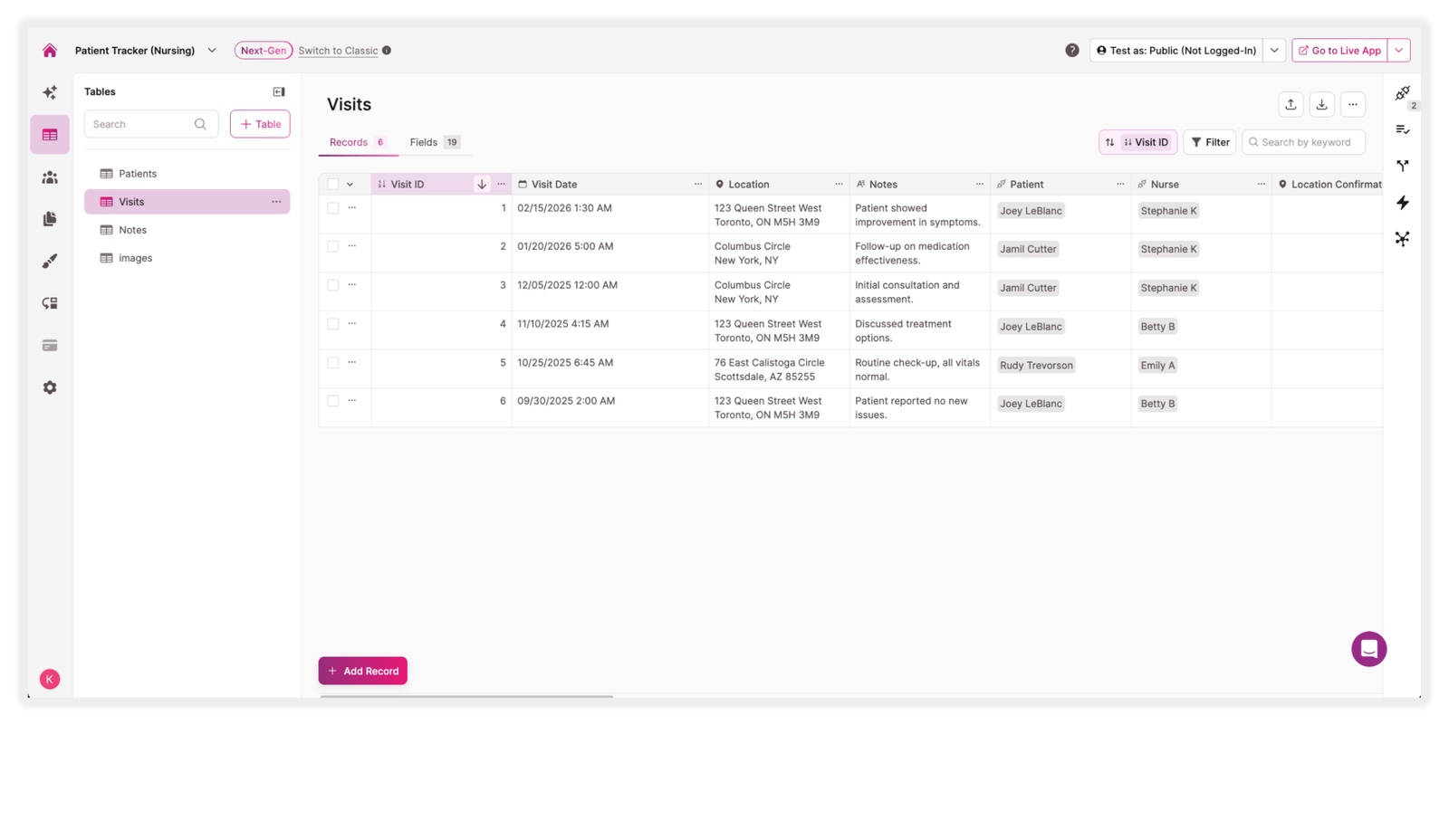

Support home health nurses in logging patient visits, recording notes, and marking visit locations in real time. Keep coordinators informed of where nurses have been and what care was delivered, without manual check-ins or paper logs.

Help hospital or long-term care nurses document each rounding visit by patient, time, and location. Ensure consistent documentation across shifts and give charge nurses a clear view of visit completion and patient status throughout the day.

Give nurses a structured way to record clinical observations, follow-up needs, and care notes during or after each visit. Reduce reliance on handwritten notes and disconnected systems by keeping all documentation tied to each patient’s profile.

Allow supervisors to monitor visit logs, review notes, and track location data across the entire nursing team. Identify gaps, follow up on outstanding documentation, and support quality assurance without chasing down individual staff members.

Ensure incoming nurses have full visibility into prior visit notes and patient updates when a shift changes. Reduce handoff errors and improve care continuity by centralizing all patient and visit information in one accessible location.

Maintain a complete, time-stamped record of every patient visit, note, and location entry. When audits or compliance reviews arise, nursing teams can quickly produce accurate documentation without reconstructing records from memory or scattered files.
Knack wins over traditional work order tools, docs, and spreadsheets.
| Traditional Tools | Knack |
|---|---|
| Fragmented Documentation: Paper logs, handwritten notes, disconnected spreadsheets, and disorganized digital communications force nurses to track patient visits across multiple formats, increasing the risk of errors and missed entries. | Centralized Visit Tracking: Knack brings patient profiles, visit logs, clinical notes, and location data into one unified portal that’s accessible and organized for every member of the nursing team. |
| No Location Visibility: Traditional tools provide no structured way to record or review visit locations, leaving supervisors without the context they need to coordinate care effectively. | Built-In Location Capture: Nurses can mark visit locations directly within the app, giving coordinators and supervisors real-time context alongside clinical documentation. |
| Manual, Time-Consuming Recordkeeping: Nurses spend valuable care time transcribing notes after visits with no automated structure to ensure completeness or consistency across the team. | Automated Workflows: Trigger reminders, flag incomplete records, and route information to the right team members automatically, reducing administrative burden on nursing staff. |
| Insufficient Security Controls: Generic spreadsheets or paper-based systems lack the role-based permissions, audit trails, and encryption needed to protect sensitive patient information. | HIPAA-Ready Infrastructure: Knack supports encrypted data storage and transit, customizable role-based permissions, detailed audit trails, automatic session timeouts, and HIPAA-compliant hosting with a BAA. |







