
Try Interactive Demo
No-code database platforms are transforming the way web apps are…
Template Marketplace
Use Knack’s Patient Portal Template to give patients, providers, and…
A complete EHR for solo mental health practitioners. Manage patient…
Knack’s Telemedicine App Template gives healthcare providers, clinics, and independent…

SOLUTIONS

No-Code Project Management Software

Streamline and automate task management and resource management with a personalized project management solution.

Trusted by thousands using our No-Code Project Management Software

Design a Project Management Suite That Fits Your Team

Every team manages projects differently, and rigid, one-size-fits-all tools often create more friction than focus. With Knack’s no-code platform, you can build a project management suite that adapts to your workflows—customizing fields for deadlines, budgets, or client details, setting role-based permissions, and automating tasks like assignments or reminders. Centralizing everything in one hub eliminates silos, gives teams complete visibility, and ensures your processes evolve as your business grows—making even the most complex initiatives easier to manage with clarity and control.

Use No-Code Project Management to Achieve Operational Excellence

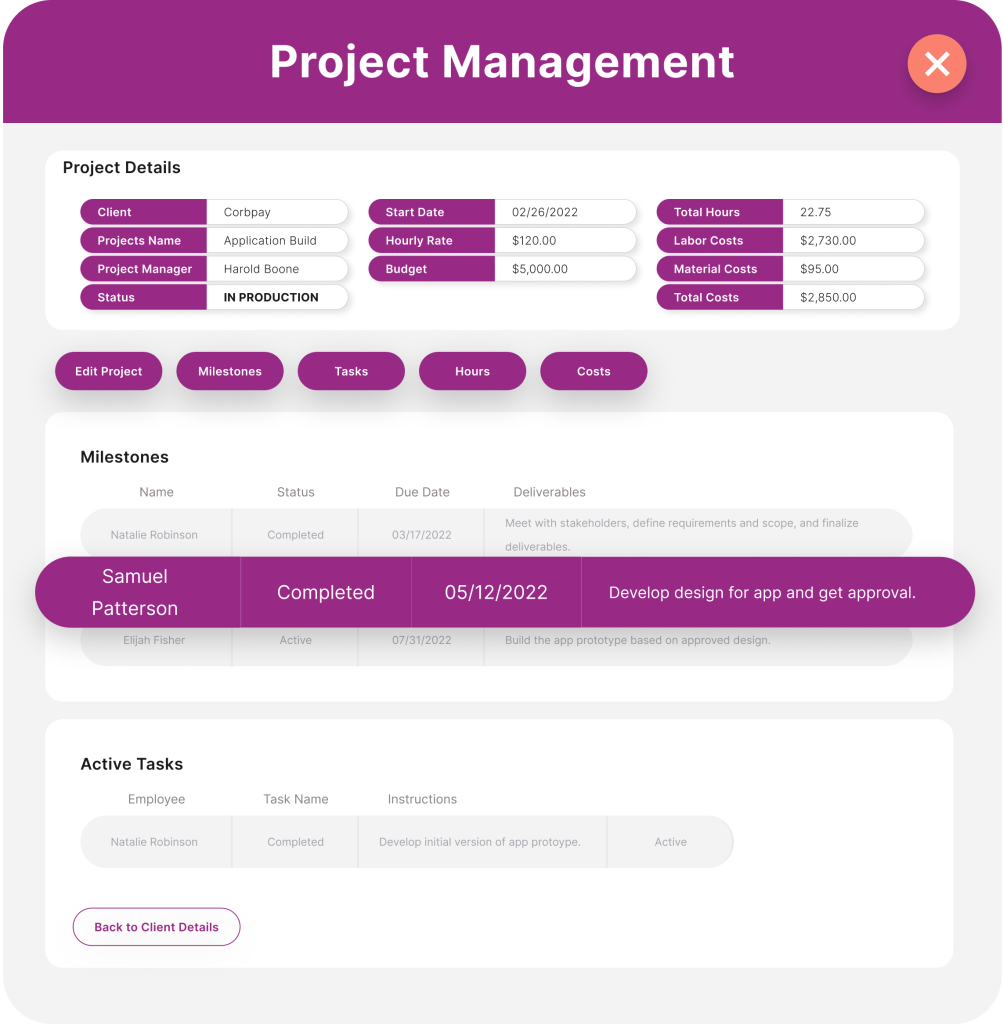
Find success through Knack’s highly agile and customizable platform, allowing you to design and develop a no-code online project management system that aligns precisely with your business needs – whether you’re a freelancer, on a small team, or part of a corporation. By leveraging custom fields, unique dependencies, and more, you can tailor the app’s features, workflows, and interfaces to match your project progress.

Gain Real-Time Project Insights

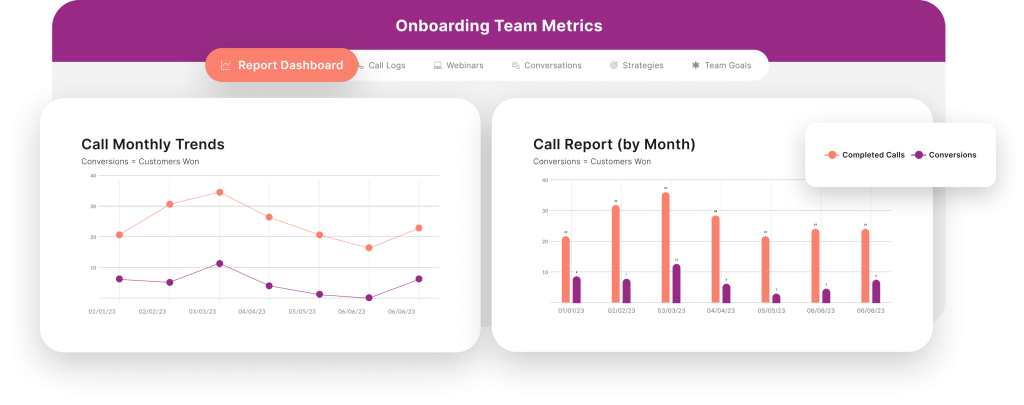
Leverage Knack’s robust reporting capabilities, allowing you to generate customized reports and dashboards to track project progress, monitor milestones, and analyze performance. This empowers you to identify bottlenecks, prioritize resources, and make data-driven decisions to drive project success.

Collaborate Seamlessly Across Teams

Successful projects rely on clear communication and shared visibility. Knack brings teams together with shared dashboards, integrated messaging, and real-time updates, so everyone stays aligned without chasing down scattered emails or spreadsheets. By centralizing information in one hub, collaboration becomes seamless whether you’re managing a small project or a complex enterprise portfolio.
With flexible tools like Kanban boards, Gantt charts, and automated workflows, teams can choose how they work best. Kanban boards provide drag-and-drop simplicity for agile workflows, while Gantt charts make dependencies and timelines crystal clear. Automated processes handle repetitive tasks–like sending alerts or updating statuses–ensuring nothing slips through the cracks and every team member stays in sync.

Supercharge Your Project Management & Planning with Multi-Faceted Functionality

Enhance projects by keeping all time tracking, docs, to-do lists, and project statuses in one place. Use Knack’s no-code functionality and customizable online project management software to track projects by streamlining workflows, enhancing collaboration across team members, providing customizable reporting, scaling with real-time needs, integrating with existing systems, leveraging notifications, and leveraging pre-built templates.

Optimize Resources with Smarter No-Code Tools

Managing resources effectively is key to keeping projects on track, but traditional tools often make it complicated. With Knack’s no-code platform, you can simplify resource management by automating task assignments, balancing workloads, and planning capacity with ease. Advanced workflow processes ensure the right people are working on the right tasks at the right time, so your team can spend less energy on administration and more on delivering results.
Knack also gives you the flexibility to design a resource management system that grows with your business. Compare features, customize workflows, and tailor permissions to fit the needs of a single team–or expand to support multi-department operations and complex portfolios. By combining smart automation with scalable no-code tools, Knack helps you optimize resources today while preparing for the challenges of tomorrow.

Project Management Use Cases for Teams

Project Tracking

Track project timelines, invoicing, milestones, dependencies, and backlog while leveraging the most modern collaboration tools.

Portfolio Management

Empower project managers to gain a holistic view of their portfolio, including project priorities, resource allocation, financials, and overall performance.

Work Management

Let scrum teams define work breakdown structures, track timesheets, create project schedules, and track task lists at various levels.

Resource Allocation

Enhance resource management by integrating resource allocation and capacity planning functionality.


Project Management Templates for Teams

No-Code Project Management Template

Managers track projects and assign tasks for employees.

Event Calendar Template

Display events in a calendar. Editor can approved events submitted by the community.

Caseload Management Template

Lawyers can log calls & manage their caseload. Plaintiffs can log in to view the status of their case.

Custom CRM Builder Template App

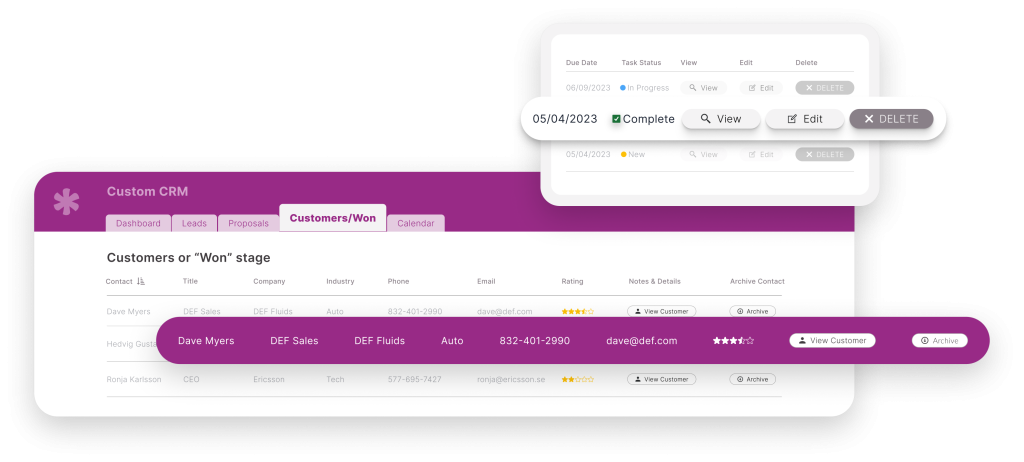
Manage customers through a sales pipeline and assign tasks and meetings.

Project Management Resources

Top 15 Document Control Systems (2026): Best Document Management Software for Businesses

An inventory management dashboard is a dynamic tool that serves as the…

Top 10 Free Kanban Boards to Use (2026 Guide)

Managing tasks and projects efficiently is more important than ever in today’s…

Top 8 Agile Project Management Software Solutions (2026)

For teams embracing agile methodologies like Scrum or Kanban, project management software…

Project Management Software – Frequently Asked Questions

How can I get started with no-code project management software?

You can start building no-code project management apps and solutions for your team by using our 14-day free version or head over to our pricing page to see our paid plans. We offer usage-based pricing with unlimited users, ensuring scalability.

The best project management software is the solution you build for your specific needs with specific project management features. You can read more about the benefits of building your own system here.

Opting for a cloud-based, no-code project management app with advanced key features surpasses relying on Excel spreadsheets – especially for more complex projects. It centralizes information, enables real-time team collaboration, supports diverse methodologies, and ensures efficient management of due dates, leading to improved project outcomes.
With no-code and interactive drag-and-drop features, you can build an app in just a few minutes without the excessive costs of hiring a professional software developer.
No-code software simplifies project management by allowing teams to customize workflows, automate repetitive tasks, and centralize data without needing a developer. This flexibility helps businesses save time, reduce errors, and adapt quickly as project needs evolve.
No-code project management tools are used by a wide range of organizations—from small startups managing simple task lists to large enterprises handling complex portfolios. Industries like tech, education, healthcare, and professional services benefit from customizable solutions that scale as their teams grow.
Yes. Most no-code project management platforms integrate with tools like Slack, Google Workspace, Zapier, and CRM systems. These integrations help teams automate processes, improve communication, and keep data consistent across all platforms.
Key features to look for include customizable dashboards, workflow automation, collaborative boards (like Kanban or Gantt), reporting and analytics, and real-time updates. These capabilities make it easier to manage projects efficiently while keeping stakeholders informed.
Yes. Reliable no-code platforms include role-based permissions, data encryption, and audit logs to ensure your information stays safe. Businesses can control access and maintain compliance while allowing teams to work more efficiently.